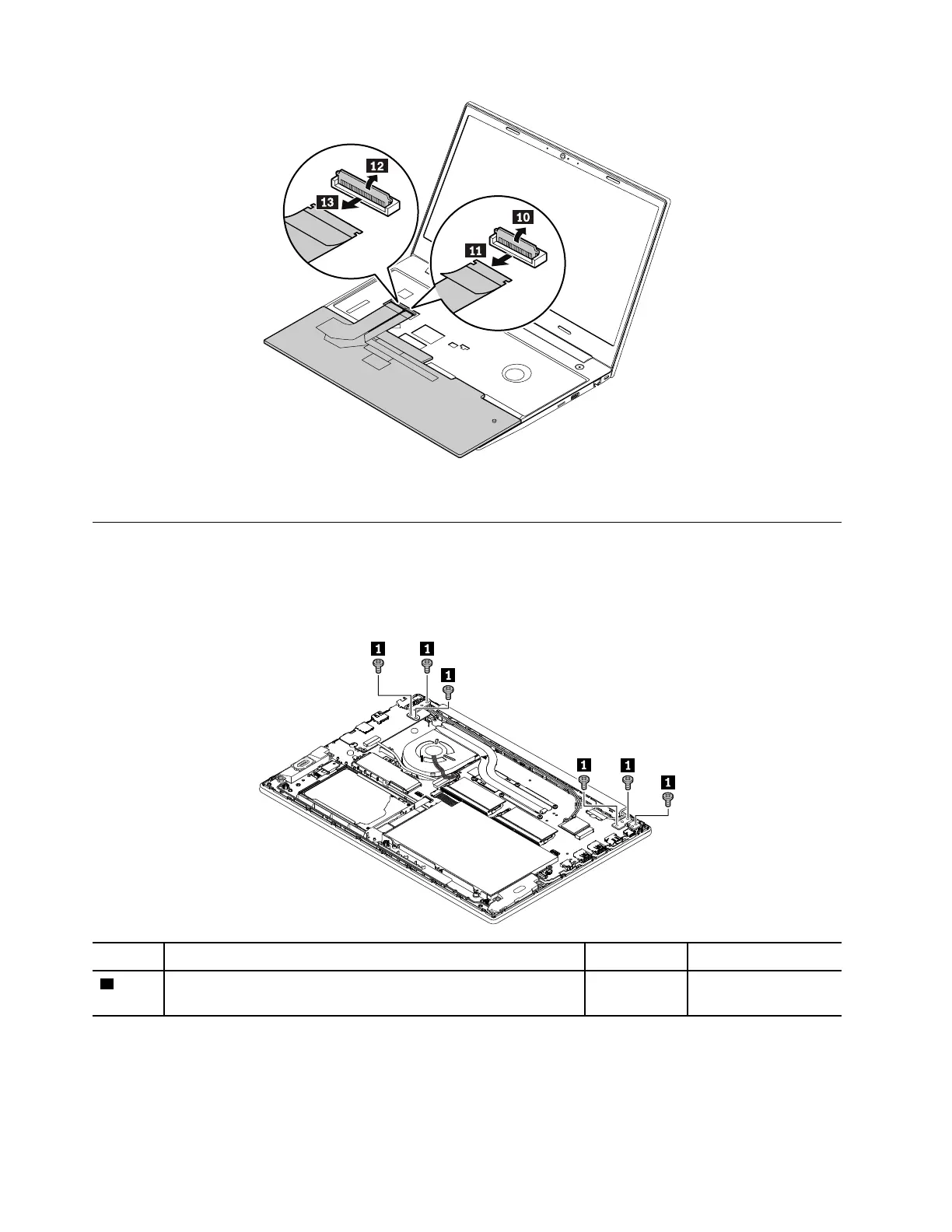
When installing: Ensure that the connector is attached firmly.
1100 USB card with cable
For access, remove these FRUs in order:
• “1010 Base cover assembly” on page 69
Removal steps of the I/O board with cable
Step Screw (quantity) Color
Torque
1
M2.5 × 4.5 mm, wafer-head, nylon-coated (6) Silver 0.294 Nm
(3 kgf-cm)
80 ThinkPad E580 and E585 Hardware Maintenance Manual














 To Next Page