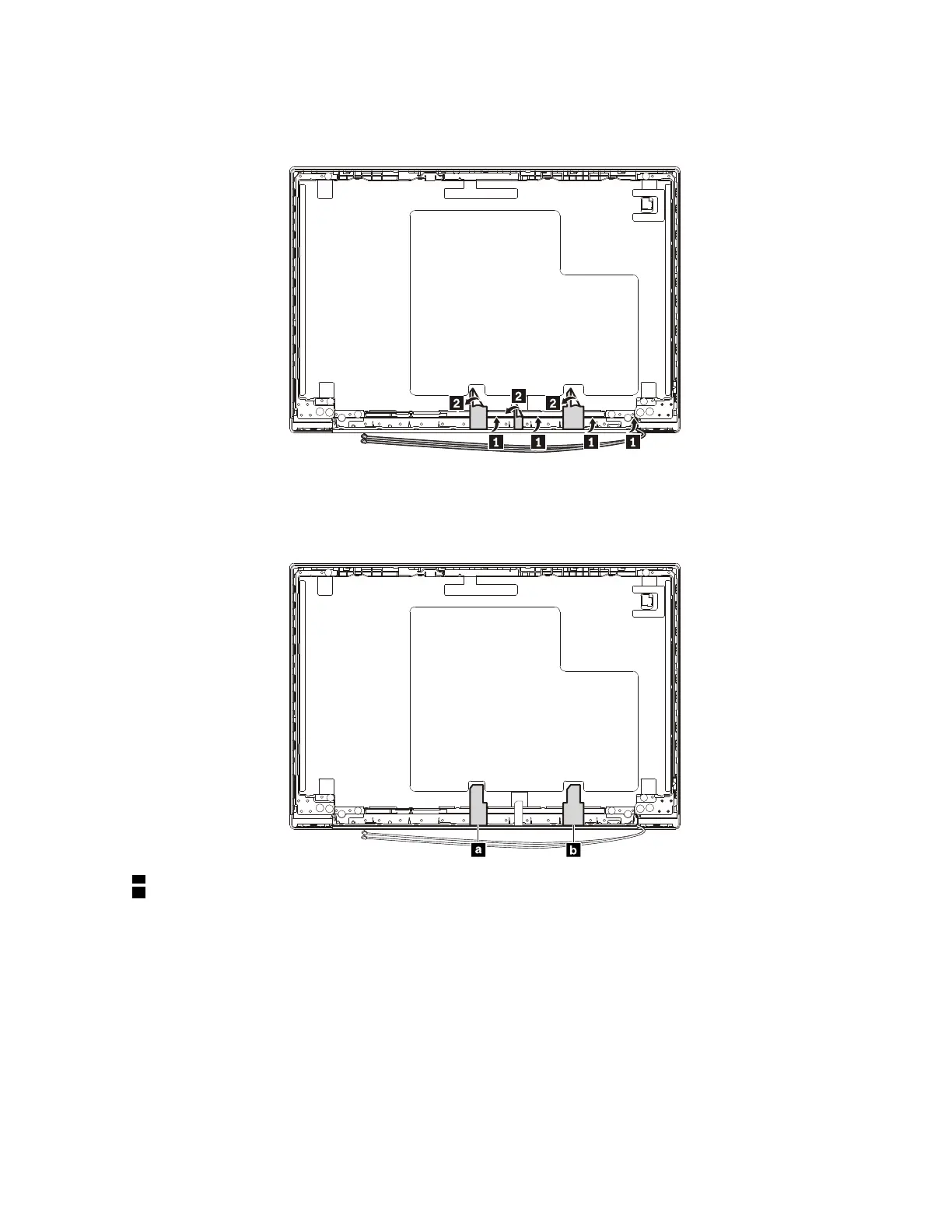
Removal steps of the wireless LAN antenna assembly and the LCD cover assembly
Release the antenna cables from the cable guides on the LCD cover assembly.
Attention: When you route the cables, ensure that they are not subject to any tension. Tension could cause
the cables to be damaged by the cable guides, or a wire to be broken.
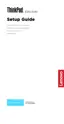
Antenna locations
a Wireless-LAN auxiliary antenna (black)
b Wireless-LAN main antenna (gray)
Chapter 9. Removing or replacing a FRU 93














 To Next Page