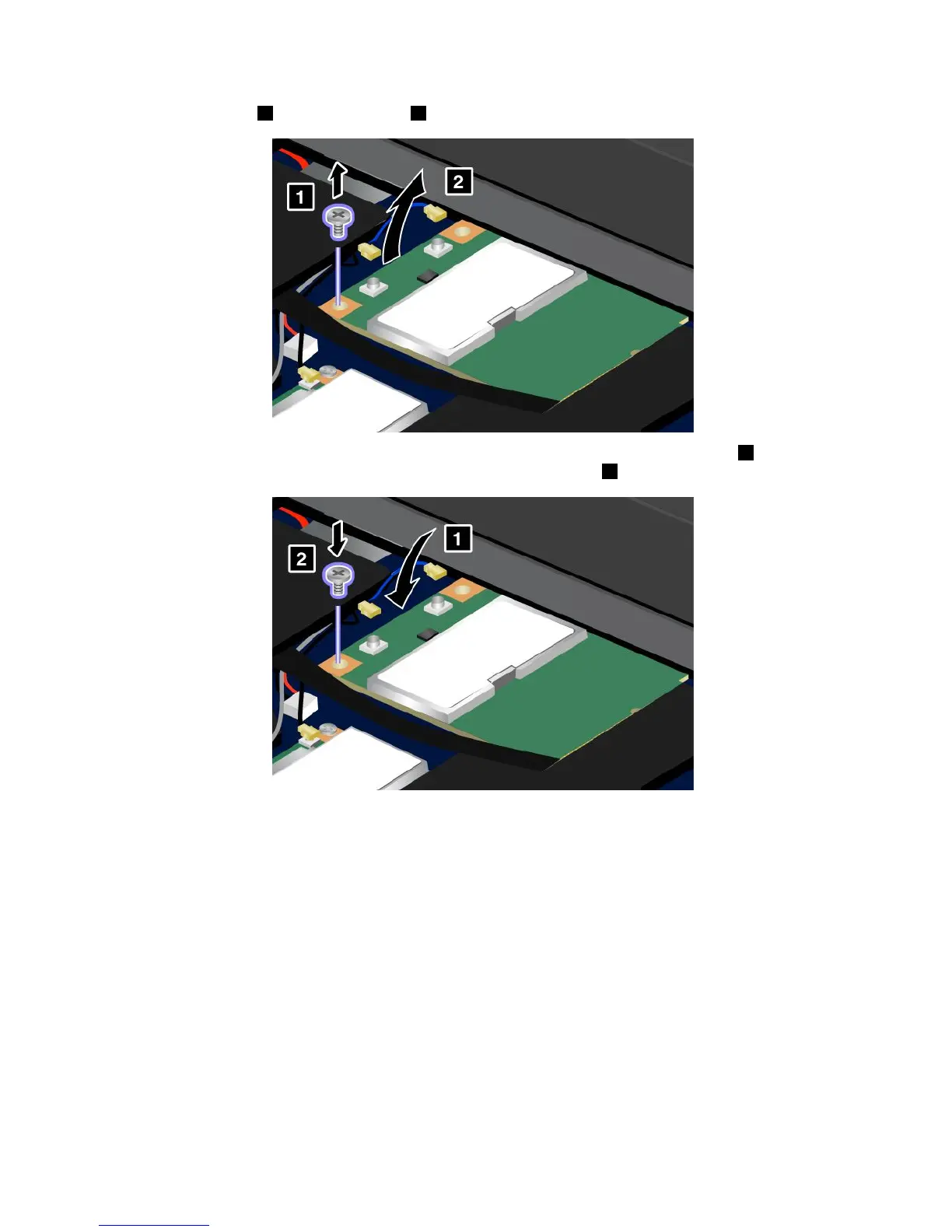
6.Removethescrew1.Thecardpopsup2.Removethecard.
7.AlignthecontactedgeofthenewPCIExpressMiniCardwiththecorrespondingsocket1.Pivotthe
carduntilyoucansnapitintoplace.Securethecardwiththescrew2.
Notes:
•YoucanalsoreplacethePCIExpressMiniCardforWirelessWANwithanmSATAsolidstatedrive.
•ToinstallanewmSATAsolidstatedrive,referto“InstallingandreplacingthemSATAsolidstate
drive”onpage85
.
92UserGuide













 To Next Page