IfyourcomputercomeswithawirelessWANfeature,itstransmitterantennaislocatedatthetopleftportion
ofthecomputerdisplay.
3WirelessWANantenna(Auxiliary)
IfyourcomputercomeswithawirelessWANfeature,theauxiliaryantennaislocatedatthetoprightcorner
ofthecomputerdisplay.
4WirelessLANandWiMAXcomboantenna(Auxiliary)
TheauxiliaryantennaconnectedtothewirelessLANorWiMAXfeatureislocatedatthetoprightportionof
thecomputerdisplay.
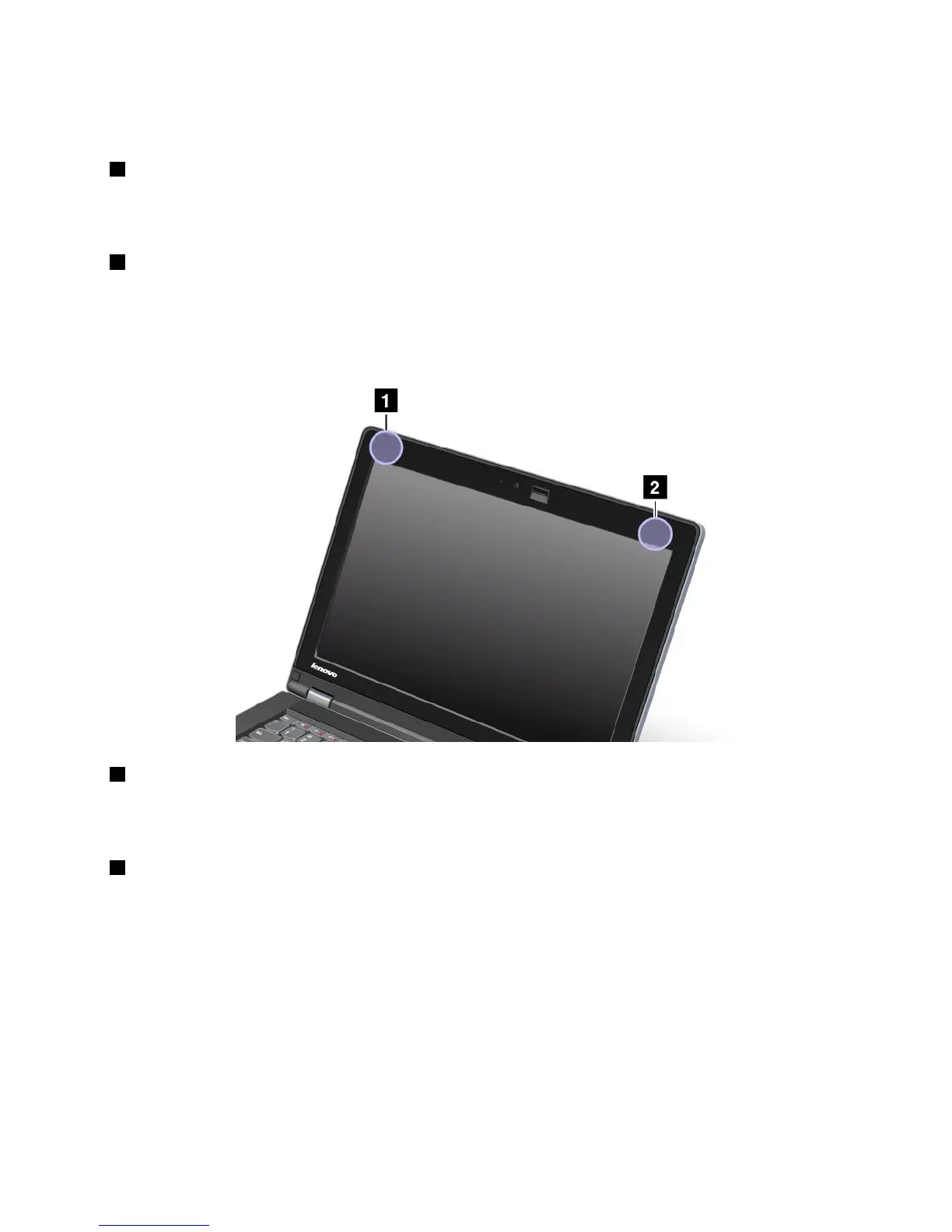
Type2:Antennalocation
1WirelessLANandWiMAXcomboantenna(Main)
ThemainantennaconnectedtothewirelessLANorWiMAXfeatureislocatedatthetopleftcornerof
thecomputerdisplay.
2WirelessLANandWiMAXcomboantenna(Auxiliary)
TheauxiliaryantennaconnectedtothewirelessLANorWiMAXfeatureislocatedatthetoprightportionof
thecomputerdisplay.
Locatingwirelessregulatorynotices
Formoreinformationaboutthewirelessregulatorynotices,refertotheRegulatoryNoticeshippedwithyour
computer.
IfyourcomputerisshippedwithouttheRegulatoryNotice,youcannditontheWebsiteat:
http://www.lenovo.com/support
ToviewtheRegulatoryNoticeontheWebsite,dothefollowing:
AppendixA.Regulatoryinformation155













 To Next Page