ThekeyboardcontainstheuniqueTrackPoint
®
pointingdevice.Pointing,selecting,anddraggingareallpart
ofasingleprocessthatyoucanperformwithoutmovingyourngersfromtypingposition.
MoveyourngertipacrosstheUltraNav
®
touchpadtomovethepointer.
TheTrackPointandTrackPointbuttonsprovidefunctionssimilartothoseofamouseanditsbuttons.
14PCIExpressMiniCardslotforwirelessLAN/WiMAX
YourcomputermightincludeaPCIExpressMiniCardforwirelessLAN/WiMAXinthePCIExpressMiniCard
slotwhichenableswirelessLAN/WiMAXcommunications.
15PCIExpressMiniCardslotforwirelessWANormSATAsolidstatedrive(SSD)
YourcomputermightincludeaPCIExpressMiniCardforwirelessWANinthePCIExpressMiniCard
slotwhichenableswirelessWANcommunications.
WithLenovotechnologiesadvancingtoprovideyouwiththebestengineeredsystems,somemodelsare
equippedwithanmSATAsolidstatedrivefordatastorage.
16Volumecontrolbuttons
Thebuilt-involumebuttonsenableyoutoquicklyadjustthevolumeormutethesoundfromyourcomputer.
Fordetails,refertotheinstructionsin“Volumeandmutekeys”onpage25.
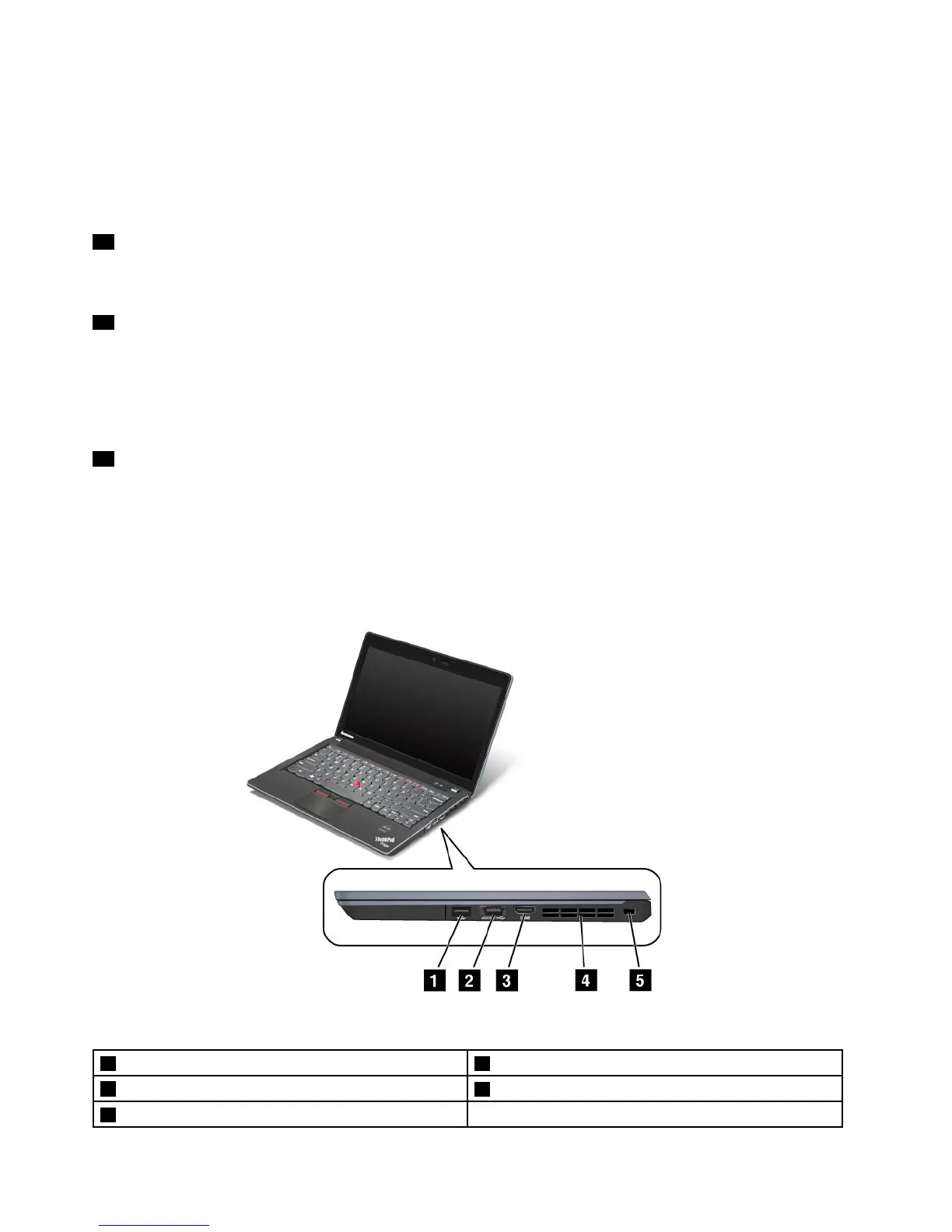
Right-sideview
Figure2.ThinkPadEdgeE220sright-sideview
1USBconnector2eSATA/USBconnector
3HDMIport
4Fanlouvers(right)
5Securitykeyhole
4UserGuide













 To Next Page