5.ClickYesintheSetupWarningwindow.Waitthreetoveminutestoletthecomputercool.Then,you
canreplacethefailedcomponentsafely.
Replacingthesolidstatedriveorharddiskdrive
Youcanreplacethesolidstatedriveorharddiskdrivewithanewonethatcanbepurchasedfromyour
Lenovoreselleroramarketingrepresentative.Toreplacethesolidstatedriveorharddiskdrive,readthe
followingprerequisites.
Note:Replacethesolidstatedriveorharddiskdriveonlyifyouupgradeitorhaveitrepaired.Theconnectors
andslotofthesolidstatedriveorharddiskdrivewerenotdesignedforfrequentchanges,ordriveswapping.
Prerequisitesfortheprocedure
Whenreplacingthedrive,besuretofollowtheprecautions.
Attention:Whenhandlingasolidstatedriveorharddiskdrive
•Donotdropthedriveorsubjectittophysicalshocks.Putthedriveonamaterial,suchassoftcloth,that
absorbsanyphysicalshocks.
•Donotapplypressuretothecoverofthedrive.
•Donottouchtheconnector.
Thedriveisverysensitive.Incorrecthandlingcancausedamageandpermanentlossofdata.
Beforeremovingthesolidstatedriveorharddiskdrive,makeabackupcopyofalltheinformationonit,
andthenturnthecomputeroff.
Neverremovethedrivewhilethesystemisoperating,insleep(standby)mode,orinhibernationmode.
Toreplacethesolidstatedriveorharddiskdrive,doasfollows:
1.Turnoffthecomputer;thendisconnecttheacpoweradapterandallcablesfromthecomputer.
2.EnterThinkPadSetuptostopbatterydischarge.Referto“BeforereplacingCRUs”onpage77for
detailedinformation.
3.Closethecomputerdisplay,andturnthecomputerover.
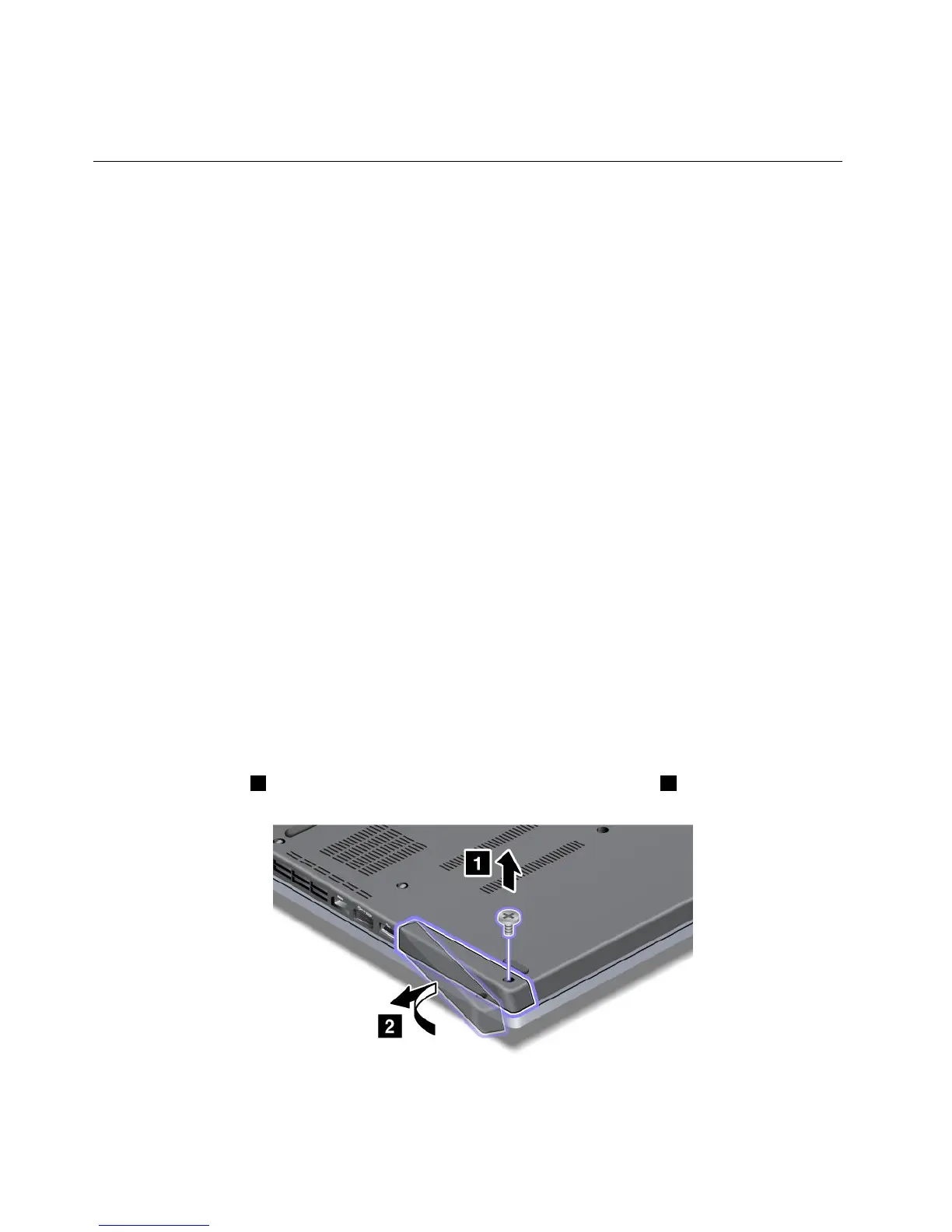
4.Loosenthescrew1thatsecuresthesolidstatedriveorharddiskdrivedoor2,andthenremovethe
solidstatedriveorharddiskdrivedoor.
78UserGuide












 To Next Page