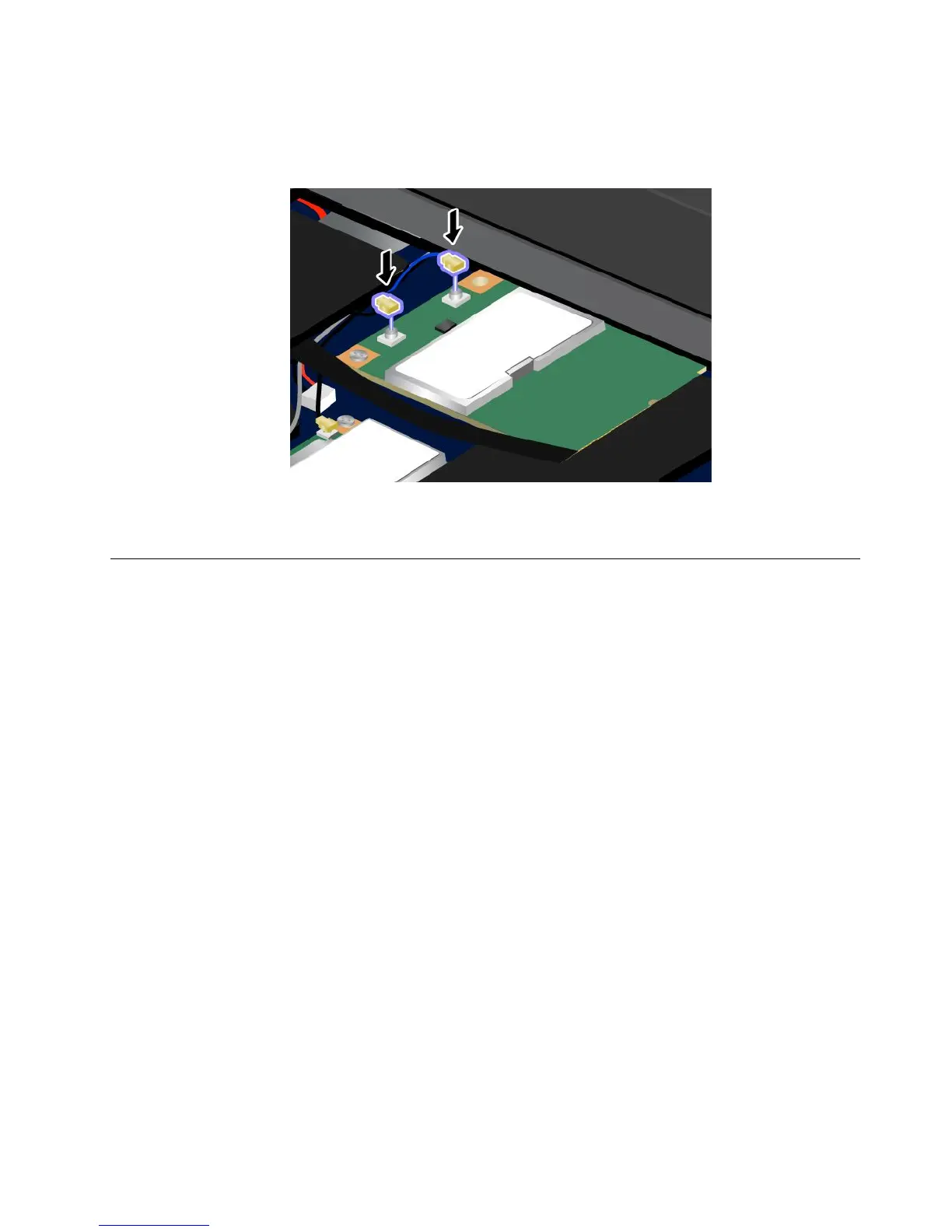
8.ConnectthecablestothenewPCIExpressMiniCard.
Note:Besuretoattachtheredcabletotheconnectormarked“MAIN”or“M”onthecard,andthe
bluecabletotheconnectormarked“AUX”or“A.”
9.Reinstallthekeyboard.Formoredetails,referto“Replacingthekeyboard”onpage81.
10.Turnthecomputeroveragain.Connecttheacpoweradapterandcablestothecomputer;thenturniton.
ReplacingtheSIMcard
Beforeyoustart,printtheseinstructions.
YourcomputermayrequireaSIM(SubscriberIdenticationModule)cardtoestablishawirelessWAN(Wide
AreaNetwork)connections.Dependingonthecountryofdelivery,theSIMcardmaybealreadyinstalledin
yourcomputerorwillbepartoftheshippingcontentsthatcamewithyourcomputer.
IfyoundtheSIMcardsincludedintheshippingcontents,adummycardisinstalledintheSIMcard
slot.Thenproceedtothefollowinginstructions.
Ifyoundthedummycardintheshippingcontents,theSIMcardisalreadyinstalledintheSIMcard
slot,andnofurtherinstallationisneeded.
Note:TheSIMcardisidentiedbytheICchipmountedononesideofthecard.
Replacementinstructions
ToreplacetheSIMcard,doasfollows:
1.Turnoffthecomputer;thendisconnecttheacpoweradapterandallcablesfromthecomputer.
2.EnterThinkPadSetuptostopbatterydischarge.Referto“BeforereplacingCRUs”onpage77for
detailedinformation.
3.Closethecomputerdisplay,andturnitover.
Chapter6.Replacingdevices93













 To Next Page