31
Lenovo V340-17IWL
FRU replacement notices
Thissection presentsnotices relatedtoremovingandreplacing parts.Read
thissectioncarefullybeforereplacinganyFRU.
Screw notices
Loosescrewscancause areliability problem.In theLenovo computer,this
problemisaddressedwithspecialnylon-coatedscrewsthathavethefollowing
characteristics:
• Theymaintaintightconnections.
• Theydonoteasilycomeloose,evenwithshockorvibration.
• Theyarehardertotighten.
• Eachoneshouldbeusedonlyonce.
Dothefollowingwhenyouservicethismachine:
• Keepthescrewkitinyourtoolbag.
• CarefullyremovescrewsforreusewhenreplacingFRU.
• Useatorquescrewdriverifyouhaveone.
Tightenscrewsasfollows:
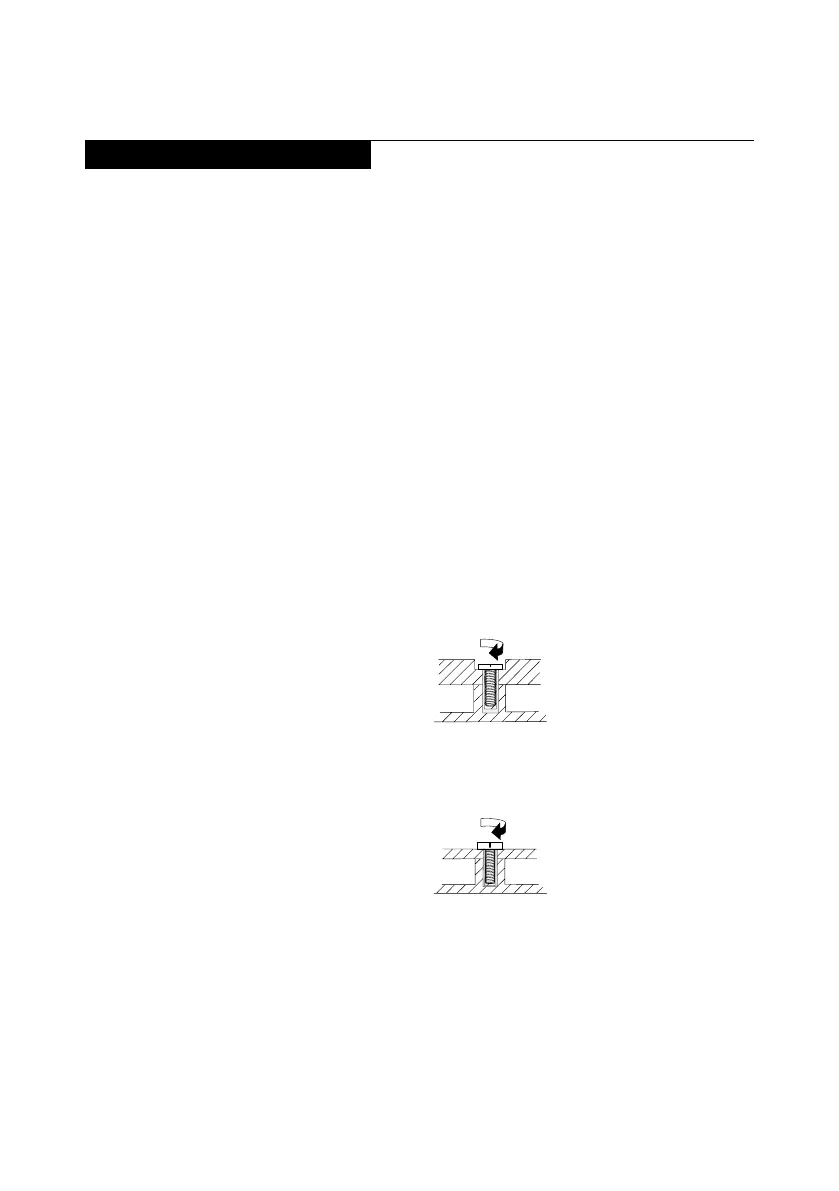
• Plastic to plastic
Turnanadditional90°afterthescrewheadtouchesthesurfaceofthe
plasticpart:
more than 90°
(Cross-section)
• Logic card to plastic
Turnanadditional180°afterthescrewheadtouches thesurfaceofthe
logiccard:
more than 180°
(Cross-section)
• Torque driver
Ifyouhaveatorquescrewdriver,refertothe“Torque”columnforeachstep.
• Makesurethatyouusethecorrectscrews.Ifyouhaveatorquescrewdriver,
tightenallscrewsrmlytothetorqueshowninthetable.Carefully remove
screws for reuse when replacing FRU. Make sure that all screws are
tightened rmly.
• Ensuretorque screwdriversare calibratedcorrectlyfollowingcountry
specications.



 To Next Page