57
Lenovo V340-17IWL
1120 Touchpad
Foraccess,removetheFRUinfollowingorder:
• “1010Opticaldrive”onpage33
• “1020Basecover”onpage35
• “1030Harddiskdrive”onpage39
• “1040Batterypack”onpage41
• “1050SSDcard”onpage43
• “1060DIMM”onpage45
• “1070PCIExpressMiniCardforwirelessLAN”onpage46
• “1080FanassemblyandHeatSinkassembly”onpage48
• “1090Systemboard”onpage52
• “1100ODDtransferboardandbackupbattery”onpage54
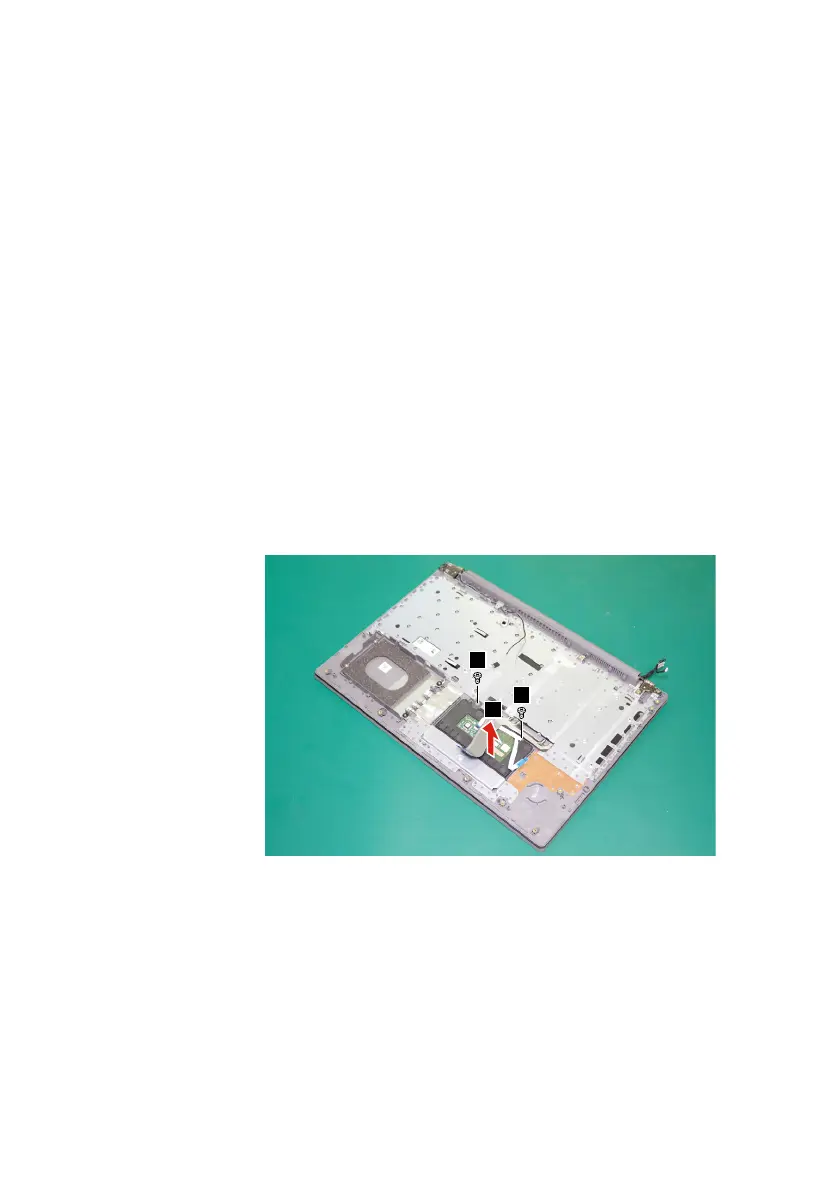
Step1: Removethescrews
1
.
Step2: Detachthetouchpadinthedirectionshownbyarrow
2
.
1
1
2
Figure 26.Remove the screws and detach the touchpad
When installing:Makesurethattheconnectorisattachedrmly.



 To Next Page