40
V340-17IWL Hardware Maintenance Manual
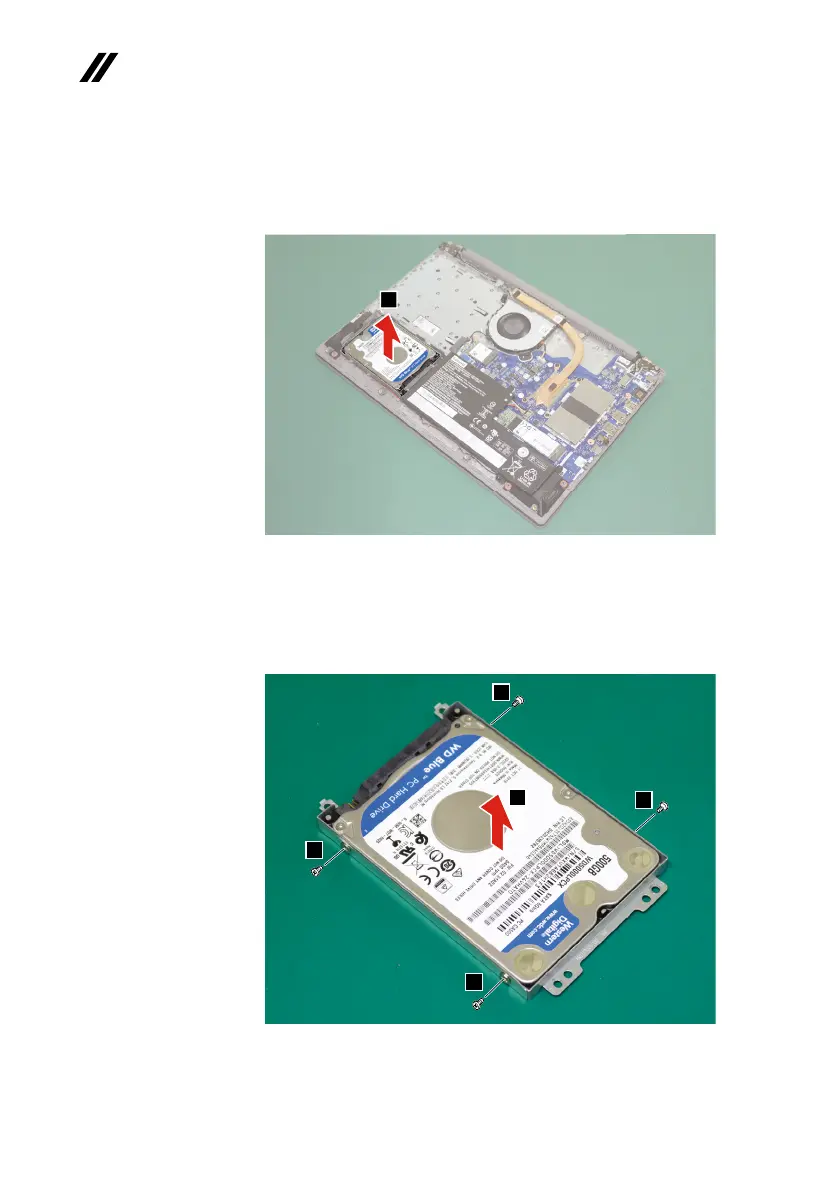
Step4: Removetheharddiskdrivefromtheslotinthedirectionshownby
arrow
3
.
3
Figure 6. Remove the hard disk drive
Step5: Removethescrews
4.
Step6: Detachthebracketfromtheharddiskdriveinthedirectionshown
byarrow
5
.
4
4
4
4
5
Figure 7. Remove the screws and dtach the HDD bracket
When installing:MakesurethattheHDDconnectorisattachedrmly.



 To Next Page