49
Lenovo V340-17IWL
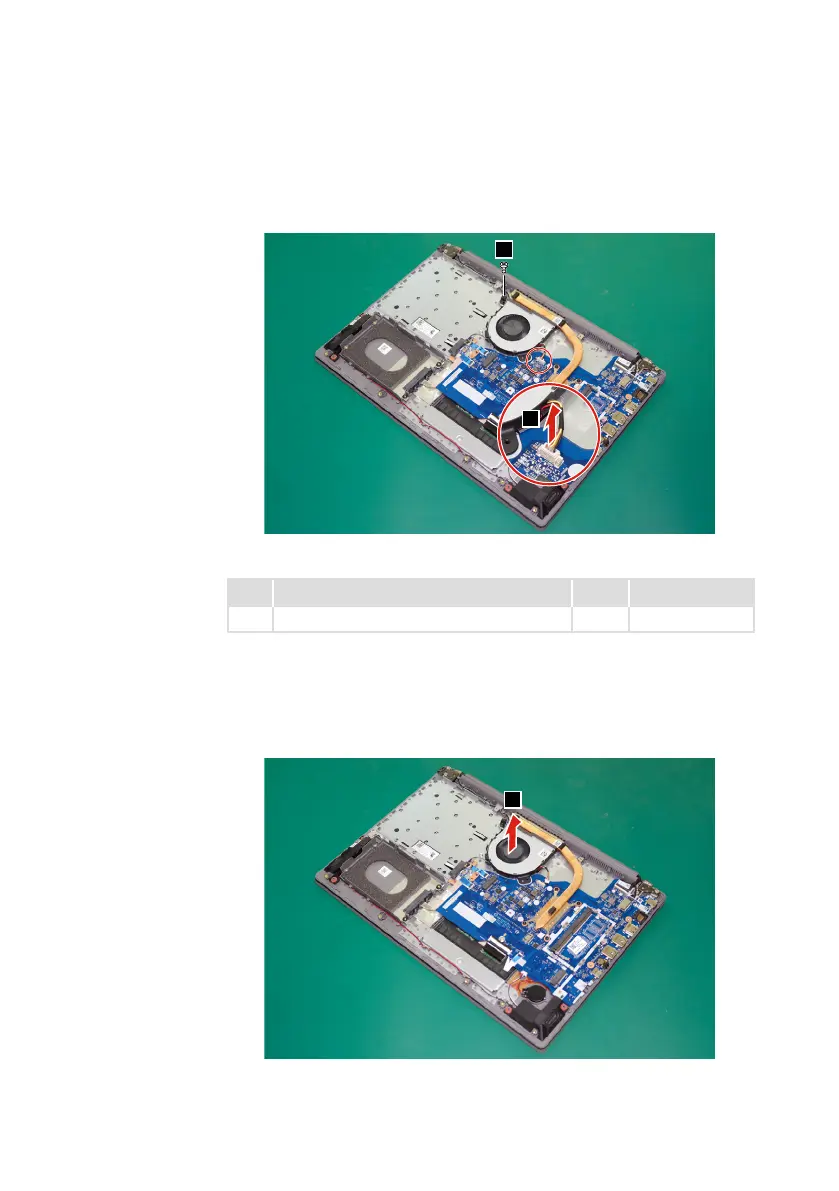
Step2: Unplugthefanconnectorinthedirectionshownbyarrow
2
.
Step3: Removethescrew
3
.
3
2
Figure 16. Unplug the fan connector and remove the screw
Step Screw (quantity) Color Torque
3
M2×6mm,Phillipshead,nylok-coated(1) Black 1.85+/-0.15kgf/cm
When installing:Makesurethattheconnectorisattachedrmly.
Step4: Removethefaninthedirectionshownbyarrow
4
.Becarefulnotto
damagetheconnector.
4
Figure 17. Remove the fan



 To Next Page