64
V340-17IWL Hardware Maintenance Manual
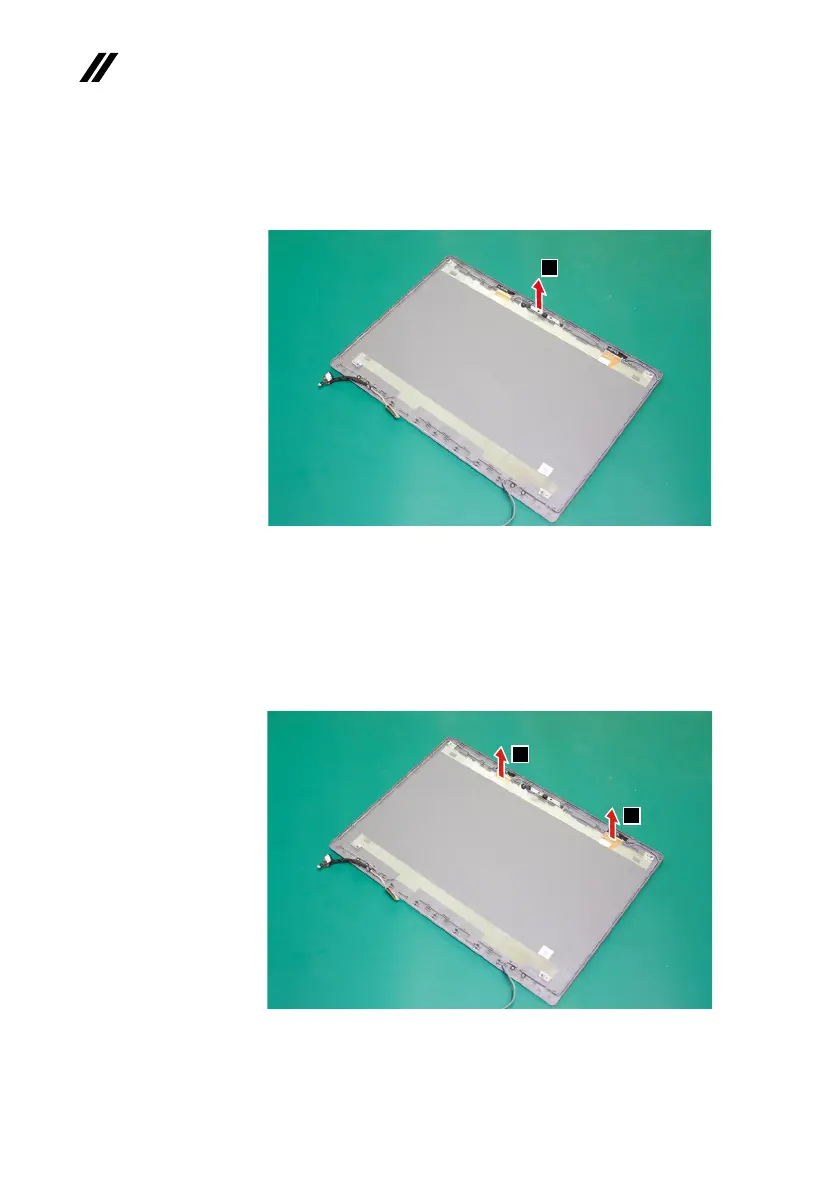
Note:TheintegratedcameraisstuckonthetopcenteroftheLCDcover.
Step2: Removetheintegratedcamerainthedirectionshownbyarrow
2
.
2
Figure 36. Remove the integrated camera
When installing:SticktheintegratedcameratothetopcenteroftheLCD
coverandadjustitsplacementtomakesuretheconnectorisattachedrmly.
Step3: Peelotheadhesivetapesecuringtheantennaboards.
Step4: Releasethecablesfromthecableguide.
Step5: Removetheantennaassemblyinthedirectionshownbyarrows
3
.
3
3
Figure 37. Remove the antenna assembly



 To Next Page