Secondary DNS address.
Domain: Specify the Domain name of network.
Gateway: IP address of router or nodes that serves as an entrance to another
network, and vice-versa. Edit this field to match your ISP settings or leave it
unchanged to use defaults from your ISP.
“Save Changes” button to save any changes made. New settings are active
after the device reboot.
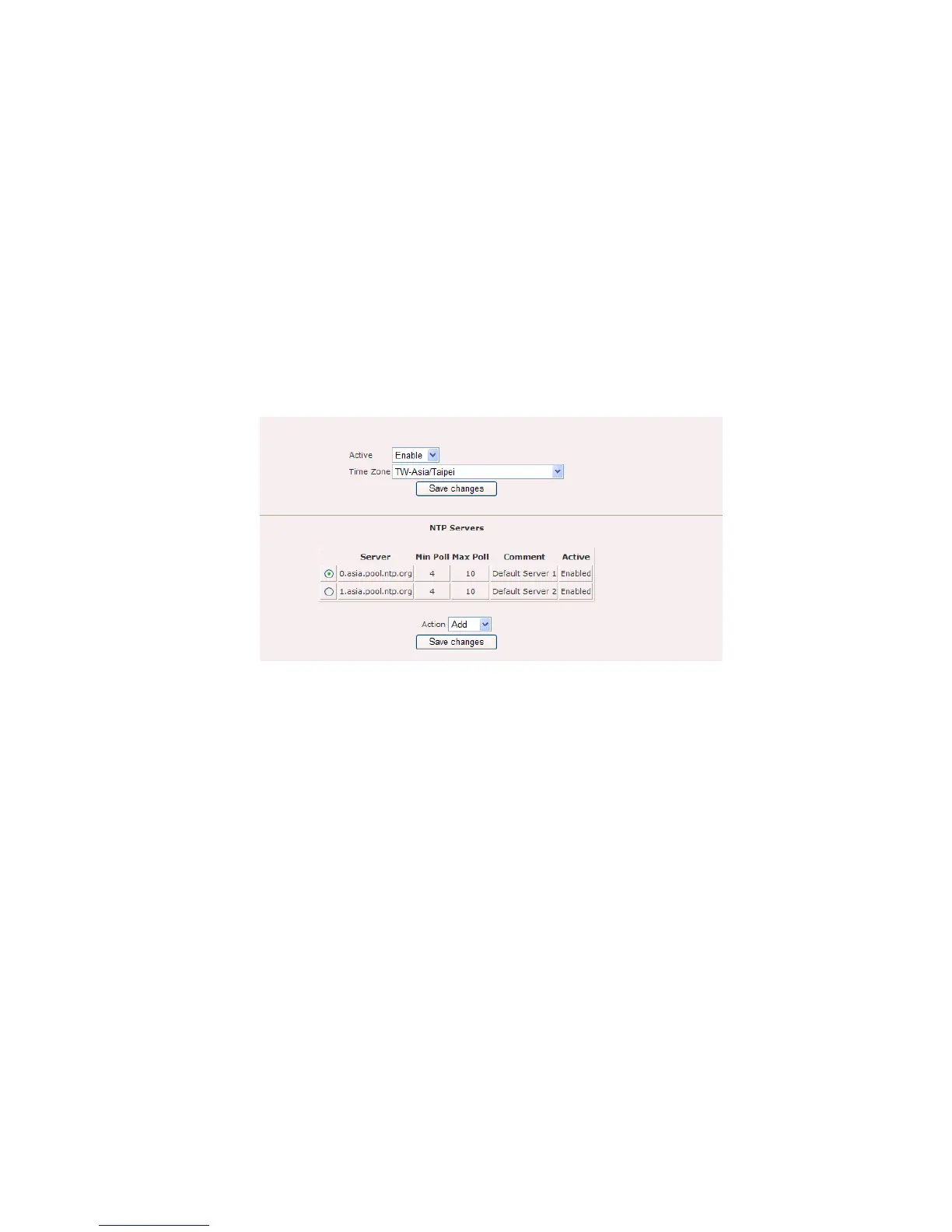
Network Time Protocol (NTP) is a protocol for synchronizing the system clocks over
data networks. Figure 5.2.2 illustrates the NTP configuration page.
Figure 5.2.2: NTP configuration page
NTP configuration page contains the following parameters:
Active: Enable or disable NTP feature
Time Zone: Select the correct time zone.
“Save changes” button to save any changes made.
“Add” button to add new entry to the NTP.
“Edit” button to edit current selection.
“Delete” button to delete current selection.
Figure 5.2.3 illustrates the configuration page for add or edit NTP server settings.















 To Next Page