“Apply” button to save any changes made. Please reboot to enable new
settings.
Click on the Save Changes button to store and changes and then reboot the
device in order for the changes to take effect.
“Add” button to add entry to the access control table.
“Edit” button to edit current selection.
“Delete” button to edit current selection.
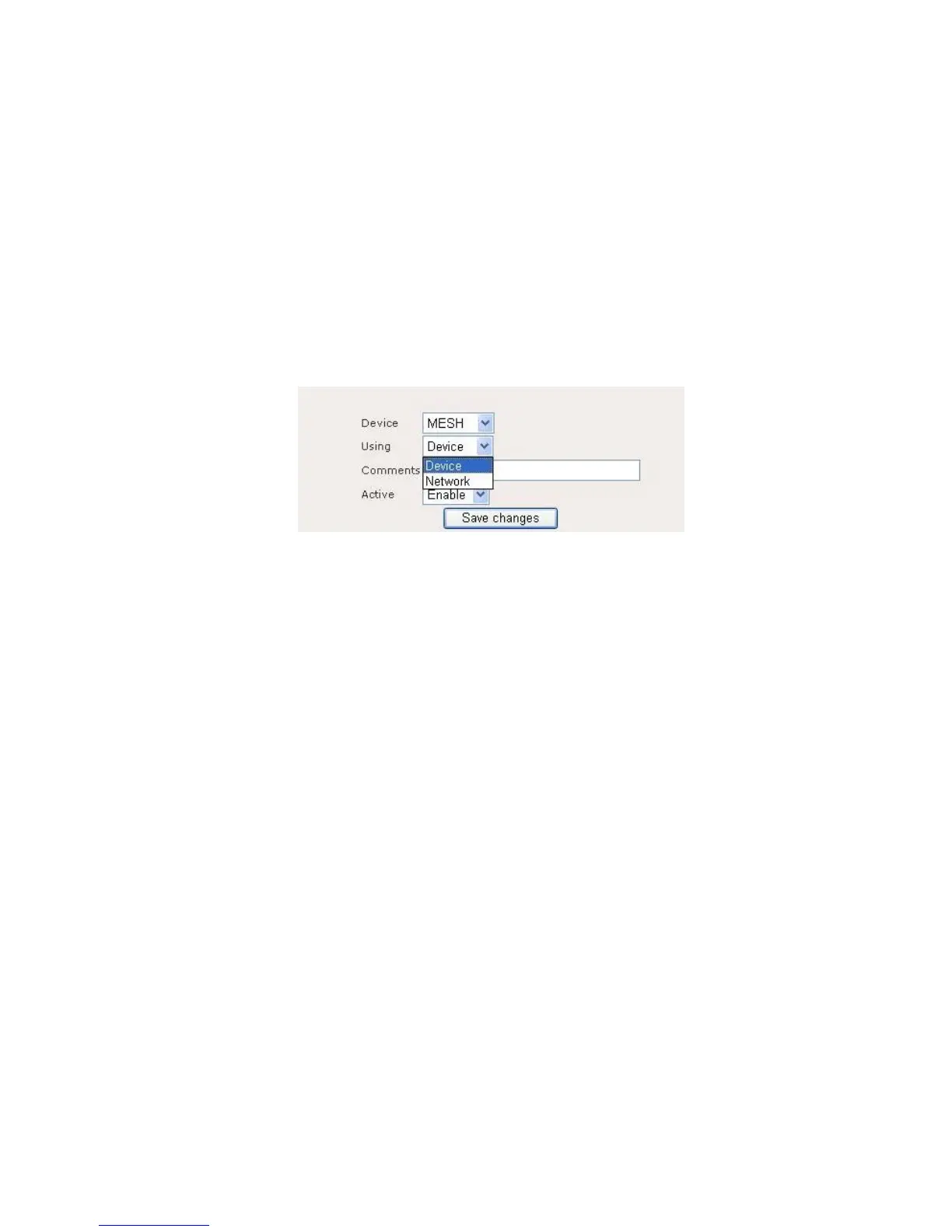
Figure 9.1.2 illustrates the HTTPD access control configuration page.
Figure 9.1.2: HTTPD Access Control – add or edit page
HTTPD Access Control page contains the following parameters:
Device: Click on “Device” drop down menu to select device. For example
WAN, MESH, VLAN0……
Using: Click on “Using” drop down menu to select using “Device” or
“Network”.
Comments: Enter comments for this entry.
Active: Enable or disable this entry.
Click on the Save Changes button to store and changes and then reboot the
device in order for the changes to take effect.
3.6.2 System Management > SNMP
Simple Network Management Protocol (SNMP) used to monitor devices for
conditions that warrant administrative attention. Figure 9.2.1 illustrates the SNMP
configuration page.















 To Next Page