3
ENGLISH
SUMMARY
INTRODUCTION
KEY GUIDE
GETTING STARTED
START-UP GUIDE
SYSTEM SETTING
SWITCHING THE DISPLAY, HOME AND TARGET LANGUAGES
DICTIONARY MODE
PHRASES MODE
“SPOKEN ENTRIES ONLY” FEATURE
FAVOURITE LIST
CALCULATIONS MODE
GAMES
CALENDAR MODE
PHONE BOOK MODE
TO DO MODE
DEMO MODE
RESET
POWER SUPPLY
APPENDIX
PRECAUTIONS
WARRANTY
INTRODUCTION
Thank you for purchasing this MT1500 15-language translator. This product has been designed to help you translate
words in English, French, German, Spanish, Italian, Portuguese, Polish, Dutch, Finnish, Norwegian, Danish, Swedish,
Mandarin, Hungarian and Russian.
The database includes 10,000 words for each language, as well as 500 conversational phrases per language, which
have been grouped into 8 different categories for easy access and use. Under normal use the MT1500 is designed to
give many years of service. Please follow these instructions carefully to ensure your product operates correctly.
3
3
5
5
6
6
6
7
8
9
9
10
11
12
12
12
12
13
13
14
14
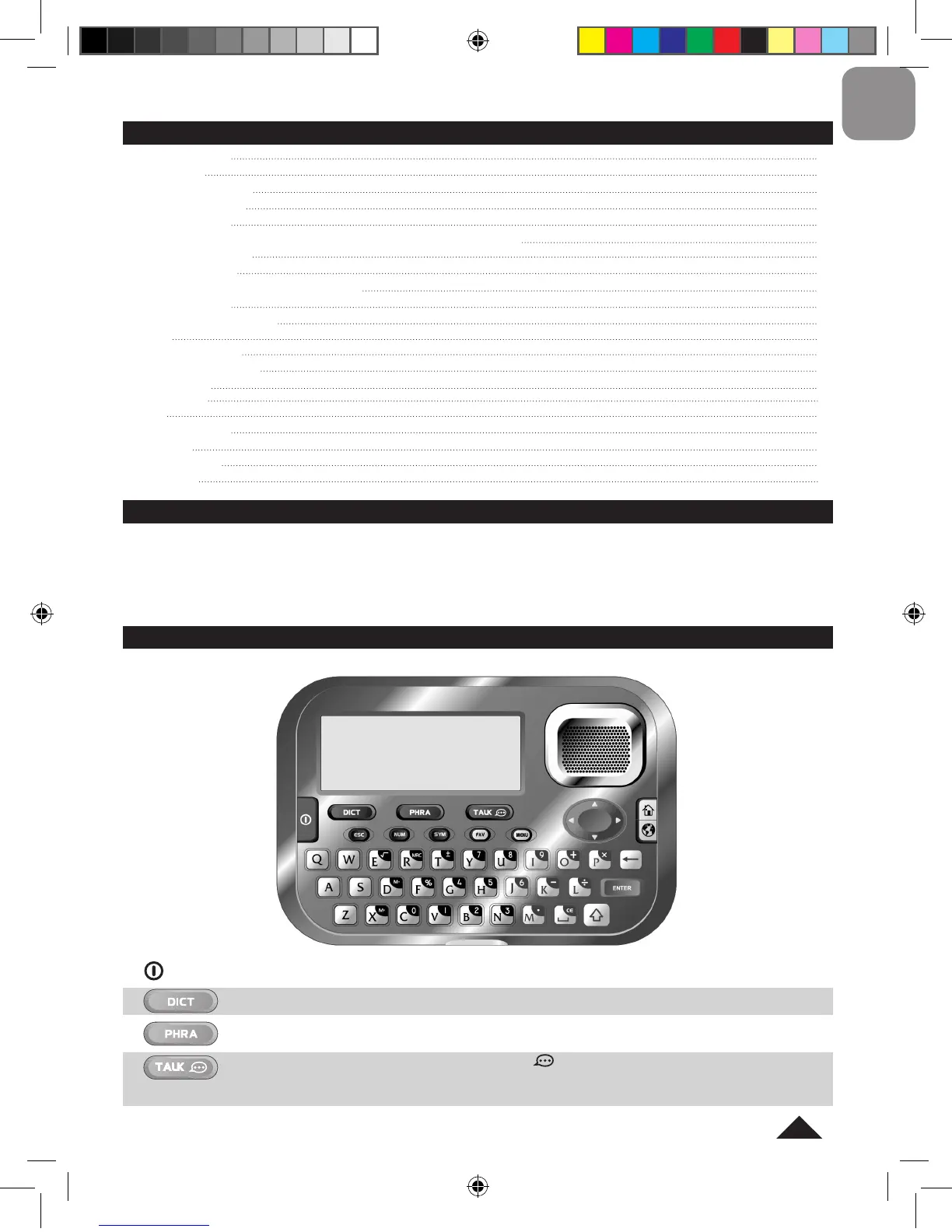
To switch the unit on and off.
To select the mode for translating words (“Dictionary” mode).
To select the mode for translating phrases (“Phrases” mode).
• To play the word or phrase currently selected (the icon must be displayed).
• Press and hold the TALK key to turn on the “Spoken Entries Only” mode (only the spoken words or
the spoken phrases are displayed in this mode). Press and hold the key again to turn off the mode.
KEY GUIDE
ON/OFF:



 To Next Page