56
SuperSign Manager
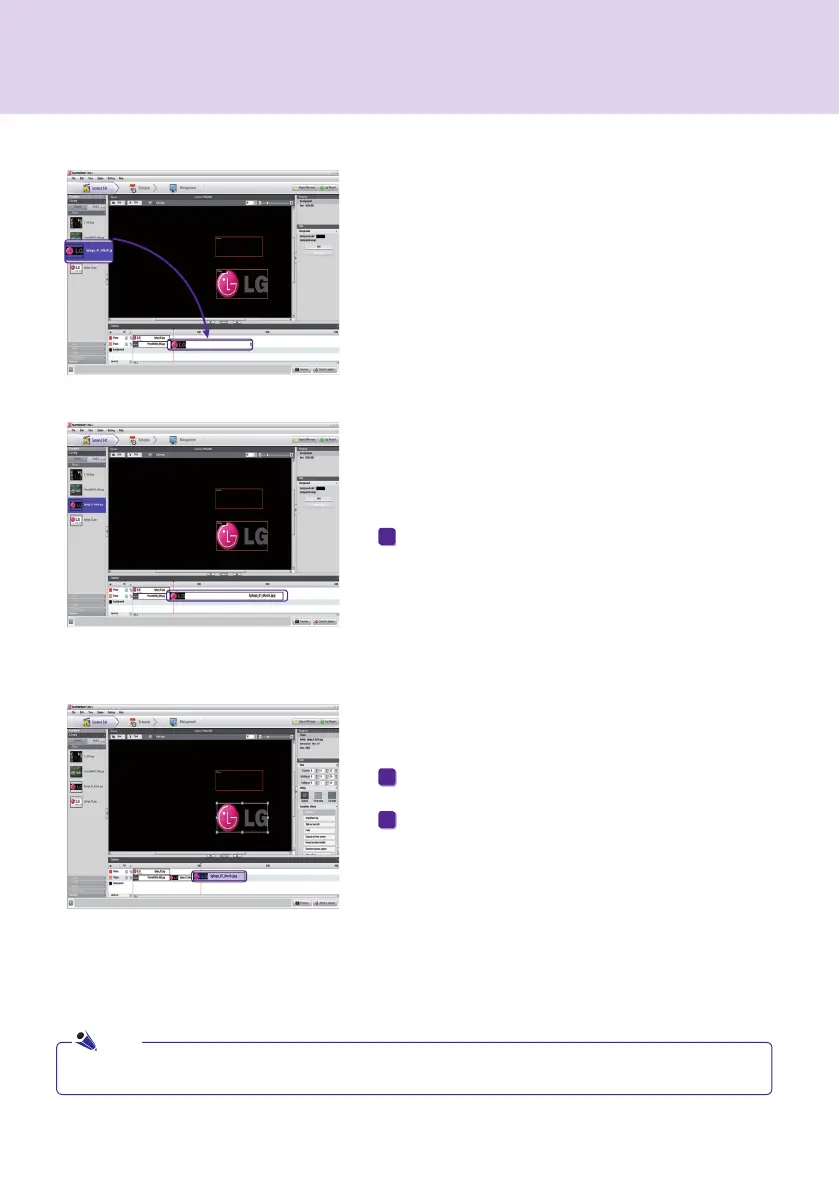
Add Media to Timeline
To add media to the timeline, drag a file to the timeline
of the zone to which you want to add it.
Copy Media to Timeline
● You cannot copy text or services, including RSS feeds, websites, and widgets.
Select a media file from the timeline.
1
With the desired media file selected, press Ctrl + C.
Press Ctrl + V to paste the file.
2
3
Note



 To Next Page