70
SuperSign Manager
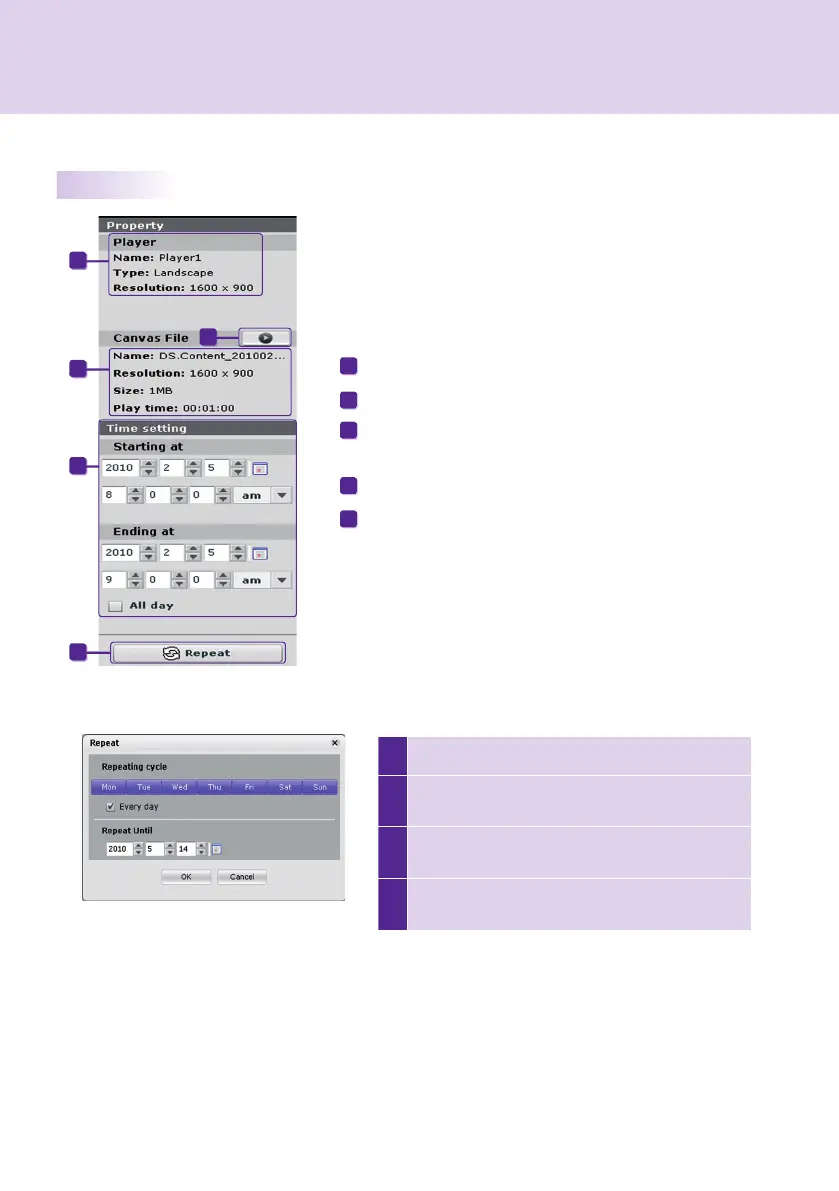
1 Enter the end time for the repeat.
2
Set the days for scheduling the repeat before the
end date.
3
Check the Every day box to repeat the play every
day.
4
Click the OK button to update the schedule with
this change.
Properties and Tool Windows
The name, type, and resolution of the selected player.
Preview the selected content.
The properties of content or media fi les for which schedules are
registered.
Enter the duration directly to display content.
Set a repeat cycle.
A
B
C
D
E
To set repeat cycles:
A
B
C
D
E



 To Next Page