6
SuperSign Player
2
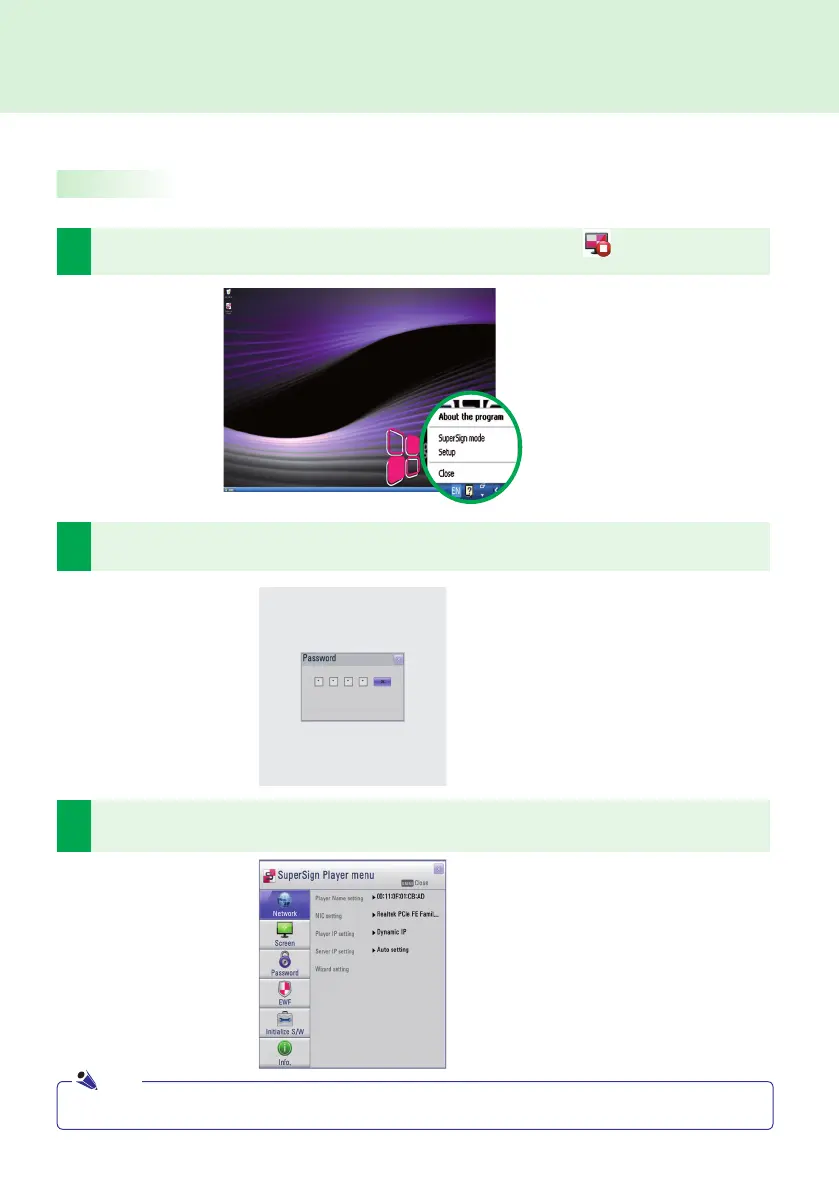
Click Setup to display the password entry screen.
The SuperSign Player's default password is set to "0000".
1
To use SuperSign Player setting menu, right click on the SuperSign Player ( ) icon located on the
Windows taskbar. Its pop-up menu will appear as shown below.
The SuperSign Player can be customized for multiple users.
Log-in to the Setting Menu
3
Type in your password (initial password is set to 0000) and click OK to view the <SuperSign Player
menu> shown below.
● You can change the password by yourself. For details on password setting, refer to the Password section of this manual.
Note
SuperSign Player Settings



 To Next Page