57
SuperSign Manager
Distributing Completed Content
You can distribute content by sending it from SuperSign Manager to SuperSign Player.
Below is the step to distribute a content file to the player.
1
When the content edit is complete, click the Send to player
button from the quick menu at the bottom right of the screen.
2
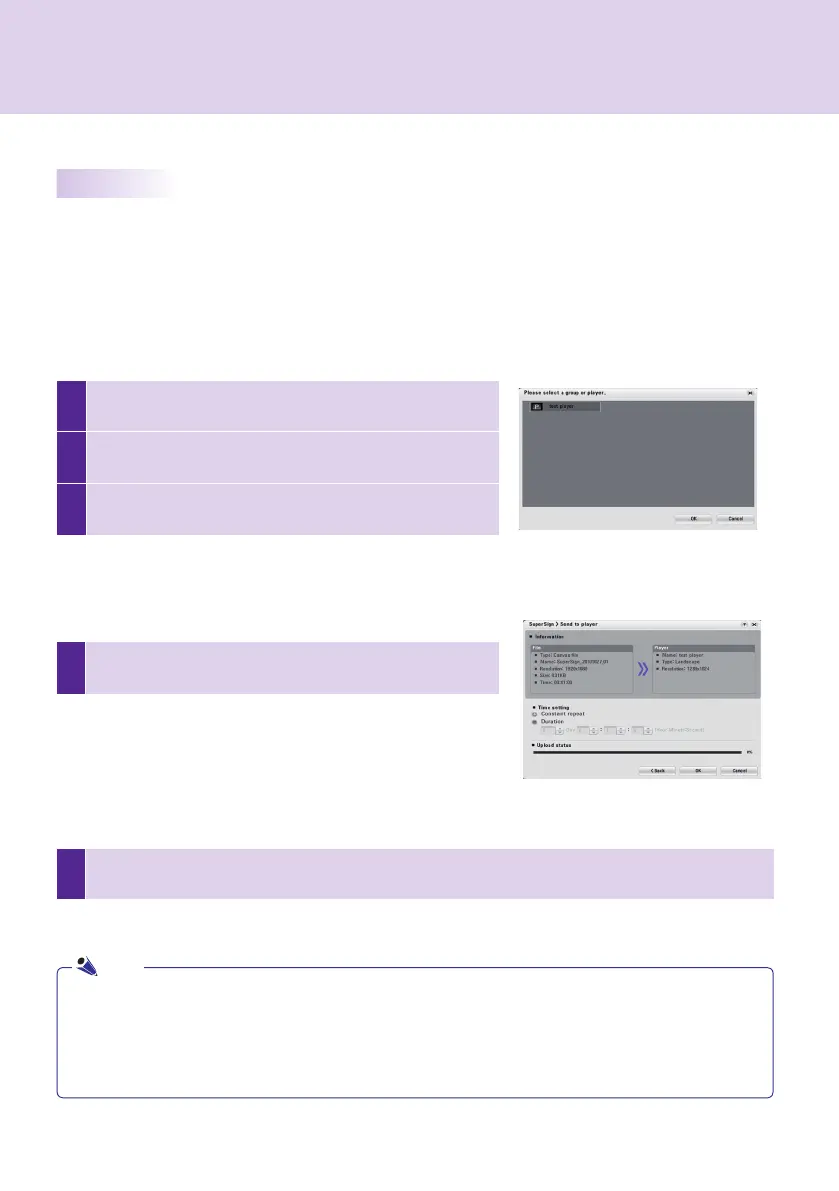
Then, the <Please select a group or player> window appears
to help you find the target group or player.
3
Select the group or player to which to distribute the content
created.The <SuperSign > Send to player> window appears.
5
The content will be sent to SuperSign Player. When finished, the content will be displayed on the screen
connected to the SuperSign Player.
4
In the <SuperSign > Send to player> window, set the duration of
the content playback and click OK.
Immediate Distribution
Allows you to immediately send the content you created to SuperSign Player for playback.
● Constant repeat: Plays the content repeatedly until a new content
schedule is added.
● Duration: Plays the content from the current time until the specified
time period elapses.
● If you send the content using Send to player, the content schedule previously sent will be ignored.
● The content will be sent to a group of players, not to a single player.
● If the "The storage capacity is full." message appears, check the remaining space in the Management
menu of SuperSign Manager.
● Files of more than 4 GB cannot be sent.
Note



 To Next Page