26
4
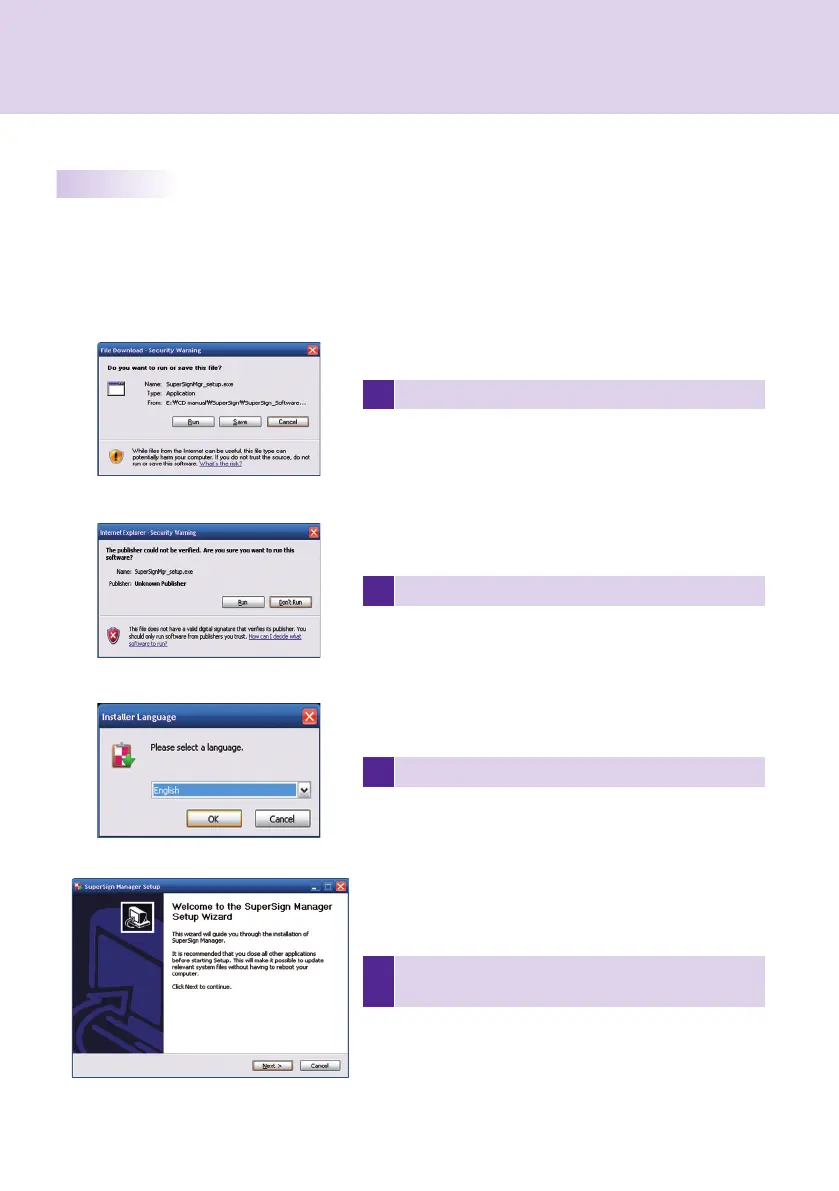
After reviewing the installation instruction, click Next to
continue.
1 Click Run in the Download fi le pop-up window.
2 Click Run in the Security Warning pop-up window.
3 Select the language and then click OK to continue.
Installing SuperSign Manager
When the CD provided with the set is inserted into a PC, the installation program will run automatically.
Follow the steps below to install the SuperSign Manager.
SuperSign Manager



 To Next Page