27
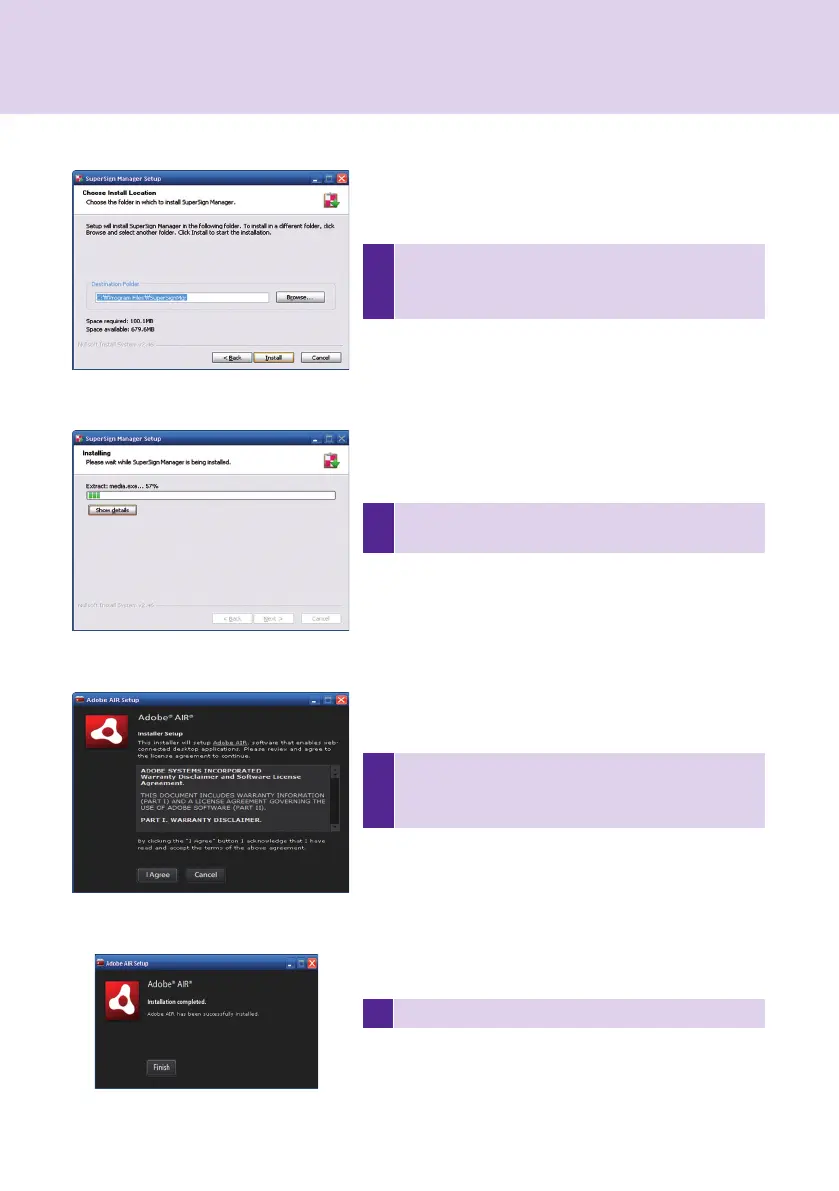
5
If necessary, change the installation path to the direc-
tory where you want to install SuperSign Manager.
Click Next to continue.
6
Installation is initiated. Click Details to see the detailed
installation process information during installation.
7
During the installation process, Adobe AIR installer will
run. Click Agree to install Adobe AIR. You must install
Adobe AIR to use SuperSign Manager properly.
SuperSign Manager
8 Click Finish to Complete the installation of Adobe AIR.



 To Next Page