31
1
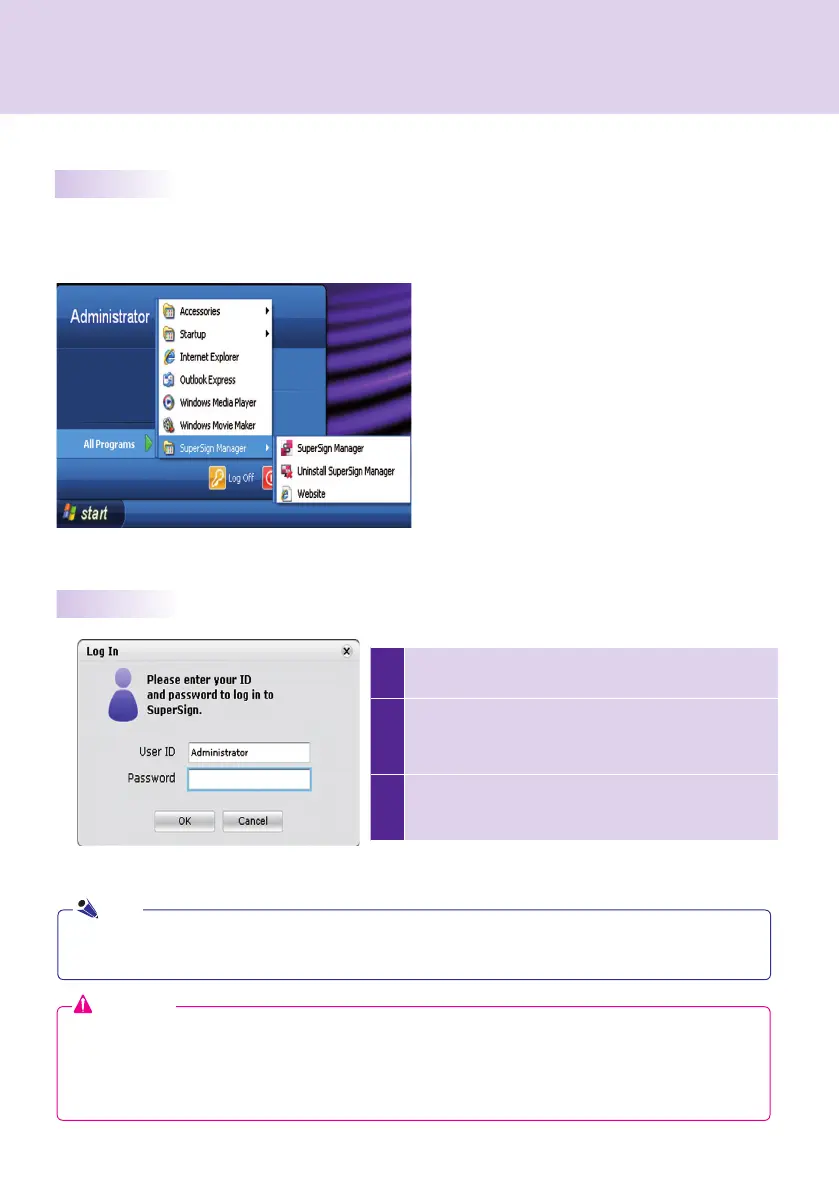
When SuperSign Manager starts, a log-in window appears
as shown below.
2
If you start SuperSign Manager for the fi rst time, you
need to enter a user ID and password of your choice.
Click OK to log into SuperSign Manager.
3
If you click Cancel, your logging to SuperSign
Manager will be canceled, and the program will
terminate automatically.
Starting SuperSign Manager
Open the program by clicking Start > Programs > SuperSign Manager > SuperSign Manager.
Starting SuperSign Manager
Logging In
● When SuperSign Manager is initially run, the default user ID is set as Administrator, which you can
change later.
● You must remember the new ID and password you set because they will be needed for the next login.
● If you lose your password, it cannot be restored. You will need to initialize the administrator account.
● To do this, enter "1234567890init" in the password field.
● Your ID and password can be up to 20 characters each.
Attention
Note
SuperSign Manager



 To Next Page