59
SuperSign Manager
1
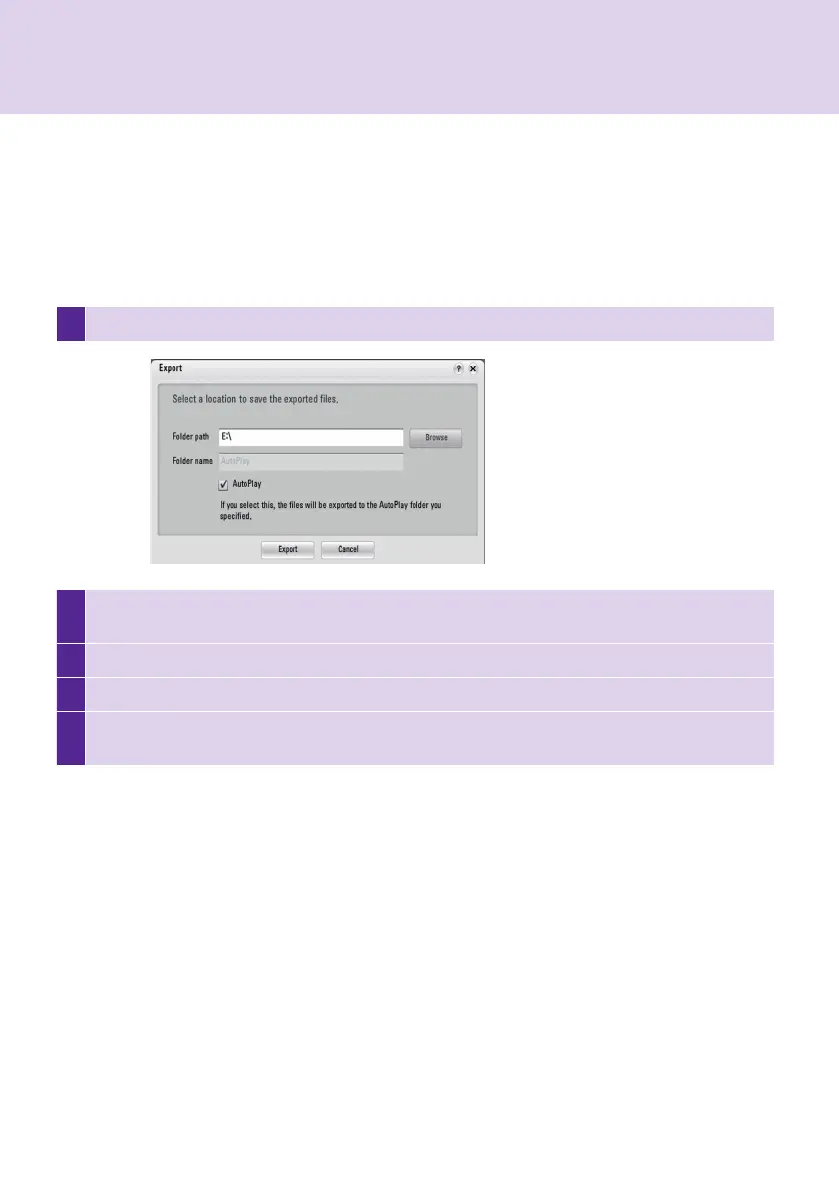
Click File > Export. The <Export> window will appear as shown below.
2
Select the root folder of the USB storage device as the folder in which to save your content. (For example,:
F:\, G:\)
3
Select the AutoPlay checkbox.
4
Click Export. Then, a folder named "AutoPlay" is created in the root folder, and the content file is stored in.
5
Connect the USB storage device containing the content to the USB port of the Media Player. The content
will be played automatically.
USB AutoPlay
The USB AutoPlay function allows you to save your content in a USB storage device and play it in SuperSign
Player. You can enable this function in Export Content Edit menu or in Export schedule menu.
To enable the USB AutoPlay function in the Content Edit menu, follow the steps below.



 To Next Page