25
ENERGY
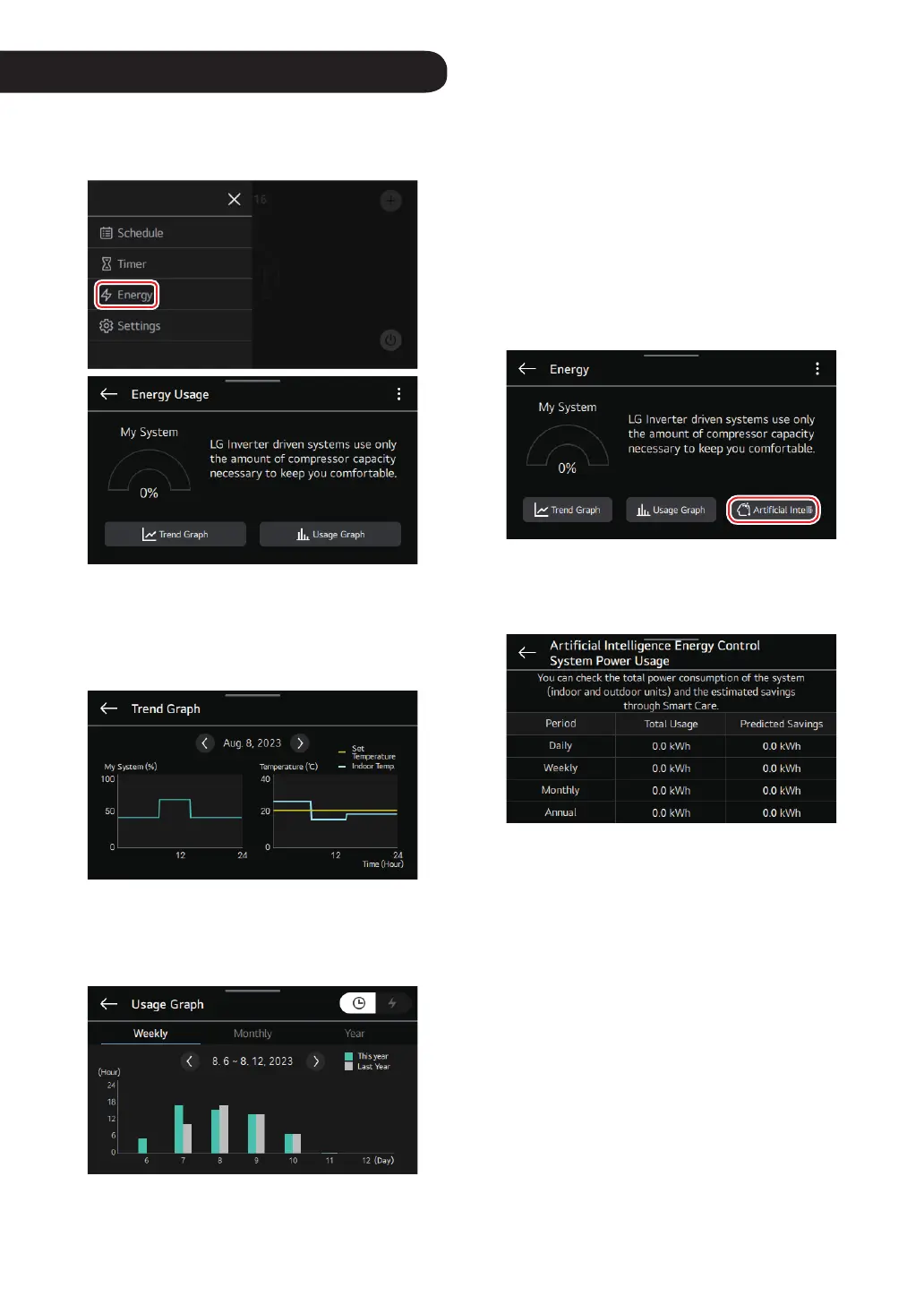
Tap on the energy item in the menu.
You can check energy usage and set power saving settings
for energy saving.
① ②
①
Trend Graph
You can check the trend of the outdoor unit operation
rate, indoor temperature, and desired temperature
information during the day.
②
Usage Graph
You can compare energy usage time / power usage on
a weekly / monthly / annual basis.
You can check by usage time / power usage.
NOTE
• Depending on the units selected, the accumulated
energy usage / power usage over a day / week / month is
displayed.
• This function may not be provided depending on the
indoor unit.
Articial Intelligence Energy Control
This is a function that allows you to check the predicted
savings by calculating the system's overall energy
consumption and “Smart Care” use.
In the energy settings list, if you select AI energy control,
you are moved to the ‘AI energy control system power
usage’ settings menu.
e.g. Daily basis
- Total usage: 1 000 kWh, predicted savings: 30 kWh
- Total usage when reduced by using Smart Care: 1 000
kWh
- Expected usage when not using Smart Care: 1 030 kWh
NOTE
• Smart Care may not be displayed / work in some
products.
• The displayed value is the power consumption for the
entire system.
• The predicted savings are calculated by analyzing the
energy usage patterns while using Smart Care. For more
information, refer to the LG AI engine manual or the
outdoor unit installation manual.
• There may be some difference between the actual usage,
so use it only as a reference.
• If you need the exact usage, install an additional PDI
(Power Distribution Indicator) and use it.



 To Next Page