07
STANDARD OPERATION
1
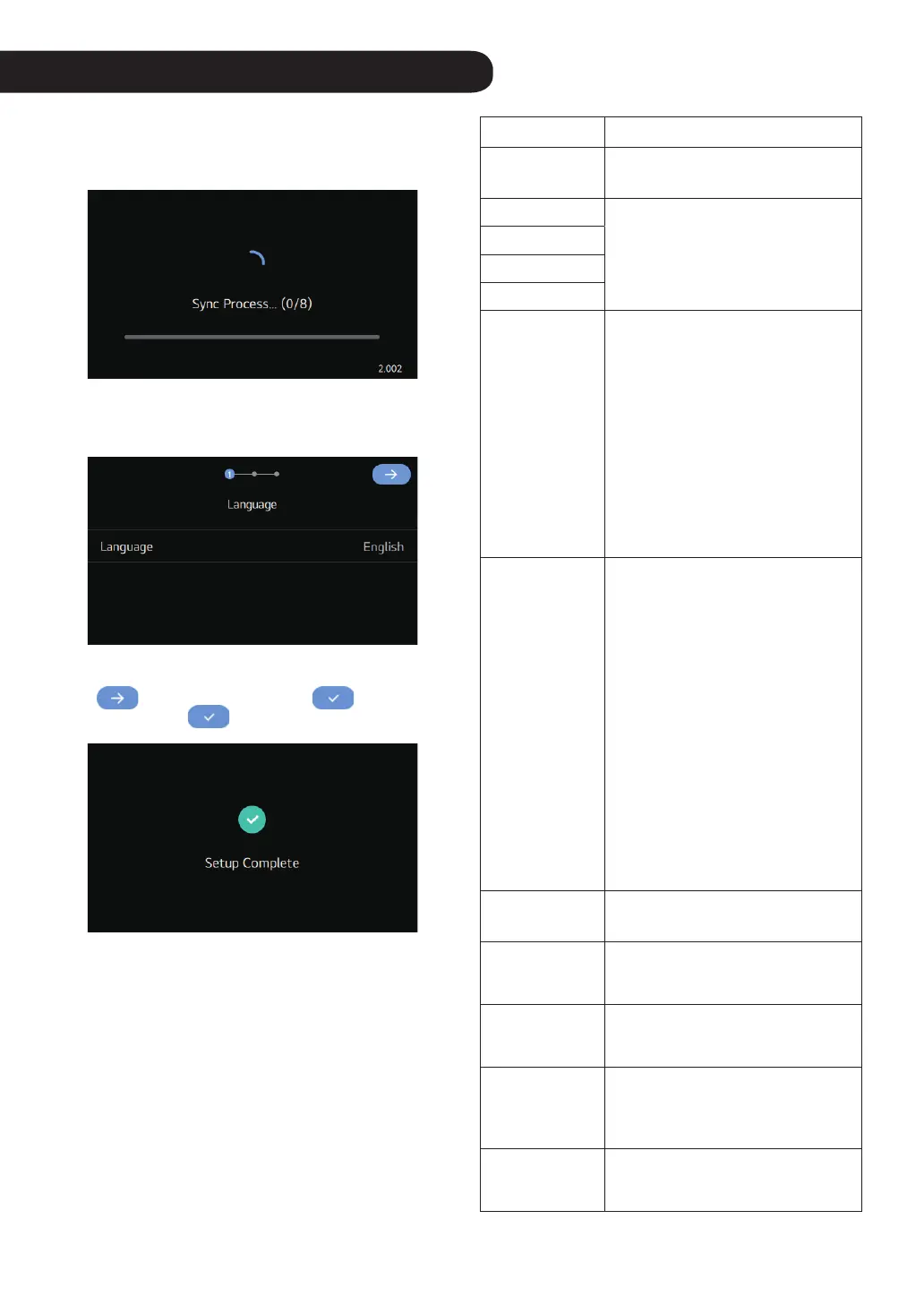
The welcome screen will be displayed after
synchronizing with the indoor unit. Booting may
require up to 90 sec.
2
Please check the settings displayed on the screen
and set them up.
3
When completely setting the installation wizard, the
button is changed into the button, and if
you press the
button, the installation is done.
Function Description
Language
A function to set the language
displayed on the remote controller.
Time Zone
Set the time zone, date, time, and
time format displayed on the remote
controller.
Date
Time
Time Format
Schedule Type
A function that allows the product to
automatically operate on the specied
date and time.
– Commercial (Standard): Reserve
the operation status of the product
at the desired time.
– Residential (US): Set a 24-hour
continuous schedule according to
the Home / Sleep / Away / Awake
conditions. (It is recommended for
customers who are accustomed to
using North American thermostats.)
Setpoint Type
You can set the desired temperature
setting method to single or dual.
• Single type: You can set the desired
temperature of only one operating
mode.
– If you choose to operate cooling,
you can only set the desired
temperature for cooling.
– If you choose to operate heating,
you can only set the desired
heating temperature.
• Dual type: You can set the desired
temperature of cooling and heating
operation modes at the same time.
– It is recommended for customers
who are accustomed to using
North American thermostats.
Temperature Unit
A function to set the temperature unit
displayed on the remote controller.
Screen Saver
A function to control the screen OFF
time and brightness of the remote
controller.
Humidity Display
A function that determines whether to
display the humidity on the Standby
Screen.
Auto return to
main screen
A function that determines whether
to use auto return to the main screen
when there is no touch input for a
certain period of time.
Sound
A function to set whether to output
a sound when screen touch input is
given.



 To Next Page