05
PRODUCT CONFIGURATION AND INSTALLATION OF REMOTE CONTROLLER
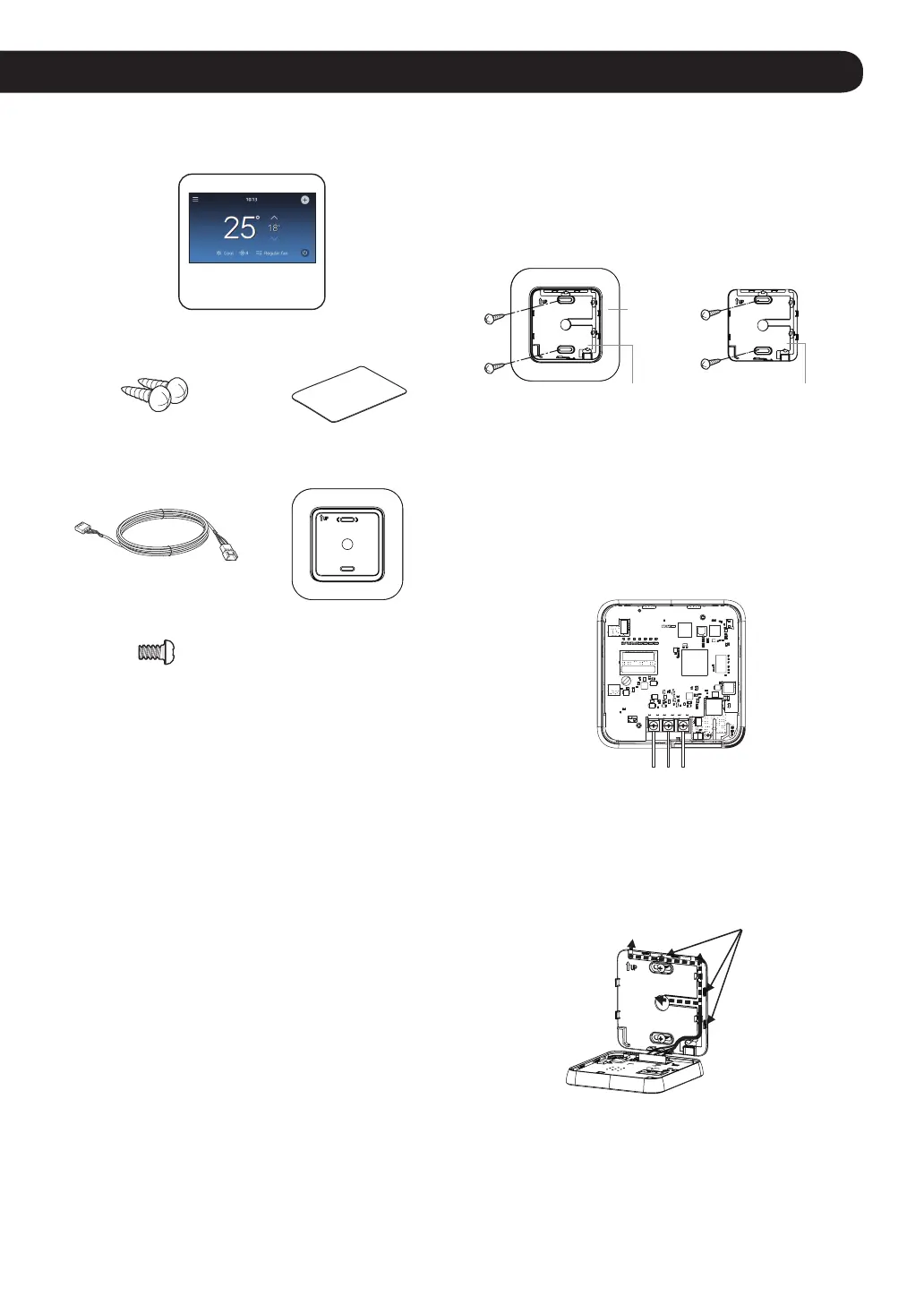
Product Configuration
Remote controller
Remote controller
fixing screws (2EA)
OWNER’S &
INSTALLATION MANUAL
Connecting wire (1 EA) Wall plate
Top and Back cover
screws(1EA)
Installation of Remote Controller
Follow the below guidelines for installing the remote
controller.
NOTE
• During wired remote controller installation, do not embed
inside the wall. (It may cause temperature sensor failure.)
Do not install the cable over 50 m. (It may cause
communication defects.)
• When installing the extension cable, carefully check the
direction of the connectors on the remote controller side
and the product side before the installation.
• Extension cable specification: Use AWG 24, 3 conductor
equivalent or higher wired cables.
• Do not install cables longer than 50 m, as this may cause
communication problems.
• Install the product so that it doesn’t bend or cause a
clearance with the wall.
• Incorrect wiring can cause damage to the product.
• To avoid damage by static electricity, touch the metal
parts before handling the remote controller to discharge
the static electricity from the body.
* 10 m Cable model: PCW-QE10A
1
Pull the cable from the wall and check the cable
direction to install.
2
Align the back cover (installation plate) and check the
positions of two mounting holes on the wall.
3
Fix the back cover on the installation position through
the mounting holes by using screws.
W
all
pla
te
or
Back Cover
(Installation Plate)
Back Cover
(Installation Plate)
NOTE
• Depending on your environment, you can install the
remote controller neatly by placing the wall plate on the
wall and tightening the back cover.
4
Connect the power cable to the terminal at the bottom
of the remote controller as shown in the gure below.
GND / SIG / 12V
5
Place the lower part of the remote controller under the
back cover, and x the power cable to the back cover
hook as shown in the gure below to the place where
the power cable will come out of the back cover.
Hook
(Figure.1)



 To Next Page