37
INSTALLER SETTINGS
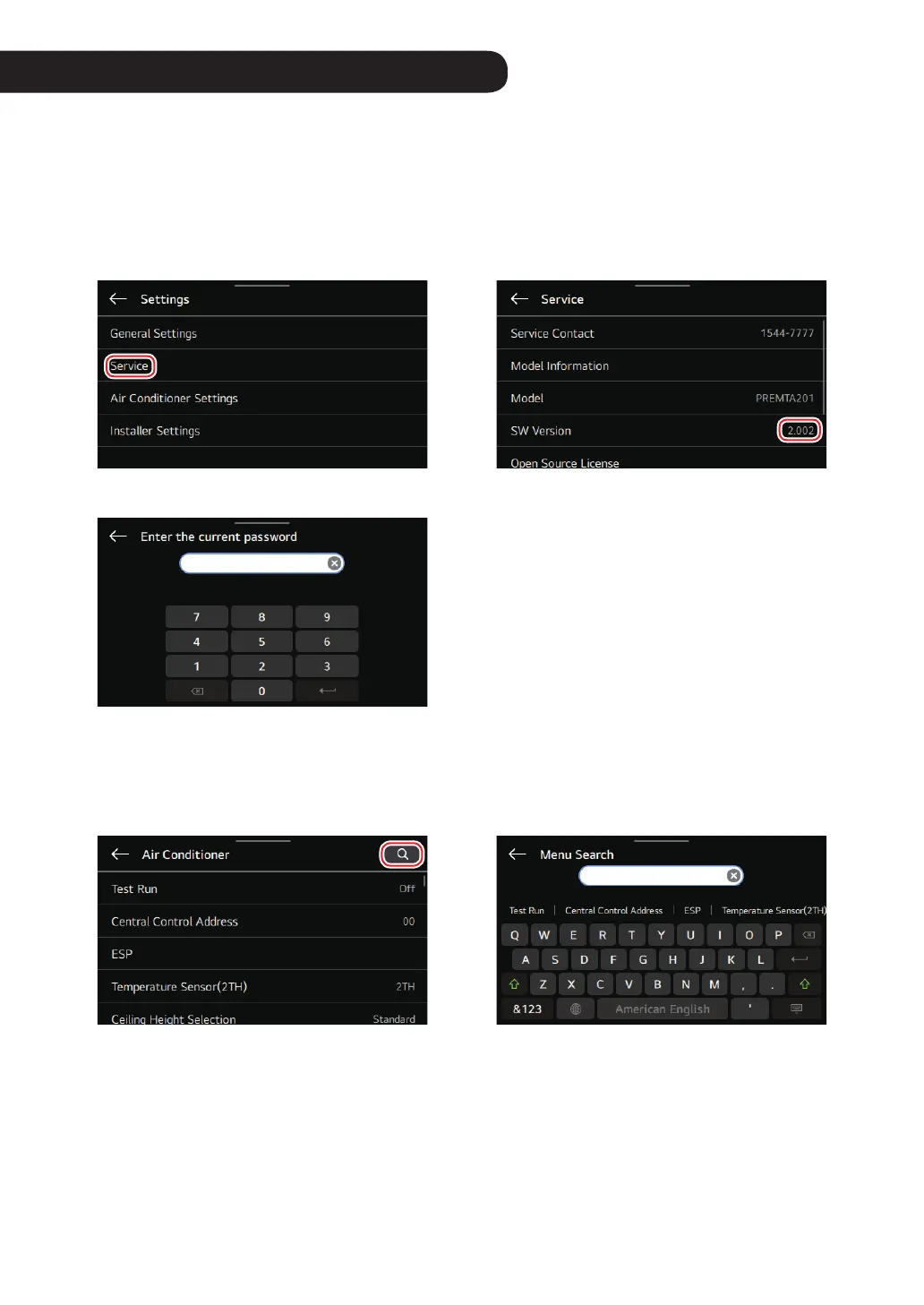
Select the installer settings in the settings menu.
Various settings can be made during the installation step before using air conditioner / ventilation products.
Please enter the password.
* How to know the password
Check the software version in the service settings menu.
If SW version is 2.000, password is 2000.
Tap the Magnier icon in the upper right corner, making it easy to nd what you want.
- Auto-complete items are displayed based on the characters you enter.
- You can also search by the code number of installer setting.



 To Next Page