LI-600 Porometer/Fluorometer Instruction Manual
4-2
here, you can proceed with or without a connected
LI-600 or safely eject a connected instrument.
The software may display warning messages. See Soft-
ware warning when connecting the LI-600 on page7-3 and
Software warning when updating the firmware on page7-4.
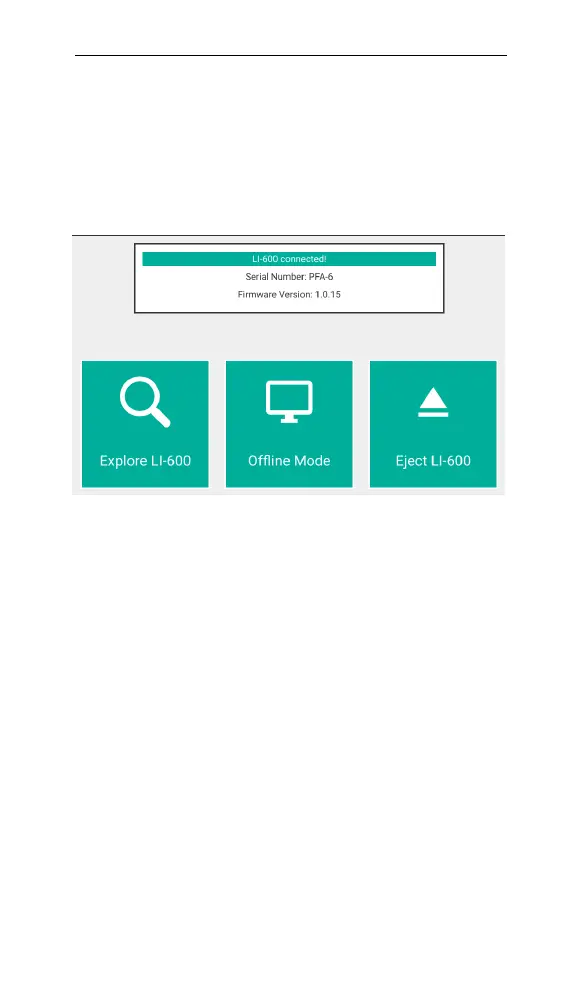
Figure 4-1. Connection overview.
At the Connection Overview screen, you will receive
one of two prompts.
LI-600 connected! An LI-600 is powered on and has
been discovered by the computer software.
l
Select Explore LI-600 to access Configuration Man-
agement, Data Management, Live View, Connection
Overview, and Barcode Generator.
l
Select Offline Mode to access the Configuration
Management, Data Management, Connection Over-
view, and Barcode Generator options that are avail-
able without an LI-600 connected.
l
Select Eject LI-600 to safely disconnect and power
down the instrument.



 To Next Page