Section 8. Maintenance
8-7
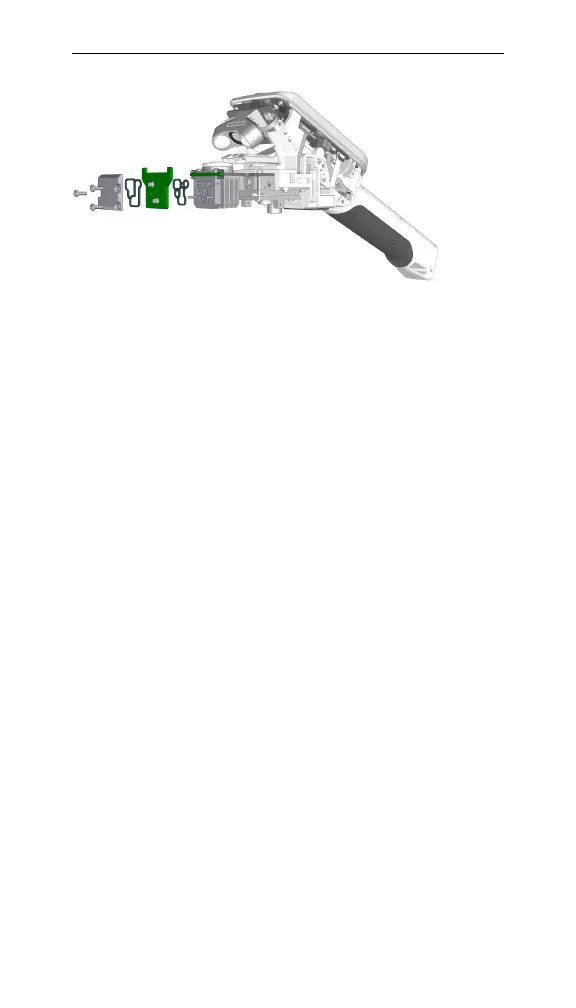
Figure 8-7. The RH sensors board.
Never touch the RH sensors or H
2
O buffer material in
the instrument head, as oils on the skin and scratches
can affect the instrument’s performance.
Removing and inserting a battery
Removing and inserting the battery is only required
when the battery no longer functions and needs replace-
ment.
1 Power off the instrument and ground yourself to avoid poten-
tial electrostatic discharge.
2 Remove the shells.
Remove the shells on the instrument head. Set the
shells safely aside.
3 Unplug the battery connector.
On the right side of the instrument head, locate the
cable clip. Push down on the clip and disconnect the
battery connector.
4 Remove the coverings on the instrument handle.
Remove the six screws nearest the USB port on the
handle using a Phillips screwdriver; do not remove
the two hex screws at the end of the handle. Gently



 To Next Page