LI-600 Porometer/Fluorometer Instruction Manual
4-6
Download To Computer: Downloads the configuration to
Local Configurations. Select Download on the con-
firmation prompt to finish.
Remove From Instrument: Removes the configuration from
the LI-600. Select Remove on the confirmation prompt to
finish.
Table 4-2. Buttons to download and remove con-
figurations from the instrument.
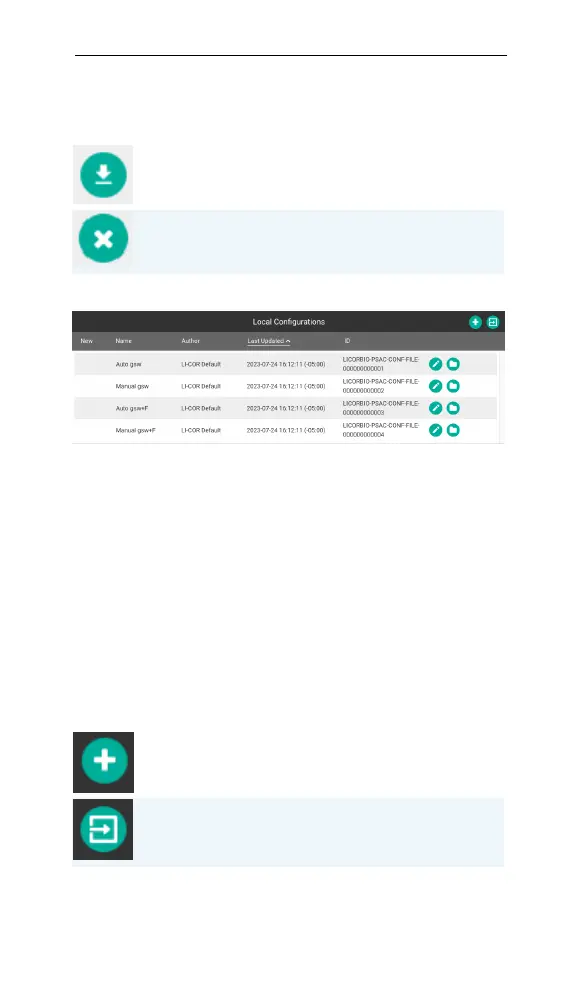
Local Configurations
Figure 4-4. Local configurations.
Local Configurations are the configurations created in
the computer software. New indicates a configuration
that has not been uploaded to an LI-600 since its cre-
ation or most recent edit. Double-click on a column
heading to sort. Configurations with the same name as
another are assigned a randomly generated name to
avoid a naming conflict. Configurations can be exported
and imported as PSACfiles and shared among users.
Create New Configuration: Creates a new configuration and
saves it to the Local Configurations list.
Import Configuration: Imports a configuration PSAC file.
Table 4-3. Configuration management buttons.


 To Next Page
 Loading...












