LI-600 Porometer/Fluorometer Instruction Manual
4-8
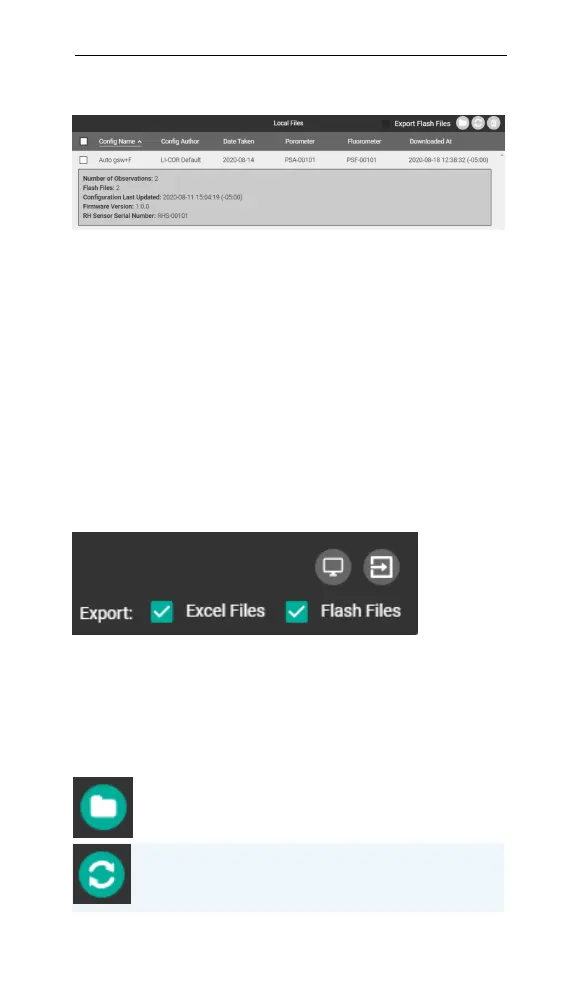
Local Files
Figure 4-5. Local data files.
Local Files lists data and metadata stored in the com-
puter software. You can sort the files by column and
toggle the metadata view.
Exporting files
The two check boxes and icons in the upper right give
you options for exporting Excel files with embedded
equations and fluorometer flash files. The two icons
above the check boxes are for exploring and importing
data dumps (see Data dumps on page6-3).
Figure 4-6. Export checkboxes and data dump icons.
Data files are managed and exported using the buttons
listed in the table below.
Export Selected Files: Downloads the selected data files to
the computer’s local file system.
Toggle Selected Metadata: Shows or hides selected metadata
for the selected file.
Table 4-5. Data file buttons.



 To Next Page