LI-600 Porometer/Fluorometer Instruction Manual
8-12
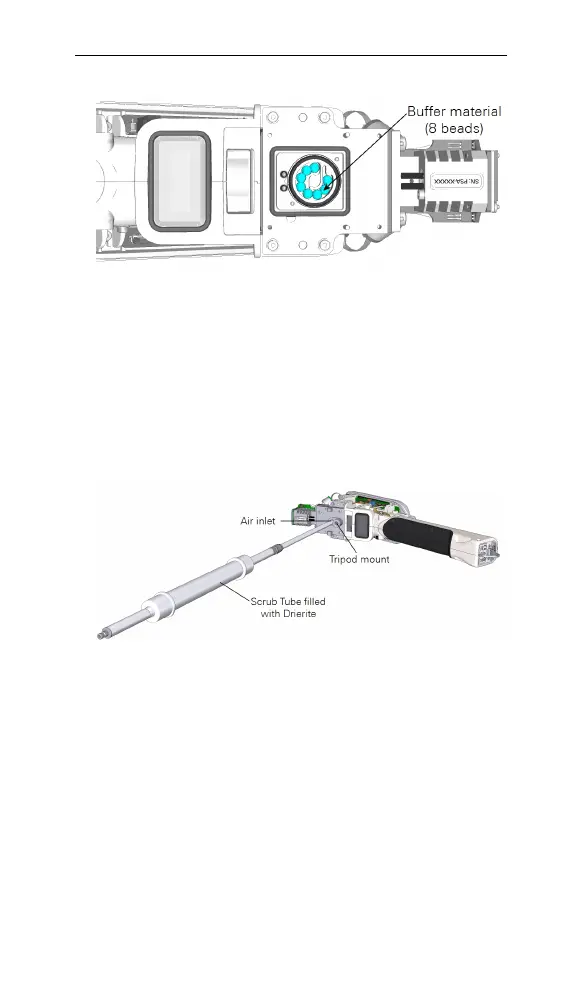
Figure 8-11. The buffer material.
6 Reinstall the filter cover, filter, pump cover, and pump.
Reinstall the parts with the H
2
O buffer material
removed.
7 Connect the zero kit.
Attach the zero kit to the air inlet next to the tripod
mount via the 10-32 fitting.
Figure 8-12. Attach the zero kit.
8 Seal the leaf aperture.
To seal the leaf aperture, clamp on a plastic bag or
similar material.
9 Open Instrument Calibration.
Power on the LI-600. Connect it to a computer via
USB then open the computer software. Click the
drop-down menu on the Toolbar then select Instru-
ment Calibration.



 To Next Page