Section 4. Using an SDI-12-to-USB translator
l
Command: T 0I! (T for transparent mode followed by a space, the number
zero, the capital letter I for information, ending with an exclamation point).
l
Reply: 014LI-COR LI-7101.0ET100033 (identifying information for the
sensor, including the device address, manufacturer, model, firmware version, and
serial number)
Set the address
To change a sensor's address, the command starts with the address of the sensor to
change followed by a capital A for address, followed by the new address number.
l
Command: T 0A1! (T for transparent mode followed by a space, the number
zero for the sensor with address 0, capital letter A for address, the number 1,
which is the new address, and the exclamation point).
l
Reply: OK 1 (the new address)
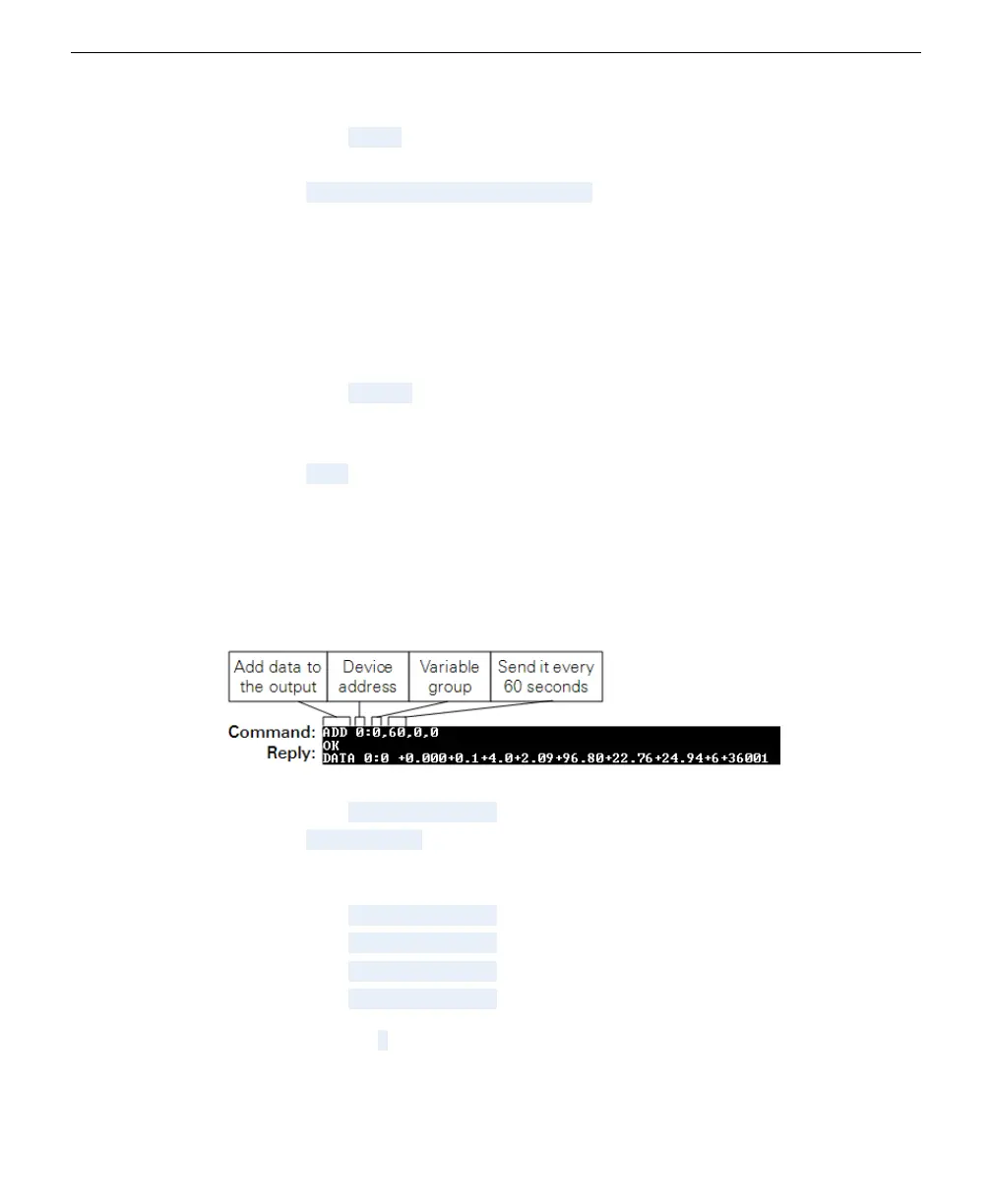
Adding a variable set to a scheduled output
To view the output, at least one of the four data packets must be added to the sched-
uler. The scheduler will inquire with the specified sensor on the specified schedule
for the requested data at the specified interval (60 seconds in this example).
l
Command: ADD 0:0,60,0,0
l
Reply: OK DATA 0:0 (followed after a moment by parameters in the group)
To add four groups of variables, send the following four commands:
l
Command: ADD 0:0,60,0,0
l
Command: ADD 0:1,60,0,0
l
Command: ADD 0:2,60,0,0
l
Command: ADD 0:3,60,0,0
To remove a group 0 for example, send the following.
4-4 LI-710 Evapotranspiration Sensor Instruction Manual



 To Next Page