Retrieving logged data
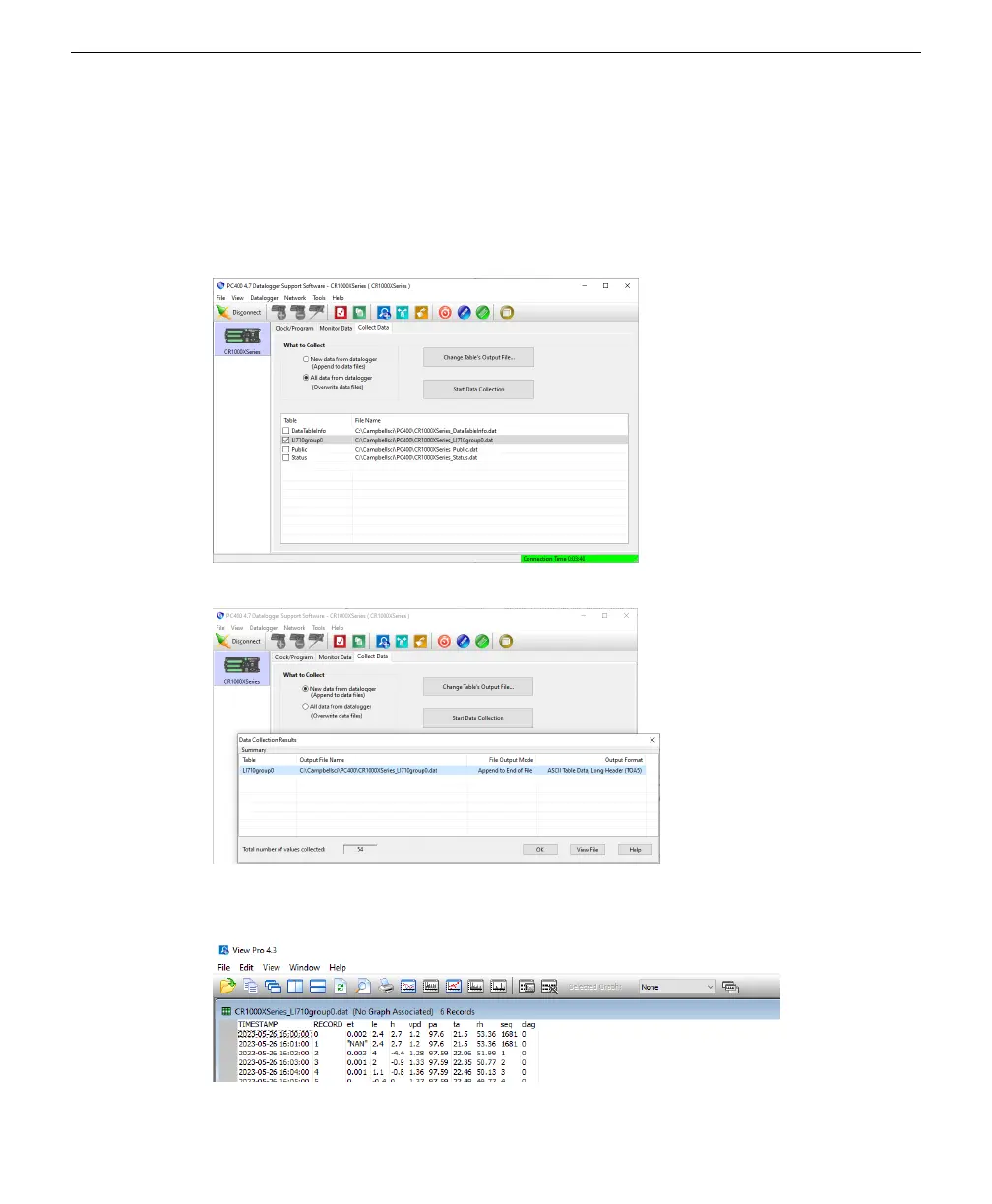
The datalogger stores the readings to it's internal memory. To copy the data to your
computer:
1
Click Start Data Collection to save the logged data to a file on your computer.
2
Select an output file and click OK.
The directory is indicated in the column called Output File Name.
3
Click View File to see the records saved so far.
Section 5. Connecting to Campbell Scientific dataloggers
5-5Retrieving logged data



 To Next Page