l
Command: DEL 0:3
l
Reply: OK
This will remove variable group 4 from the output of sensor 0. Use a modified ver-
sion of the same command to remove variable groups 0, 1, 2, 3, or 4.
Adding the data set to the scheduler is not enough; however, you must also request
that the device send the data packets by turning the scheduler on.
Turn off or on the scheduler
To keep the configuration but stop the transfer of data, simply send the command
STOP. The sensor will retain settings but stop sending the data to the terminal pro-
gram. To turn it back on, send the command START. The device will resume send-
ing data at the specified interval.
To keep the configuration but stop the transfer of data, simply send the command
STOP. The sensor will retain settings but stop sending the data. To turn it back on,
send the command START. The device will resume sending data at the specified inter-
val.
Report the measurement immediately
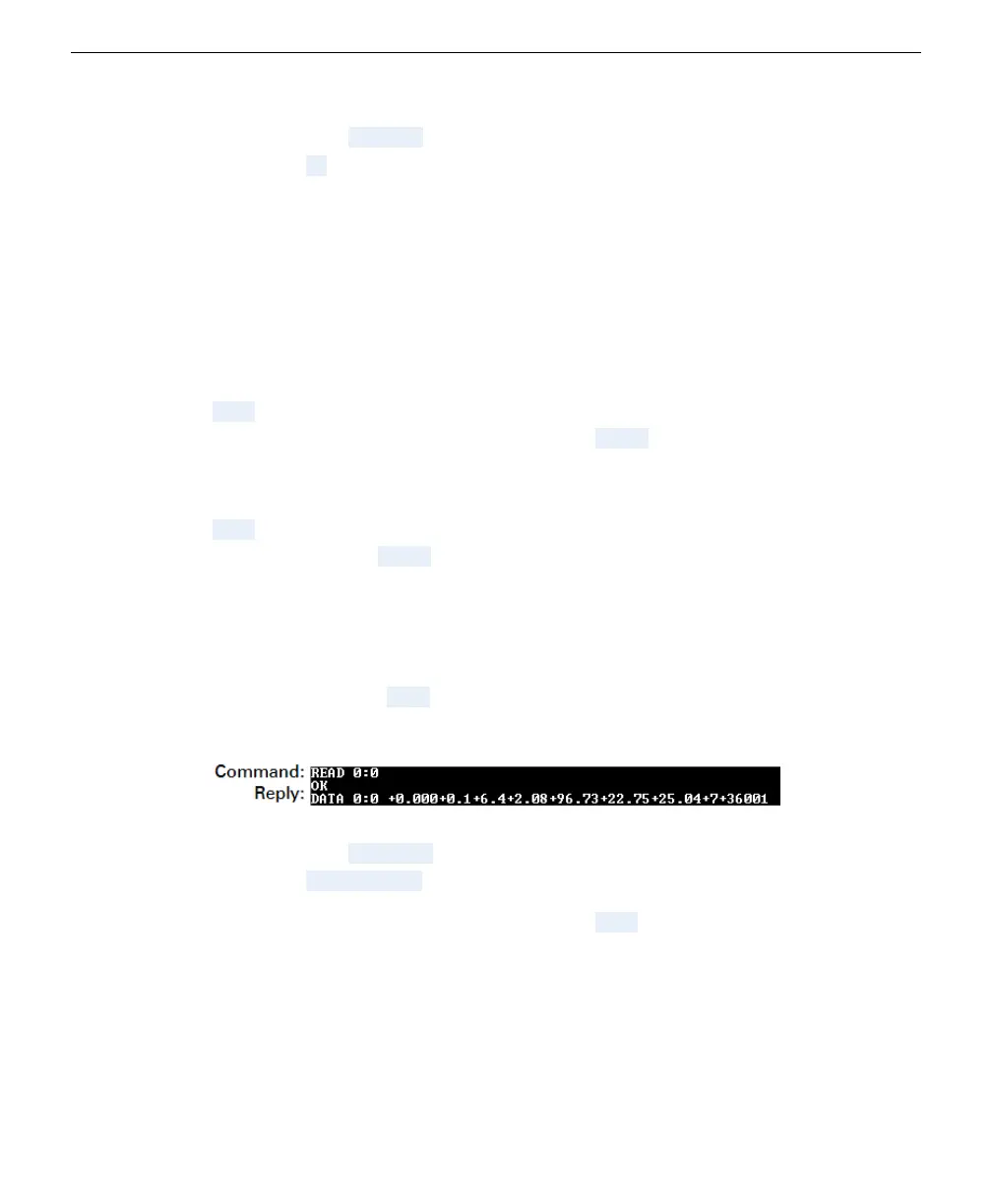
After you have added a variable to the output, you can view the data in that group at
any time by sending READ followed by the sensor address and the data group. It'll
look like this:
l
Command: READ 0:0
l
Reply: OK DATA 0:0 (followed by parameters in the group 0).
You may need to turn off the scheduler (type STOP) for the device to respond to
commands in transparent mode.
Section 4. Using an SDI-12-to-USB translator
4-5Turn off or on the scheduler



 To Next Page