Section 6. Connecting to the Sutron 9210 datalogger
Set the address
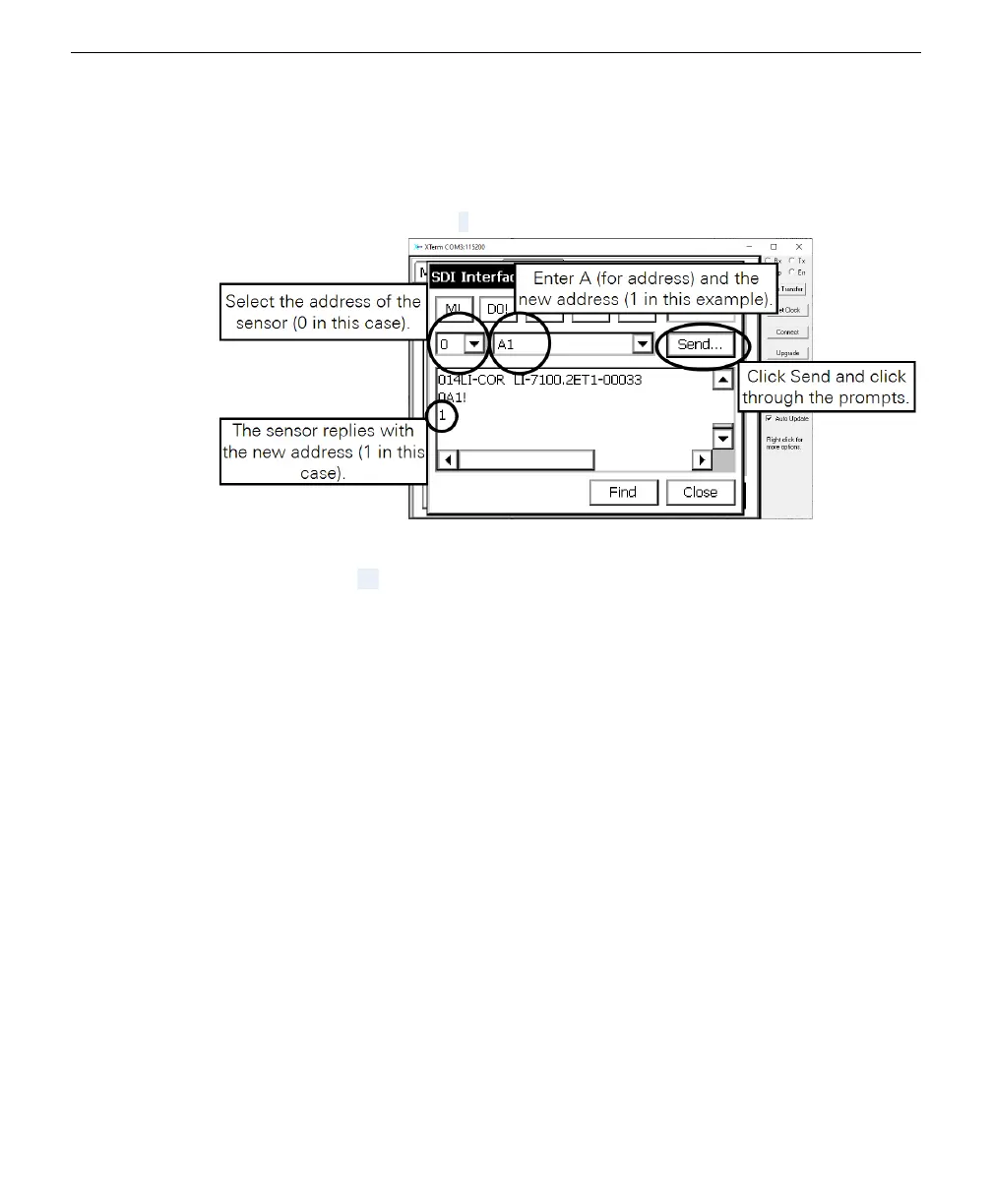
The command to change a sensor address can be sent through the interface.
1
We start with a sensor address of 0.
2
Select the current address in the first field.
3
Enter the command A1 into the second field.
4
Click Send and click through the prompts.
The sensor replies with the new address.
6-8 LI-710 Evapotranspiration Sensor Instruction Manual



 To Next Page