Section 5. Connecting to Campbell Scientific dataloggers
Configuring the datalogger
Follow these steps to connect an LI-710 to the datalogger.
1
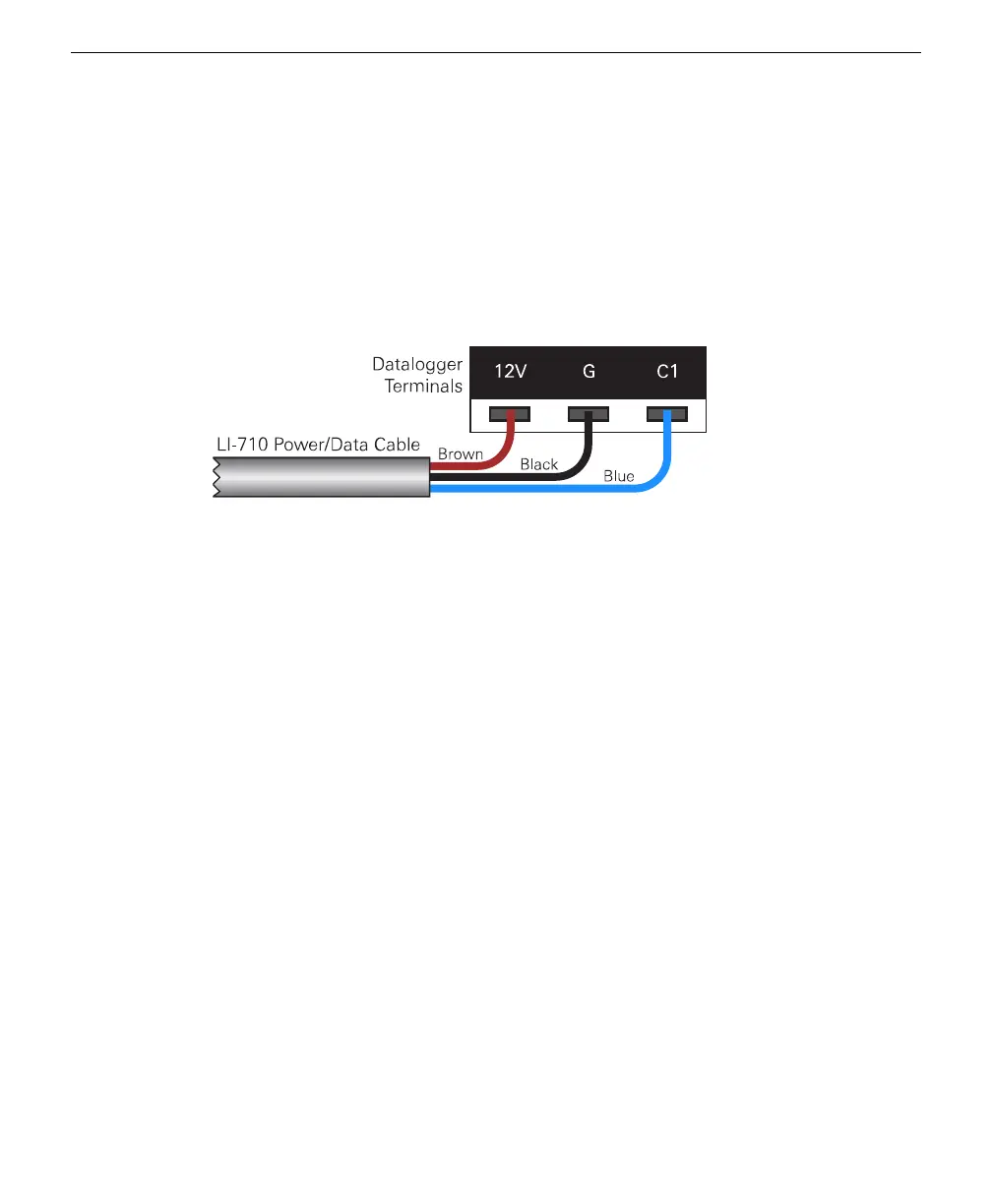
Connect the LI-710 to the datalogger terminals.
The terminals must provide power (12 VDC), ground, and a data connection. In this
example, we use terminal C1, which is labeled on the logger and specified in the pro-
gram as the SDI-12 terminal for this sensor.
Figure 5-2. The LI-710 connects to a 12 VDC power supply (brown), ground (black), and
an SDI-12 terminal (blue to C1 in this example).
2
Power on the datalogger.
The datalogger will power on when power is supplied.
3
Connect a communication cable between the datalogger and your computer.
We use the USB connection on the CR1000X for this tutorial.
You may need to use the serial or Ethernet connection with dataloggers that do not
support USB. In any case, the steps are the same after you have established com-
munication between your PC and the datalogger.
4
Launch the PC400 application.
If you've configured the connection already, just connect to the datalogger and go to
the next step.
If it is the first time you've connected, add a datalogger to the list and configure the
settings.
5-2 LI-710 Evapotranspiration Sensor Instruction Manual



 To Next Page