Section 6. Connecting to the Sutron 9210 datalogger
Configuring the datalogger
Follow these steps to connect the LI-710 to a Sutron datalogger.
1
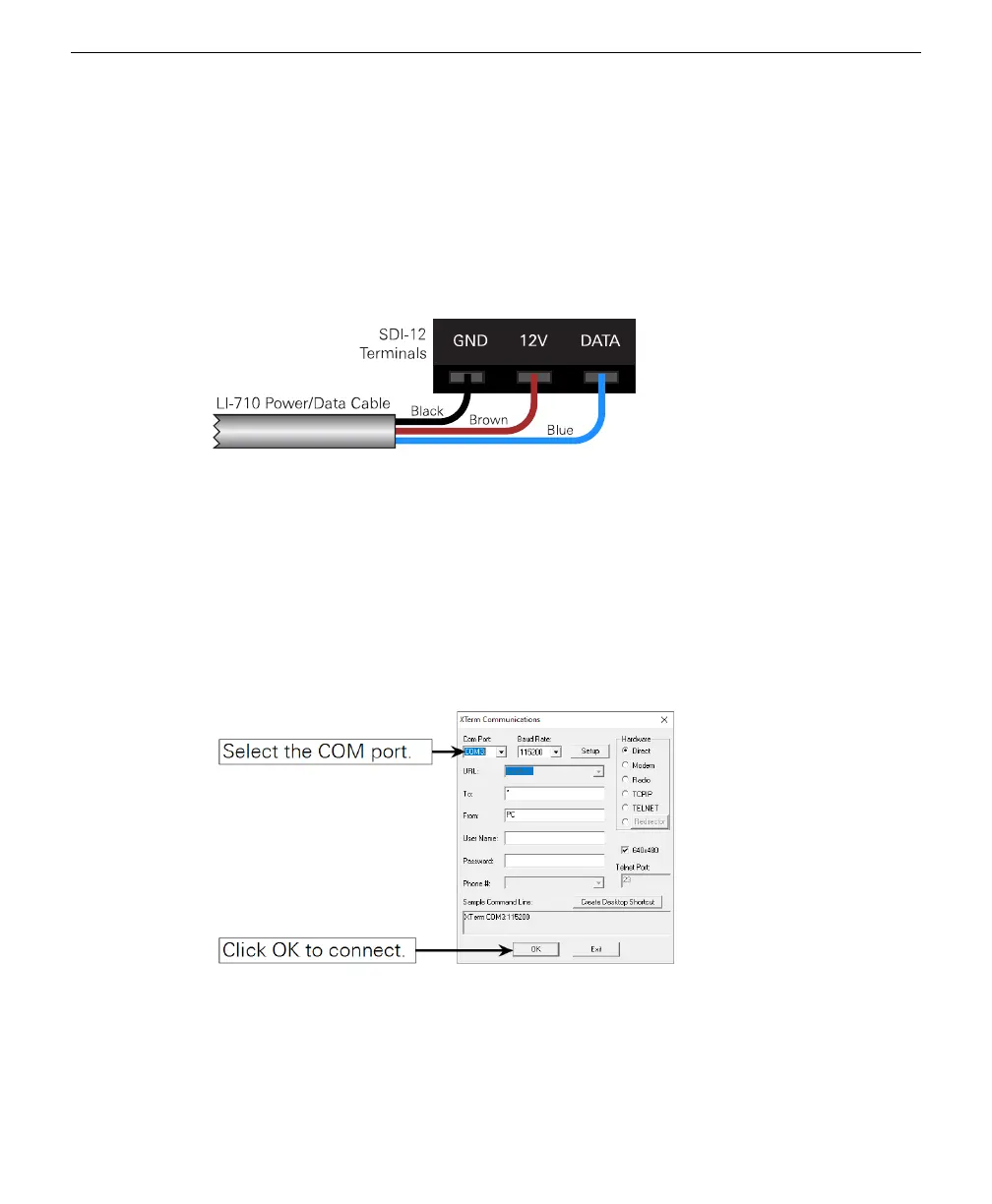
Connect the LI-710 to the SDI-12 terminals.
Connect the brown wire to a +12 VDC power supply and the black wire to the
ground. Connect the blue wire to the DATA terminal.
Figure 6-2. The LI-710 connects to a 12 VDC power supply (brown), ground (black), and
an SDI-12 terminal (blue).
2
Connect power to the datalogger to power it on.
3
Connect a communication cable between the datalogger and your computer.
We use an RS-232-to-USB adapter for this example. You can also connect using Eth-
ernet.
4
Launch Xterm, select the COM port that hosts the datalogger, and click OK.
Or, connect to the logger using your preferred method.
6-2 LI-710 Evapotranspiration Sensor Instruction Manual



 To Next Page