5
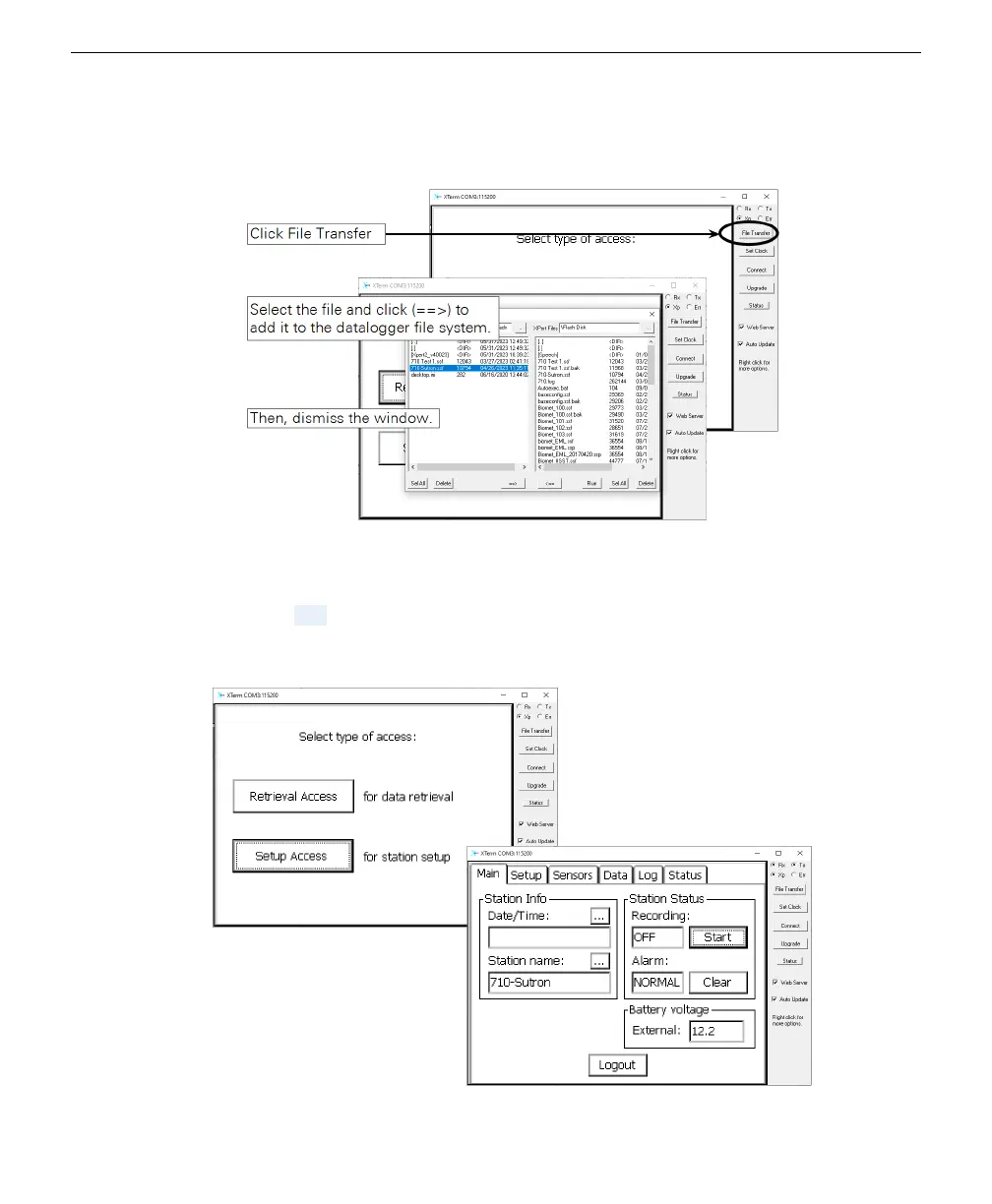
Load the configuration file onto the datalogger.
A
Click File Transfer, select the file, and click ==> to add it to the list.
B
After the transfer is complete, dismiss the window.
6
Click Setup Access and set the Station Name.
Click the ... button next to Station Name and enter a name that matches the name
of the configuration file. In doing so, you configure that datalogger to run that spe-
cific program when it starts up.
Section 6. Connecting to the Sutron 9210 datalogger
6-3Configuring the datalogger



 To Next Page