Section 6. Connecting to the Sutron 9210 datalogger
7
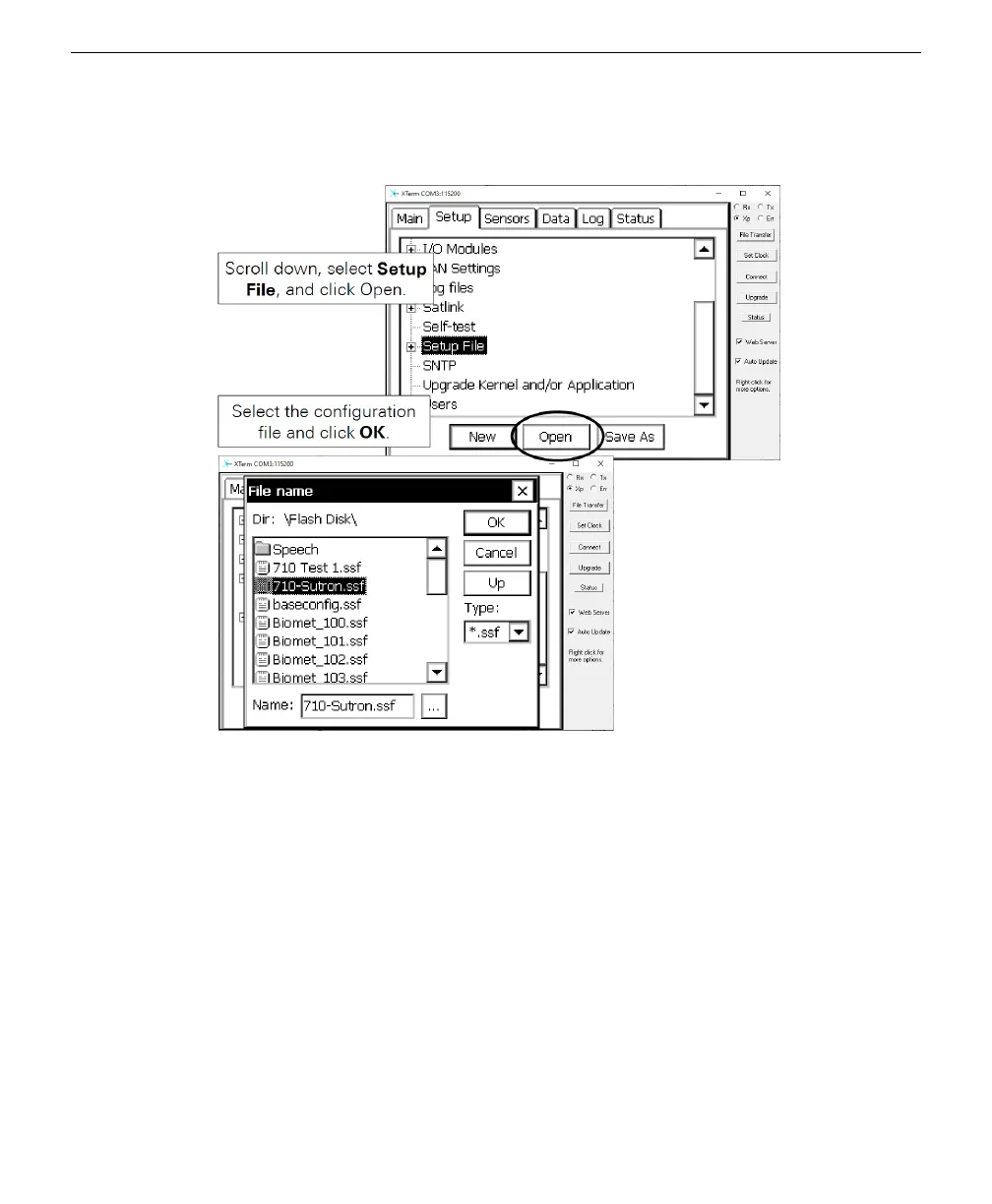
Under the Setup tab, scroll down, select Setup File and click Open.
8
Select the configuration file that you loaded earlier and click OK.
9
After the program has loaded, you can check the measurements.
Under the Sensors tab, select an item and click Meas. The most recent results will
be presented. If the LI-710 has been on for less than 30 minutes, data will be place-
holder values of -9999. After the first 30 minutes has passed, actual measurements
are presented.
6-4 LI-710 Evapotranspiration Sensor Instruction Manual



 To Next Page