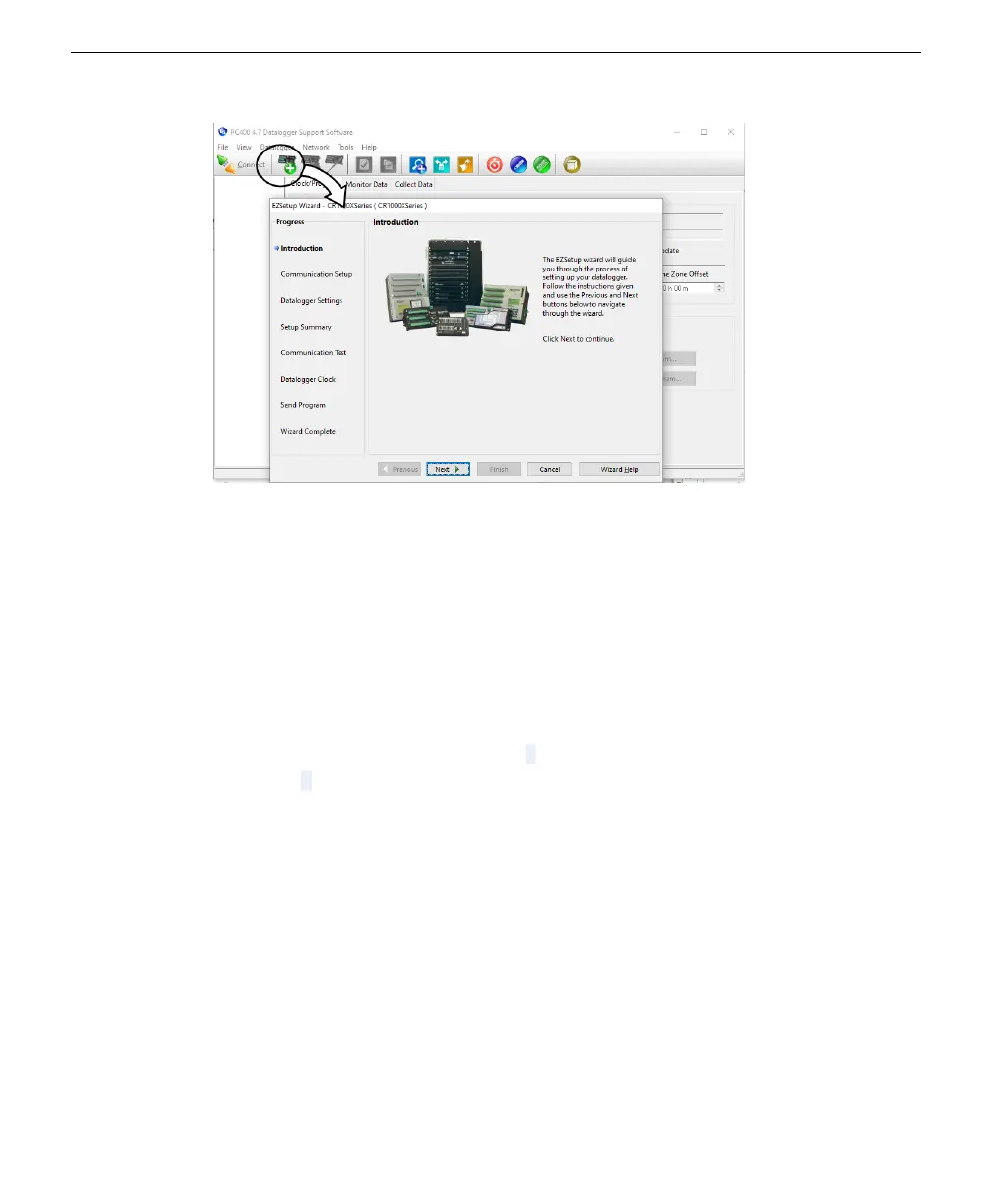
l
Select the datalogger model and assign a name.
l
Select Direct Connection as the type.
l
Select a COM port number (if it is the first time connecting, install the device
driver now).
l
Click through the remaining prompts, leaving the default settings as they are or
making changes to suit yourself. You could send a program to the datalogger in
the Wizard, but there are some other settings to check and configure before
doing so.
5
Consider the LI-710 SDI-12 address.
Each LI-710 has an SDI-12 address of 0 by default. The sample programs use an
address of 0 as well, and are compatible with the LI-710 in its default configuration.
If you need to change the sensor address, we describe that in The PC400 terminal pro-
gram on page5-6. If you change the address, you must also modify the program as
well (you can do this easily in a text editor).
6
Click Send Program to send the program to the datalogger.
For testing, we provide a program that records measurements every one minute. The
program you use in deployments records measurements every 30 minutes; we
provide those too.
Section 5. Connecting to Campbell Scientific dataloggers
5-3Configuring the datalogger



 To Next Page