-115- v2.9
Sensors
7.1.3.2. Connecting the sensor
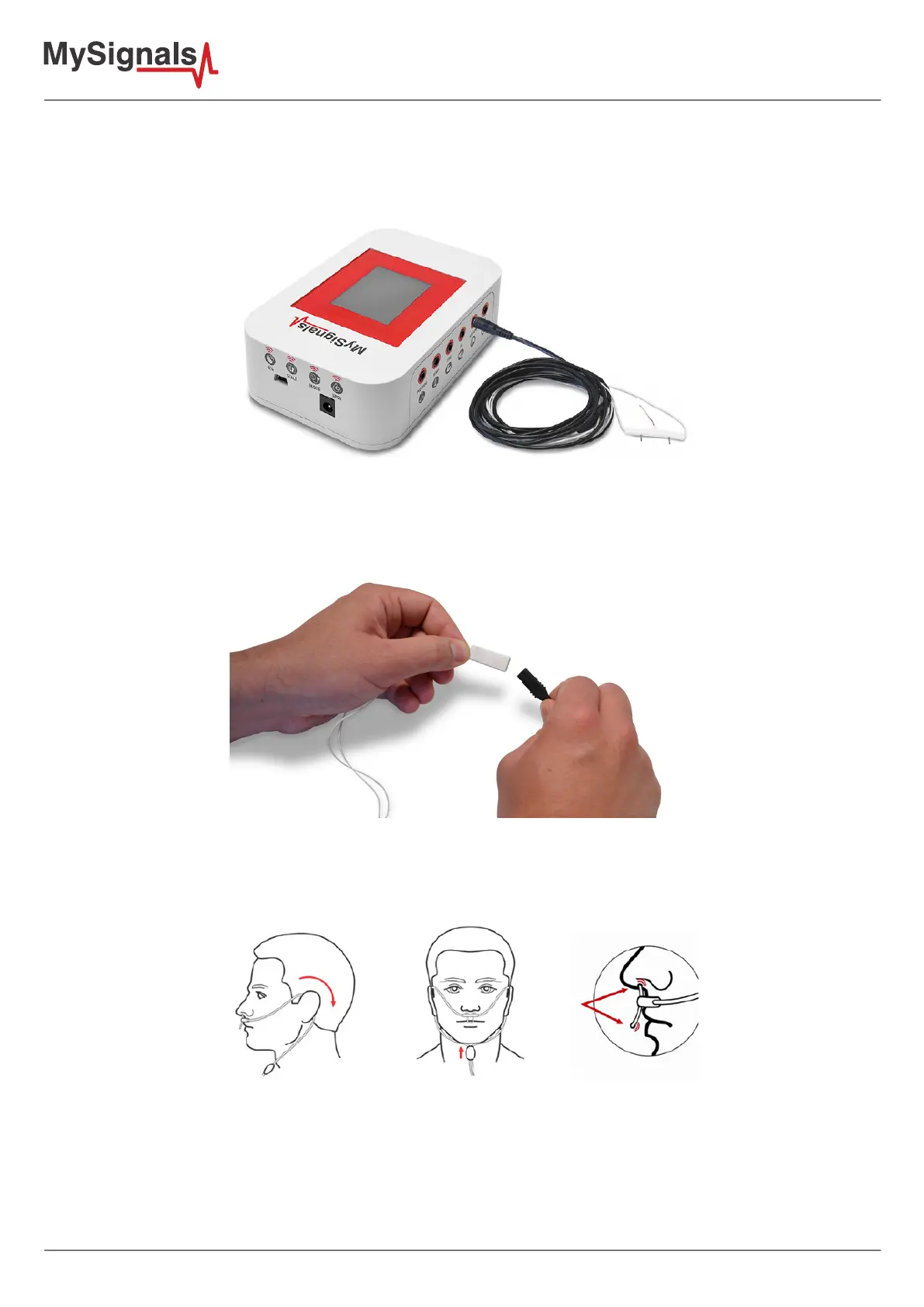
Connect the sensor in the Airow connector indicated in the MySignals Hardware board. The sensor cable include
2 pieces and it have only one way of connection to prevent errors and make the connection easier.
Figure: MySignals Hardware Development Platform with Airow connected
The sensor integrate a extension cable with a “keyhole” connector. This middle connector have specic position in
order to have the correct polarity. Please check the marks includes in the side of both connectors.
Figure: 2 pieces polarity Airow cable
Place the sensor as shown below.
Figure: Airow position diagram



 To Next Page