-29- v2.9
Data Access
6.2. MySignals Mobile APP
The Bluetooth connectivity may perform direct communications with iPhone and Android devices without the
need of an intermediate router.
First of all you must download MySignals app in your store. The app is available for Android and iPhone.
BLE sensors are not compatible with the mobile App for the moment, however you can use them in standalone and web server
mode.
NOTE: The Firmware of MySignals SW manages all the sensors at the same time and monitors the response of the screen and the
touchscreen. For this reason sometimes during the measurement of dierent sensor like blood pressure or other wireless sensors
it will be able to perform one action at the same time, you have to wait it to nish before being able to navigate or interact with
the screen again.
Troubleshooting:
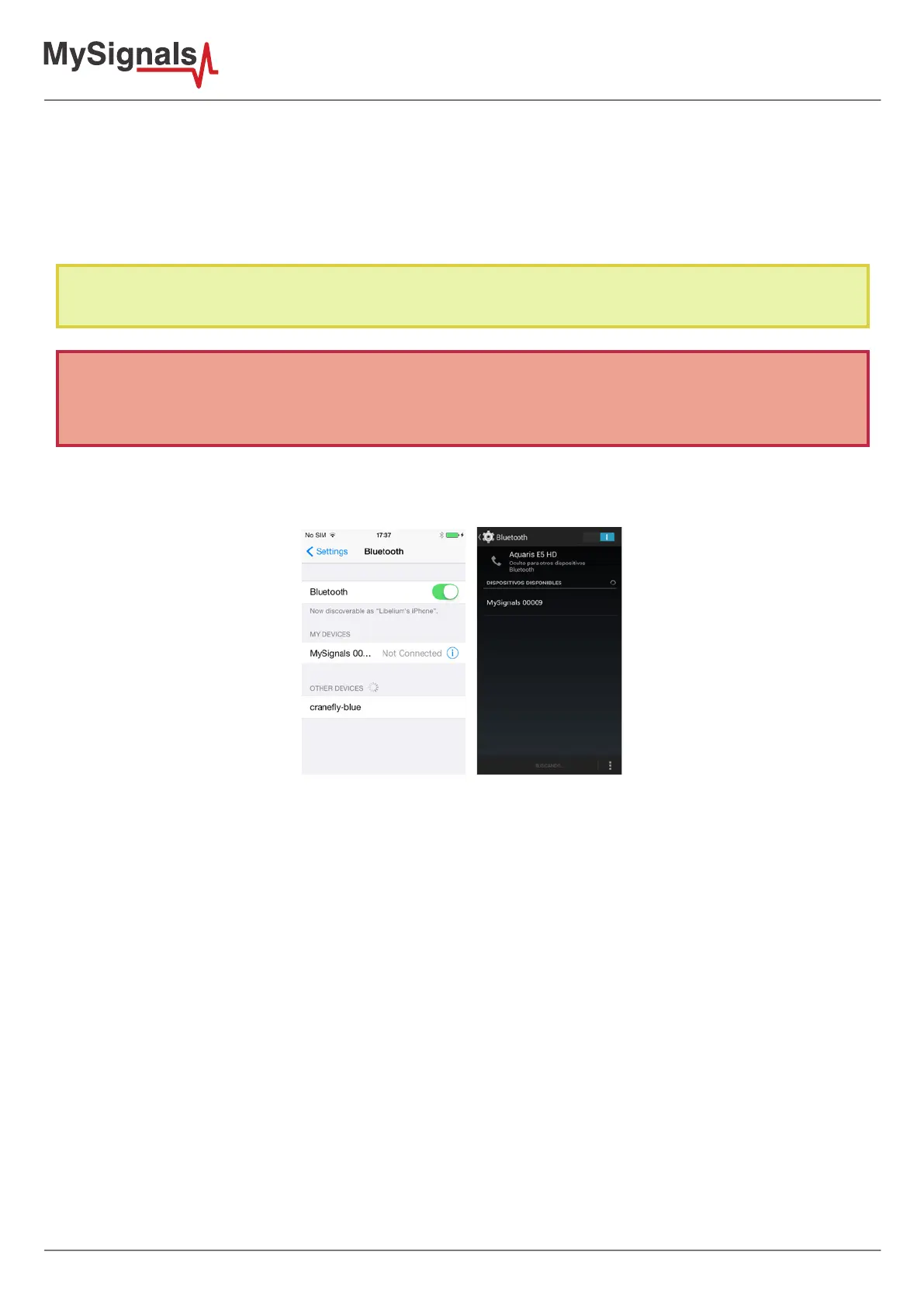
Sometimes you will need to congure the connection with MySignals using the Android or iOS settings.
Figure: Settings BLE conguration
Here you can nd a solution for all possible know issues the user can face on MySignals applications (iPhone/iPad
and Android).
• Android:
- Do not start the mobile application until MySignals device is in bluetooth mode. The mobile application
needs bluetooth communication to read data from MySignals device.
- Sometimes the Bluetooth stack becomes corrupted due to use of other bluetooth applications, when this
situation happens, the applications sometimes does not connect to MySignals device, to solve this issue
switch o and switch on bluetooth device on device settings.
- In some android devices, when the user switch o and on the bluetooth radio, the mobile device loses all
bonded devices, at this point the user must delete the bonding connections on MySignals device.
- On Android devices the pop-up dialog to introduce the passkey does not show on screen, this is due
to bluetooth stack is malfunctioning, the solution is to switch o and on the bluetooth radio on device
settings.
- When the user deletes bonded connections on MySignals device and mobile device the MySignals device
does not show PIN passkey to create a new bonding connection, at this point the user should exit and
enter again from bluetooth mode on MySignals device.
- On Android devices, the user can create a new bonded connection using bluetooth section in mobile
device. To perform this action go to Settings application → Bluetooth and touch the listed device to start
a new bonding action.
- It is not possible to delete bonded devices in MySignals mobile application, to delete a bonded device go



 To Next Page