-30- v2.9
Software
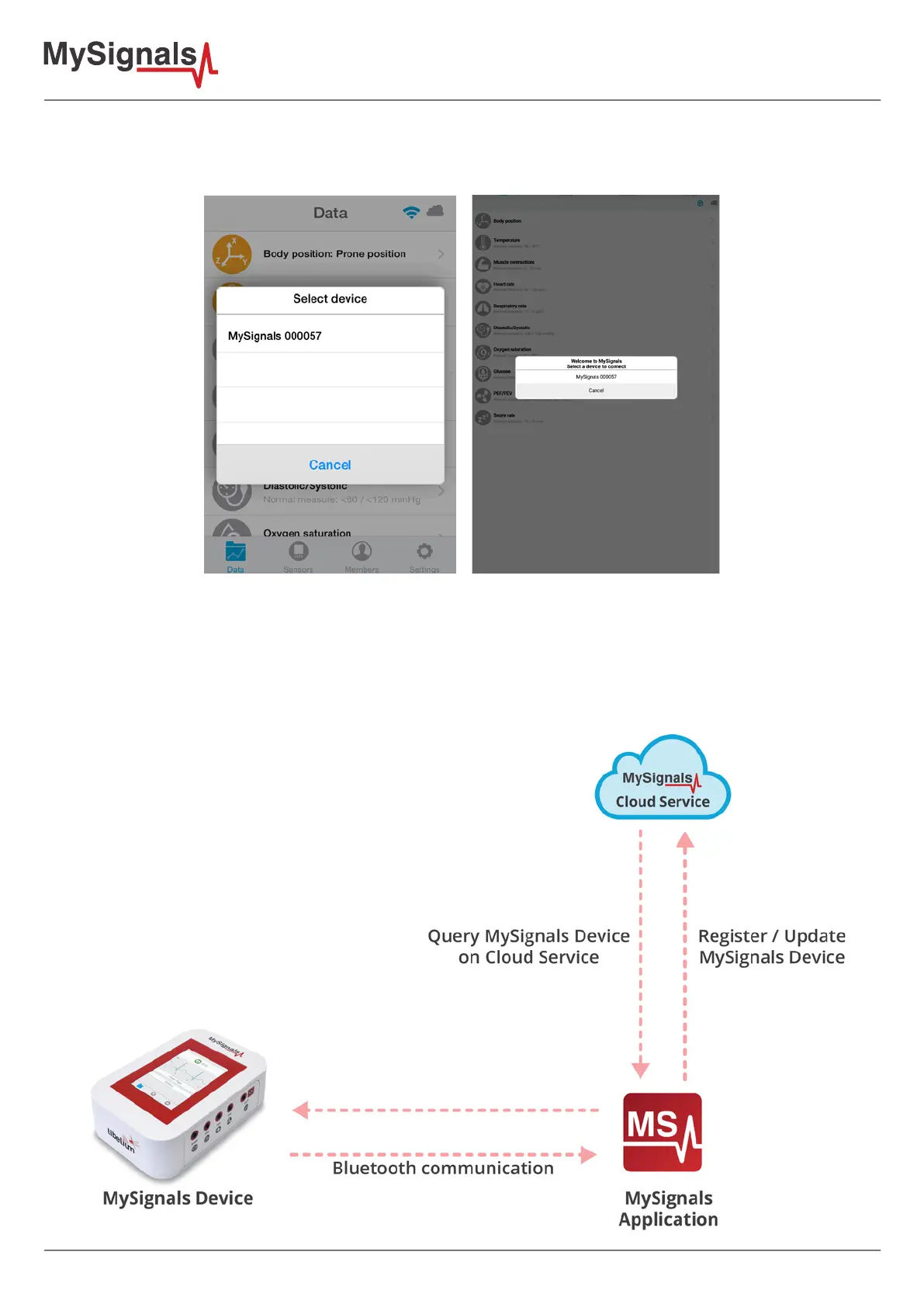
After login, if you have already selected a MySignals device skip this paragraph, if not continue reading. If the user
had not selected a MySignals device to connect, after login, a popup message will prompt with a list of available
MySignals device to connect.
Once the user selects a MySignals device the registration of a new device with a license is a transparent process
for the user. After a properly bonding between the mobile application and the MySignals device the registering
process starts.
First, the mobile application looks for the MySignals device in the cloud, if this device is not registered it creates a
new device for the user, if this device already exists it update the information for this device. The account can only
register one MySignals device. This process can be represented with the following scheme:



 To Next Page