-257- v2.9
Sensors
7.3.3. Selecting sensors
It is very easy to select these kind of sensors, just tap over each one and they will be selected and show up on
main data screen. To deselect these sensors just tap again and the light icon will turn grey and will disappear form
main data screen.
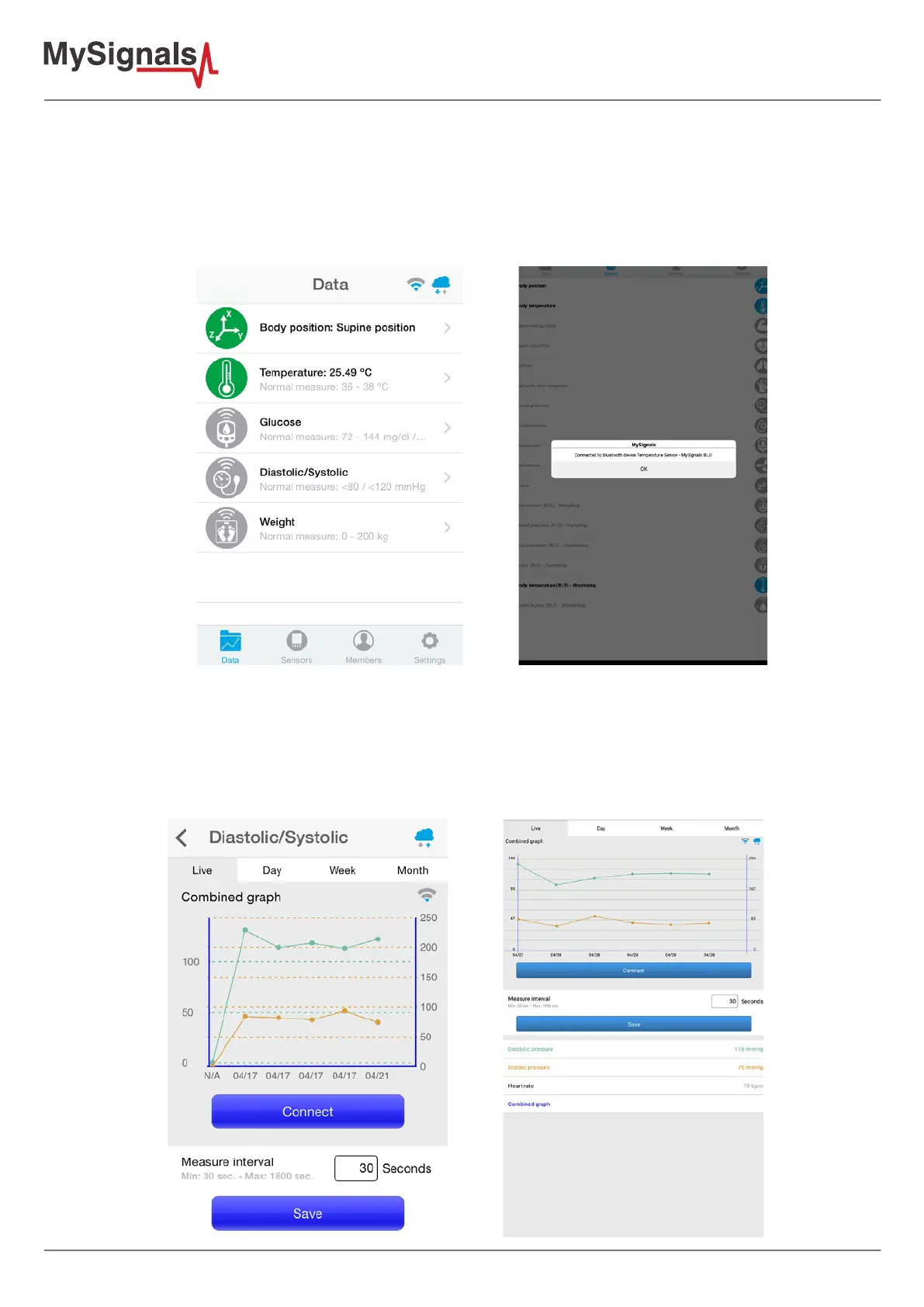
Once you select one or more sampling sensor, they will be shown on main data screen.
7.3.3.1. Detail screen
On these detail screens, all sampling sensors shares common elements on the interface, but there is also
dierences between them.
There is a common connect button on the details screen, the fuction of this element is easy, it creates a new
connection between the bluetooth sensor and the mobile application like the monitoring sensors.


 To Next Page