-204- v2.9
Sensors
7.1.11.2. Connecting the sensor
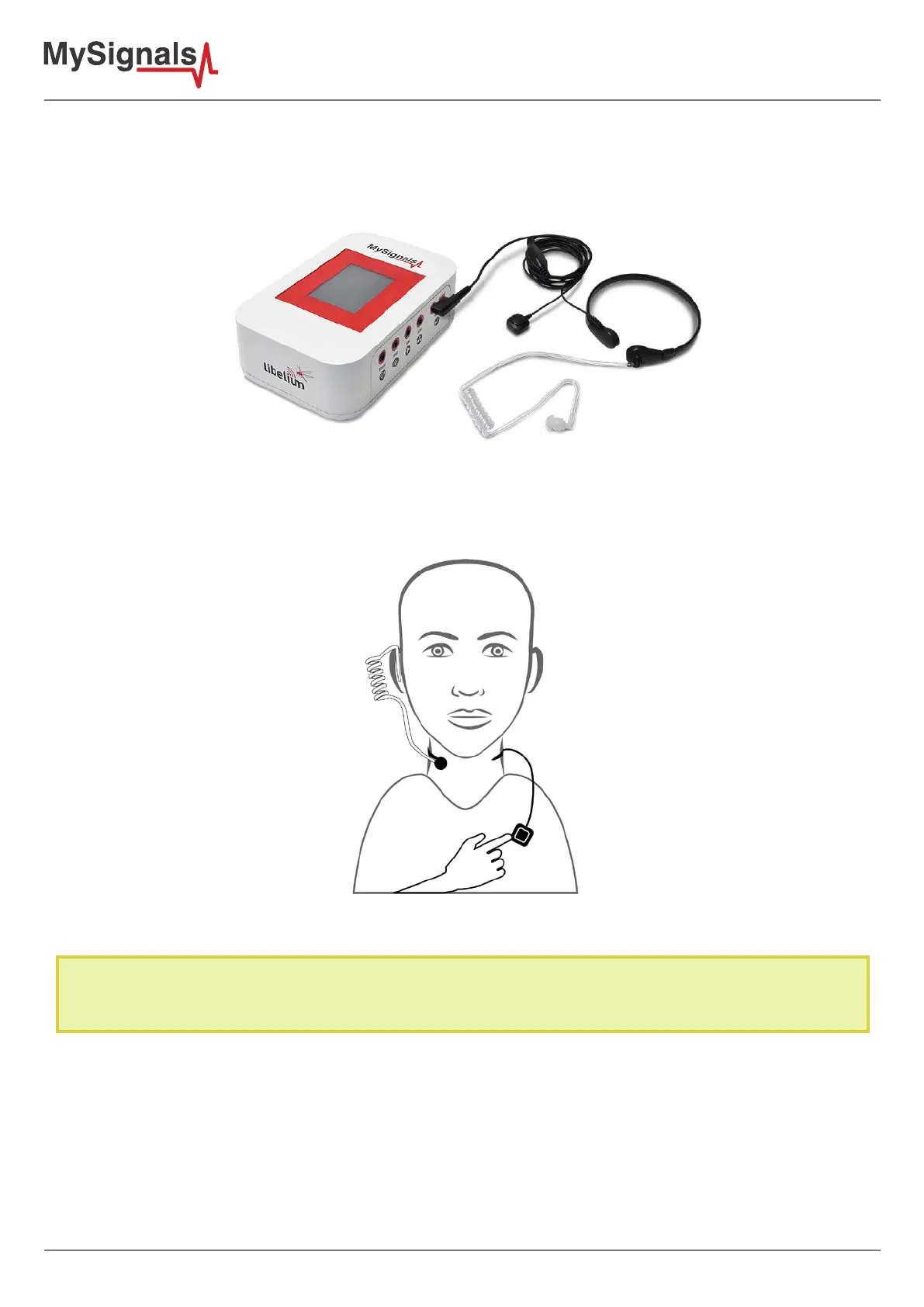
Connect the sensor in the snore double connector indicated in the MySignals Hardware board. The sensor cable
have only one way of connection to prevent errors and make the connection easier.
Figure: MySignals Software Development Platform with Snore connected
Place the sensor in your neck as you can see in the next image. You can use the translucent earbud speaker in
your ear in order to detect acoustic alerts or messages.
After a few seconds you will get the values in the visualization method selected.
NOTE: Position the sensor in the correct position as you can see in the diagram connection, and wait 3-5 minutes in
order to stabilize the sensor measure.



 To Next Page