-73- v2.9
Data Access
6.3.2.2. Sensors Detail view improvement
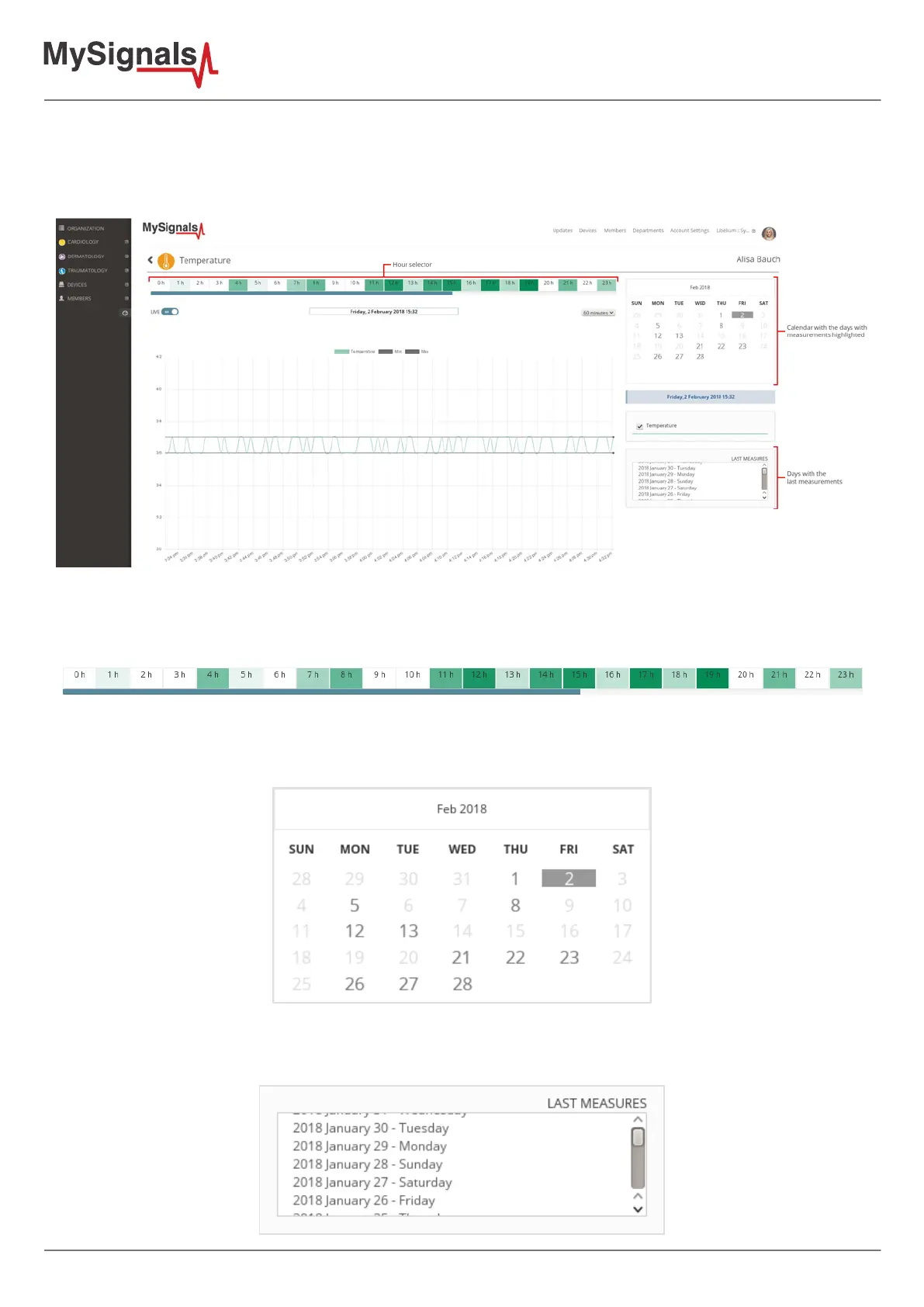
The sensors “Detail view” enables access to the history of the information previously stored. You can visualize data
by choosing the month, the day and the hour.
In this view, you can interact with these three elements:
• Hour selector: the data visualization is divided in the 24 hours of the day. Identify the slots of time which have
measurements stored and select one of them to visualize the data in the graphic.
• Calendar: navigate through the months and days in order to see the history of data gathered. The days with
measurements are highlighted.
• “Last Measures” selector: access directly to the concrete days with measurements without navigating through
the calendar.



 To Next Page