-86- v2.9
Sensors
7.1.1.2. Connecting the sensor
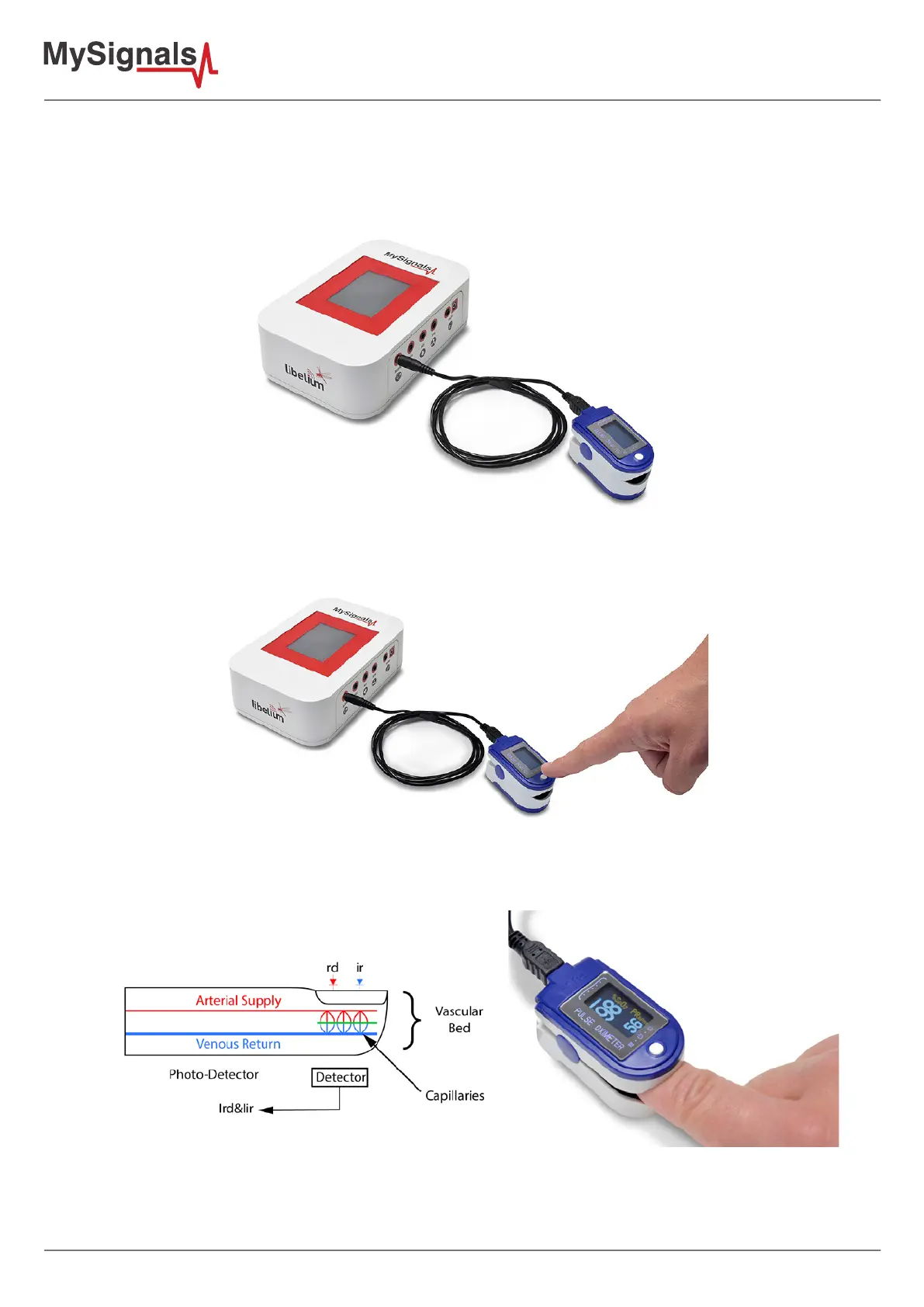
Connect the sensor in the SPO2 connector indicated in the MySignals Hardware board. The sensor cable have only
one way of connection to prevent errors and make the connection easier. Use the mini-USB connector to link the
SPO2 with the MySignals board, using the jack connector of the cable in this side.
Figure: MySignals Hardware Development Platform with SPO2 connected
Place the SPO2 on your nger as shown in the image below.
Figure: SPO2 connection diagram
Insert your nger into the sensor and press ON button.
Figure: MySignals Hardware Development Platform with SPO2 situated in the user body
After a few seconds you will get the values in the sensor screen of the sensor and in the visualization method
programmed.



 To Next Page