EasyManua.ls Logo

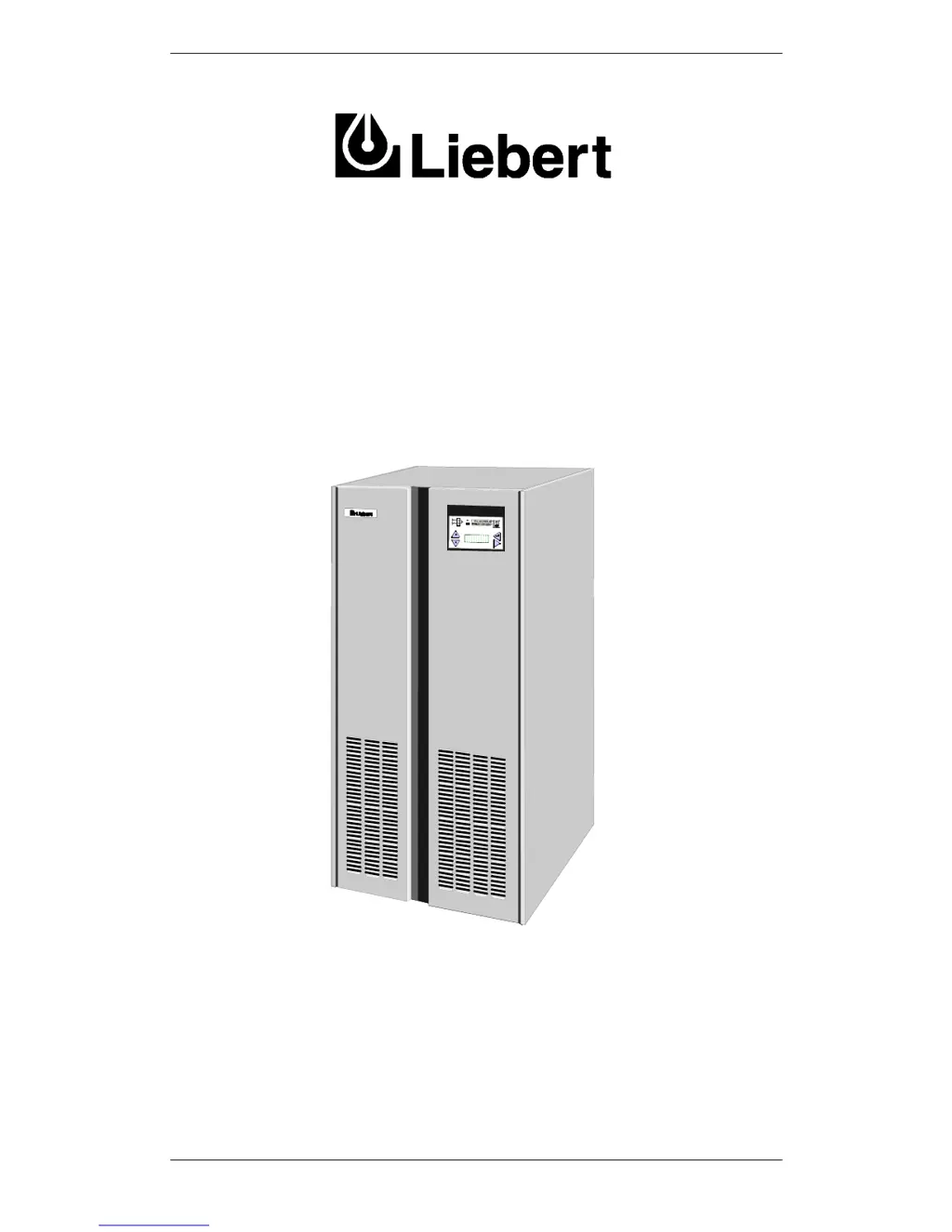
Liebert 7200 Series - User Manual

Liebert 7200 Series
94 pages
Print Icon
To Next Page IconTo Next Page
Loading...
Manual Reference: 6310022E - 6 (03/98)
7200 Series UPS
Single Module
Parallel 1+1
User Manual
%
MENU
ESC
LOAD:
[%]
A B
C
034 034
034

Table of Contents

Questions and Answers

  • M
    Mark BennettAug 17, 2025
    What to do if the battery is not available on my Liebert 7200?
    • S
      Stephen HowellAug 17, 2025
      If the battery is not available for your Liebert UPS, check if the battery circuit breaker is closed and that the DC busbar voltage is above 320V. If the voltage is not above 320V, perform checks as per 1 (mains failure). If the d.c. busbar voltage is greater than 320V but you are unable to close the battery circuit breaker then seek qualified assistance. If the battery circuit breaker trips as soon as mains power is disconnected, check the battery power fuse (F13).
  • Z
    Zachary BrewerAug 19, 2025
    What to do if the applied load has exceeded the maximum on my Liebert 7200 UPS?
    • C
      connertoddAug 19, 2025
      If the applied load exceeds the maximum for your Liebert UPS, you should immediately reduce the load.
  • L
    leonard18Aug 23, 2025
    How to fix Liebert UPS inverter not producing correct output voltage?
    • S
      stephanie59Aug 23, 2025
      If the inverter in your Liebert UPS is not producing the correct output voltage: * If [OVERTEMPERATURE] or [OVERLOAD] alarm messages are active, press the reset switch (S1) on the UPS Logic Board. * If the d.c. busbar is below 320V d.c. for 380 V a.c. system, 330V d.c. for 400 V a.c. system or 340 V d.c. for a 415 V a.c. system, do the checks as per `Rectifier Block'- input failure items 15, 16, 17 & 18. * If the inverter works OK when mains is available but not when mains is unavailable, check the battery power fuse F13. If the above checks prove unsatisfactory then seek qualified assistance.
  • V
    victor24Aug 26, 2025
    What to do if my Liebert 7200 UPS has detected a fault?
    • D
      Dalton CabreraAug 26, 2025
      If your Liebert UPS has detected a fault, take the required actions for the display panel message (see Display alarm message table). This will be accompanied by an audible warning.
  • P
    Peggy OdomAug 28, 2025
    Why is the rectifier not producing its correct output voltage in my Liebert 7200 UPS?
    • B
      Bianca GarciaAug 28, 2025
      If the rectifier in your Liebert UPS is not producing its correct output voltage due to operator selection to off, an input supply failure, an open rectifier a.c. input power switch, or an internal fault, note that most of the rectifier fault messages are self explanatory.
  • H
    Heather HughesAug 31, 2025
    Why has the load transferred to the bypass more than eight times in one minute on my Liebert 7200?
    • D
      danielstevensAug 31, 2025
      If the load has transferred to the bypass more than eight times in one minute on your Liebert UPS, it requires investigation, as this message could be initiated by a load causing the UPS to overload.
  • P
    Pam HessSep 2, 2025
    What does it mean when the battery voltage is low on my Liebert 7200?
    • S
      Sherri WhitakerSep 2, 2025
      If the battery voltage is low and the end of battery discharge is near in your Liebert UPS, this will be accompanied by an audible warning.
  • D
    davidjohnsonSep 5, 2025
    What to do if static switch SCR's has developed a fault on my Liebert 7200?
    • K
      Katherine BryantSep 5, 2025
      If one or more of the static switch SCR's has developed a fault in your Liebert UPS, seek qualified assistance.
  • S
    Sandra DavisSep 7, 2025
    What to do if input power lines have been cross-connected on my Liebert 7200 UPS?
    • K
      Katherine LoganSep 7, 2025
      If the input power lines have been cross-connected and the phases sequence is incorrect in your Liebert UPS, seek qualified assistance.
  • J
    Javier Mendoza MDSep 12, 2025
    What to do if parallel board has detected a wrong sharing of the load on my Liebert UPS?
    • I
      Ian BlackSep 12, 2025
      If the parallel board has detected a wrong sharing of the load and has blocked its inverter in your Liebert UPS, seek qualified assistance.

Summary

Chapter 1 - General Description

Introduction

Provides an overview of the UPS system and its advantages.

Design Concept

Explains the fundamental operating principles and architecture of the UPS.

Bypass Supplies

Details the static and maintenance bypass functionality for load protection.

UPS Power Switch Configuration

Describes the layout and function of the UPS power switches.

Battery System Components

Covers battery circuit breakers, cabinets, and temperature compensation.

Operator Control and Display Panel

Introduction to the panel for monitoring and controlling the UPS.

LED Indications

Diagram and description of the UPS status and alarm LEDs.

Emergency Power Off (EPO)

Details the function and operation of the EPO switch.

LCD Display and Operation

Description of the LCD display, its operation, and panel messages.

Alarm and Warning Management

Information on how alarms and warnings are indicated and selected.

Chapter 2 - Operating Instructions

Introduction

Outlines the three main operating conditions of the UPS system.

Procedure for switching the UPS to power the load from a power off condition

Step-by-step guide to starting the UPS from a fully powered-down state.

Procedure for Switching the UPS into a Maintenance Bypass condition from normal operation.

Instructions for transferring the load to bypass for maintenance.

Procedure for Switching the UPS ON from a Maintenance Power down condition

Guide to restarting the UPS from a maintenance shutdown.

Procedure for completely powering down the UPS

Steps to safely shut down the UPS and disconnect power.

Procedure for carrying out a RESET after a recognised controlled transfer to bypass or EPO action.

Procedure to reset the UPS after specific fault conditions or EPO activation.

Chapter 3 - Installation Procedure

Introduction

Overview of installation procedures, requirements, and warnings.

Battery hazards

Details safety precautions specifically related to handling batteries.

Preliminary Checks

Lists essential checks to perform before installing the UPS hardware.

Connecting the UPS power cables

Guidance on connecting input, output, and battery power cables.

Cable entry

Describes the pathways for routing cables into the UPS cabinet.

Cable rating

Provides recommended cable sizes based on UPS rating and current.

Cable connections

Explains how to make physical connections to busbars and terminals.

Safety earth

Details essential procedures for proper earthing and bonding.

Protective devices

Information on selecting and installing circuit breakers and fuses.

Cabling procedure

Step-by-step instructions for connecting power cables to the UPS.

UPS External cables

Diagram showing external cable routing and connection points.

Power and control cable connections

Diagram illustrating power and control cable interconnections.

Battery power cables

Specific instructions for connecting battery power cables.

Remote emergency power off (EPO) facility

Wiring instructions for the remote EPO functionality.

Chapter 4 - Optional equipment

AS400 Alarm Interface Board

Details the AS400 interface board for connecting UPS alarms to IBM AS400 systems.

Remote Alarms Interface Board

Describes the board for extending alarm outputs to remote monitoring devices.

Remote Alarms Monitor

Provides information on the remote monitor for displaying alarm status.

Battery Cabinets

Covers the specifications and types of optional battery cabinets available.

Battery Circuit Breaker Boxs

Details optional boxes for battery isolation circuit breakers.

Input filters

Information on optional input harmonic filters for power factor improvement.

Communications Kits

Describes kits for connecting the UPS to PCs or modems for monitoring.

Chapter 5 - Maintenance

Scheduled Maintenance

Overview of recommended periodic maintenance activities for the UPS.

Daily checks

Routine daily inspection procedures for the UPS control panel and environment.

Weekly checks

Weekly checks involving measurement and recording of UPS parameters.

Annual Service

Detailed annual maintenance procedures, often requiring internal access.

Extended service

Recommendations for periodic checks of power cables and connections.

Battery maintenance

Guidelines for maintaining the UPS battery system.

UPS status parameters

Instructions on how to view and interpret UPS operating status parameters.

Chapter 6 - Trouble shooting

Trouble shooting UPS Systems

General guidance and approach to diagnosing UPS faults.

Operating parameters and limitations

Key operational limits and parameters to monitor for fault detection.

General Trouble shooting Procedure

Methodical steps for identifying and correcting UPS problems.

Fault Reporting

Instructions on how to report detected faults to service agents.

LED interpretation

Detailed explanation of the meaning of each LED indicator on the UPS panel.

Display panel message interpretation

Explanation of the various alarm and warning messages shown on the UPS display.

Chapter 7 - 1+1 Parallel System

Generality

Introduction to the 1+1 parallel UPS system configuration.

Redundant parallel

Description of the redundant parallel configuration and its operation.

Power parallel

Description of the power parallel configuration and its operation.

Battery configuration

Overview of separate vs. common battery configurations for parallel systems.

Installation procedure (Separete batteries)

Installation steps for parallel systems using separate battery configurations.

Preliminary Checks

Pre-installation checks specific to parallel operation with separate batteries.

Power cables

Cable requirements for parallel operation with separate batteries.

Control cables

Details on connecting control and communication cables for parallel systems.

Emergency Power Off (EPO)

Wiring for EPO functionality in parallel systems.

System start-up and shutdown procedures (Separate batteries)

Procedures for starting and stopping parallel UPS systems with separate batteries.

System start-up

Steps to start up a 1+1 parallel system with separate batteries.

Switching the system to maintenance bypass from normal operation.

Procedure to transfer load to maintenance bypass in parallel systems.

Switching the system ON from a maintenance power down condition.

Steps to restart a parallel system after maintenance shutdown.

Switching OFF and isolating one UPS while the other remains in service.

Procedure to isolate one UPS in a redundant parallel setup.

Switching ON a UPS that was previously switched OFF and isolated from the system.

Procedure to re-enable an isolated UPS in a redundant parallel setup.

Installation procedure (Common battery)

Installation steps for parallel systems using a common battery configuration.

Connection between UPS and “battery auxiliary distribution box”

Details on connecting to the auxiliary distribution box for common battery systems.

System start-up and shutdown procedures (Common battery)

Procedures for starting and stopping parallel UPS systems with a common battery.

System start-up

Steps to start up a 1+1 parallel system with a common battery.

System maintenance by-pass configuration procedure

Procedure to bypass the UPS for maintenance in common battery systems.

Switching OFF and isolating isolation one UPS while the other remains in service.

Procedure to isolate one UPS in a common battery parallel setup.

Switching ON a UPS that was previously switched OFF and isolated from the system.

Procedure to re-enable an isolated UPS in a common battery parallel setup.

Chapter 8 - Specification Single Module

MECHANICAL CHARACTERISTICS

Specifications related to the physical dimensions, weight, and construction of the UPS.

ENVIRONMENTAL

Details operating and storage environmental conditions for the UPS.

INPUT RATINGS

Specifications for the UPS's input voltage, current, and frequency.

SYSTEM DATA

General system data including efficiency, losses, and overload capabilities.

OUTPUT RATINGS

Specifications for the UPS's output voltage, frequency, current, and distortion.

INTERMEDIATE DC CIRCUIT

Technical specifications related to the internal DC circuit parameters.

STATIC SWITCH CIRCUIT

Specifications concerning the static switch performance.

BATTERY CABINETS

Specifications for the different types of optional battery cabinets.

BATTERY CIRCUIT BREAKER BOX

Specifications for the optional battery circuit breaker boxes.

Liebert 7200 Series Specifications

General IconGeneral
CategoryUPS
BrandLiebert
Series7200 Series
Frequency50/60 Hz
Phase3-Phase
DimensionsVaries by model
WeightVaries by model
TopologyDouble Conversion
Battery TypeVRLA
Operating Temperature0°C to 40°C
Humidity0% to 95% (non-condensing)

Related product manuals