28 Chapter 4 Operator Control And Display Panel
Liebert NXC 30kVA And 40kVA UPS User Manual
Alarm indicator
Solid red
Rectifier not ready or critical fault (fro example, inverter relay short circuit, bypass STS
short circuit, bypass backfeed and inverter fault, etc.)
Flashing red
General fault (for example, module overload, battery disconnected, fan failure and
parallel load sharing failure, etc.)
4.1.2 Audible Alarm (Buzzer)
UPS activity is accompanied by the two kinds of sound listed in Table 4-3.
Table 4-3 Description of audible alarm
Alarm upon a general fault, for example, module overload, battery disconnected, fan
failure, parallel load sharing failure and battery discharge pre-alarm, etc.
Continuous beep
Alarm upon a general fault, for example, inverter relay short circuit, bypass STS short
circuit, bypass backfeed and inverter fault, etc.
4.1.3 Control Keys
The operator control and display panel provides five control keys, as described in Table 4-4.
Table 4-4 Description of control keys
Cut off the load power and battery, shut down the rectifier, inverter, static bypass
switch
OFF Shut down the inverter
Fault reset switch FAULT CLEAR Clear fault to restart the UPS
Alarm silencing switch ALARM CLEAR
When an alarm is active, pressing this key silences the audible alarm. Pressing
this key again enables the buzzer again
Note: It is required to hold and press the preceding keys for 2s to initiate the key function
4.1.4 LCD And Menu Keys
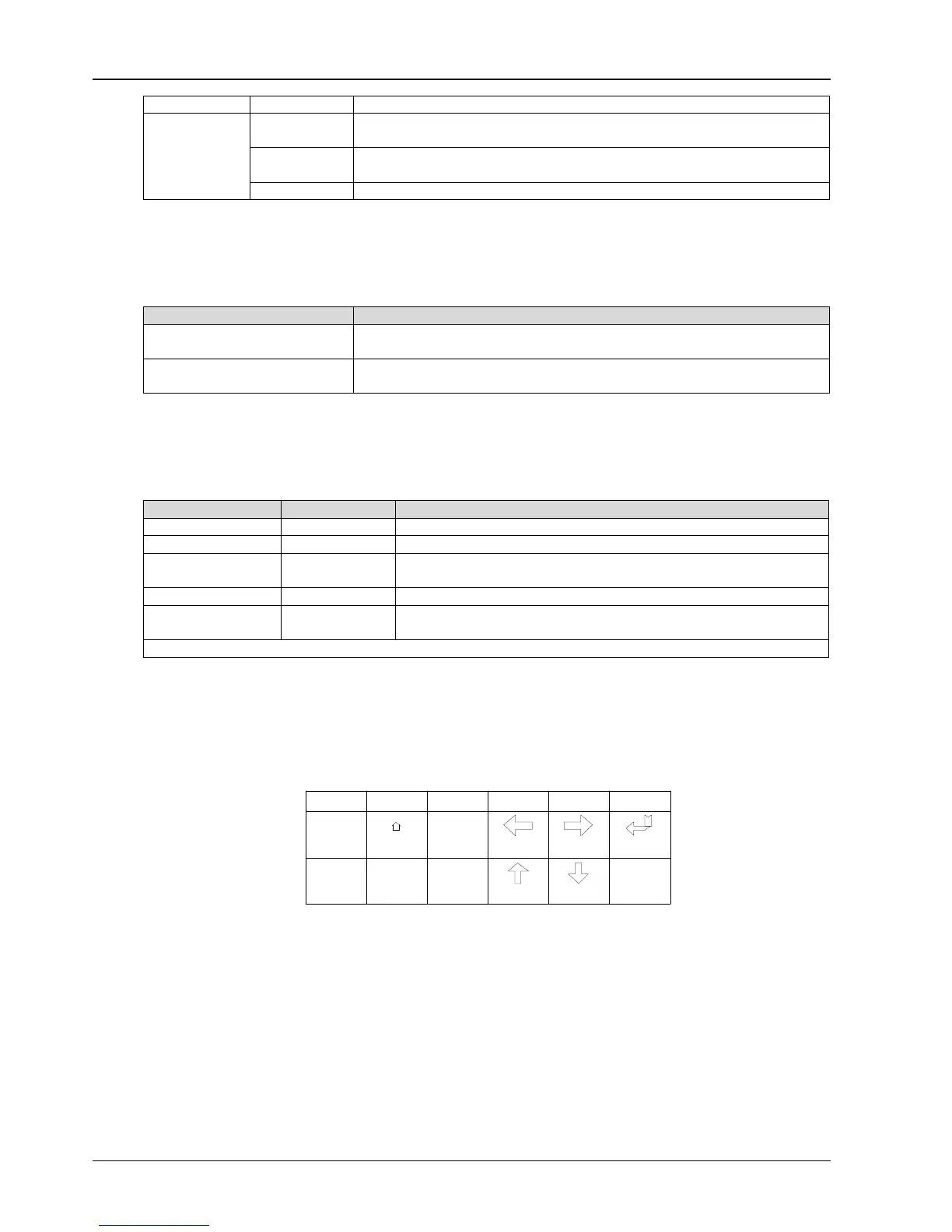
The operator control and display panel provides an LCD screen and five menu keys (F1 ~ F5). The menu keys are
described in Table 4-5.
Table 4-5 Description of menu keys
Providing 320 × 240 dot matrix graphic display, the user-friendly and menu-driven LCD allows you to easily browse
through the input, output, load and battery parameters of the UPS, get current UPS status and alarm information, and
perform functional setting and control operation. The LCD also stores up to 2048 historical records that can retrieve for
reference and diagnosis.
4.2 LCD Screen Type
4.2.1 Start Screen
Upon UPS start, the UPS executes self-test, and the start screen appears and remains approximately 25 seconds, as
shown in Figure 4-2.
Function 1
Function 2
F1 F2 F3 F4
ESC
Escape Left
Up
Right
Down
Enter
Key
F5
HOME



 To Next Page